
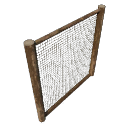
Animals it can hold
This barrier holds every species that needs grade 2 or lower. Species that need climb-proofing need the Climb Proof option set on this barrier.
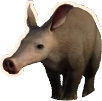 Aardvark
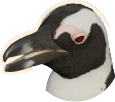 African Penguin
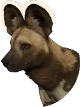 African Wild Dog
 Asian Small-Clawed Otter
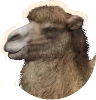 Bactrian Camel
 Binturong
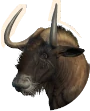 Black Wildebeest
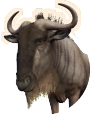 Blue Wildebeest
 Common Ostrich
 Common Warthog
 Eurasian Beaver
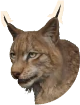 Eurasian Lynx
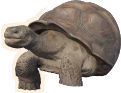 Galápagos Giant Tortoise
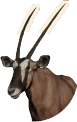 Gemsbok
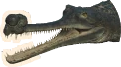 Gharial
 Golden Lion Tamarin
 Goodfellow's Tree-Kangaroo
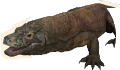 Komodo Dragon
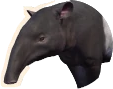 Malayan Tapir
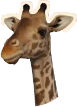 Masai Giraffe
 Meerkat
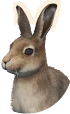 Mountain Hare
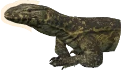 Nile Monitor
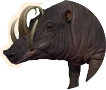 North Sulawesi Babirusa
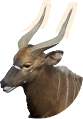 Nyala
 Plains Zebra
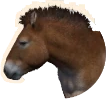 Przewalski's Horse
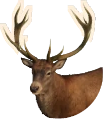 Red Deer
 Red Panda
 Ring-Tailed Lemur
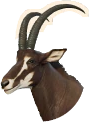 Sable Antelope
 Siamang
 Snow Leopard
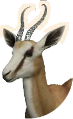 Springbok
 Sunda Pangolin
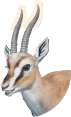 Thomson's Gazelle
 Wild Boar





Height, climb proofing and water barriers count too: the barrier planner checks them for any mix of species.
Other barriers with this grade
More barriers
Related pages
Climbing, windows and escapes
Climbable status shows whether the wall can be scaled by animals before any additional climb proofing is applied.
Barriers that aren’t naturally see-through or climb-proof can be fitted with windows and climb-proofing in the Barrier Tool’s Customisation options. They can be retrofitted or applied directly during building. Windows and climb-proofing add some construction costs.
Climb-proofing prevents escape of climbing animals. It can be applied to one or both sides of a wall, which can be useful when two habitats share a barrier.
Guests can view animals through windows. Their Material and Shape can be changed in the window settings, where you can also flip 1-way windows facing the wrong way.
Null Barriers are invisible barrier segments defining a perimeter under natural barriers or scenery that block animals from escaping.
Highlight Hidden Barriers Highlight any hidden barriers.
Animals are considered escaped when not within their assigned Habitat perimeter. They can escape by climbing, jumping or swimming over barriers, or by walking across null or broken barrier segments. Potential escape routes are shown in the Habitat - Traversable Area Heatmap.
There are a variety of view modes available to help you manage your zoo. You can access these via the Heatmaps toggle in the HUD. In some situations, a Heatmap might require you to make a specific selection, such as selecting an animal to view the Traversable Area Heatmap in context.