Minecraft: Java Edition
Minecraft server hosting with one-click modpacks
Play Vanilla, add plugins or install a modpack from Modrinth or CurseForge. From €4.99 a month, and the first 24 hours are free.
No account needed · 24 hours free · cancel any time
The trial needs a way to pay. Nothing is charged today.
- Modpacks from Modrinth and CurseForge in one click
- No player limit
- A backup every day
- No minimum term
- 5.5 GHzNo lag when everyone is online
- NVMe SSDWorlds load fast
- Daily backupsYour world is safe: the last 3 are kept
- Gravelines, FranceLow ping in Europe
Servers in North America are coming. Get one email when they open.
One email when servers open in your region, nothing else. Privacy
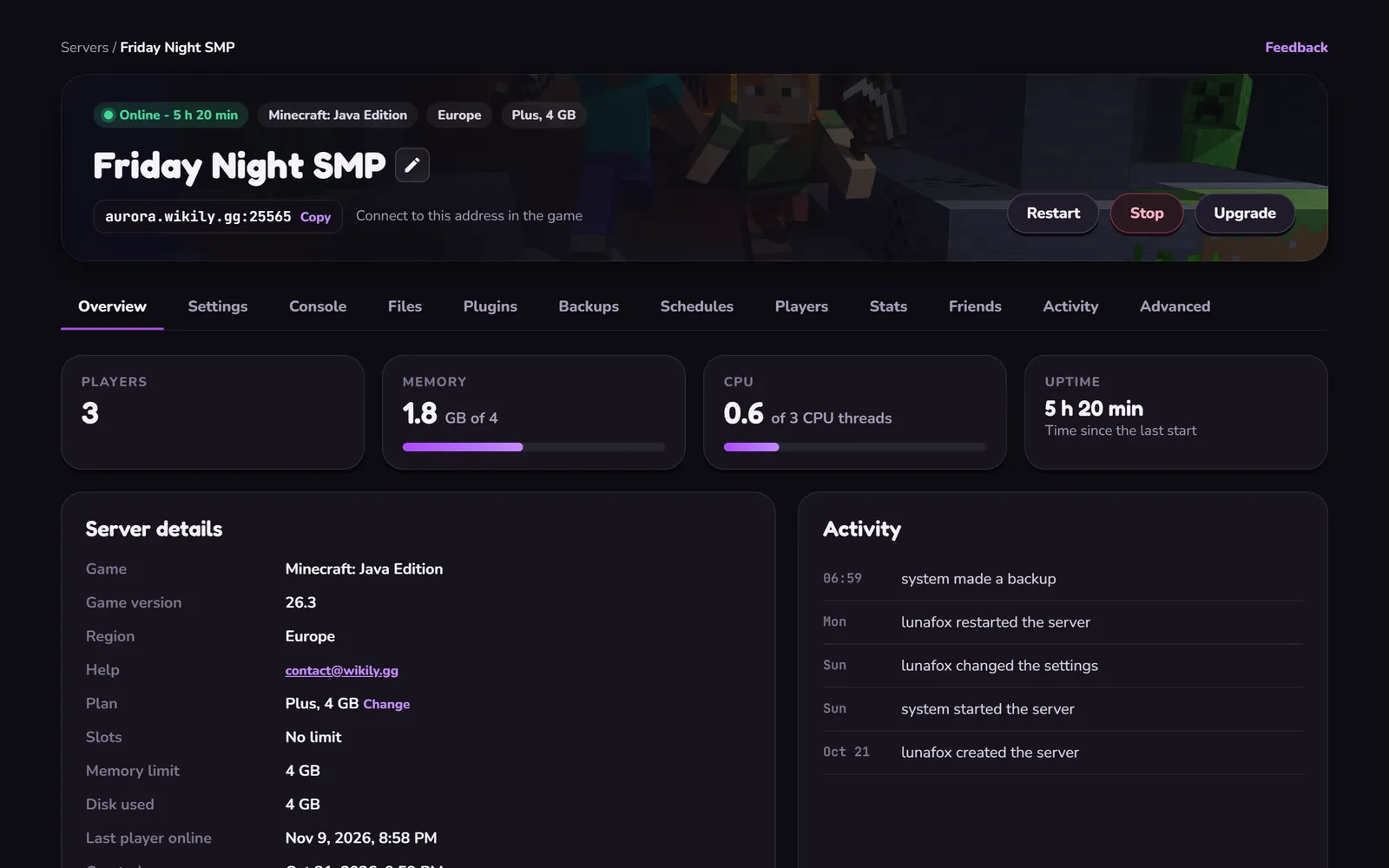
Your control panel
Everything you need to run your server, in the browser. No commands to learn.
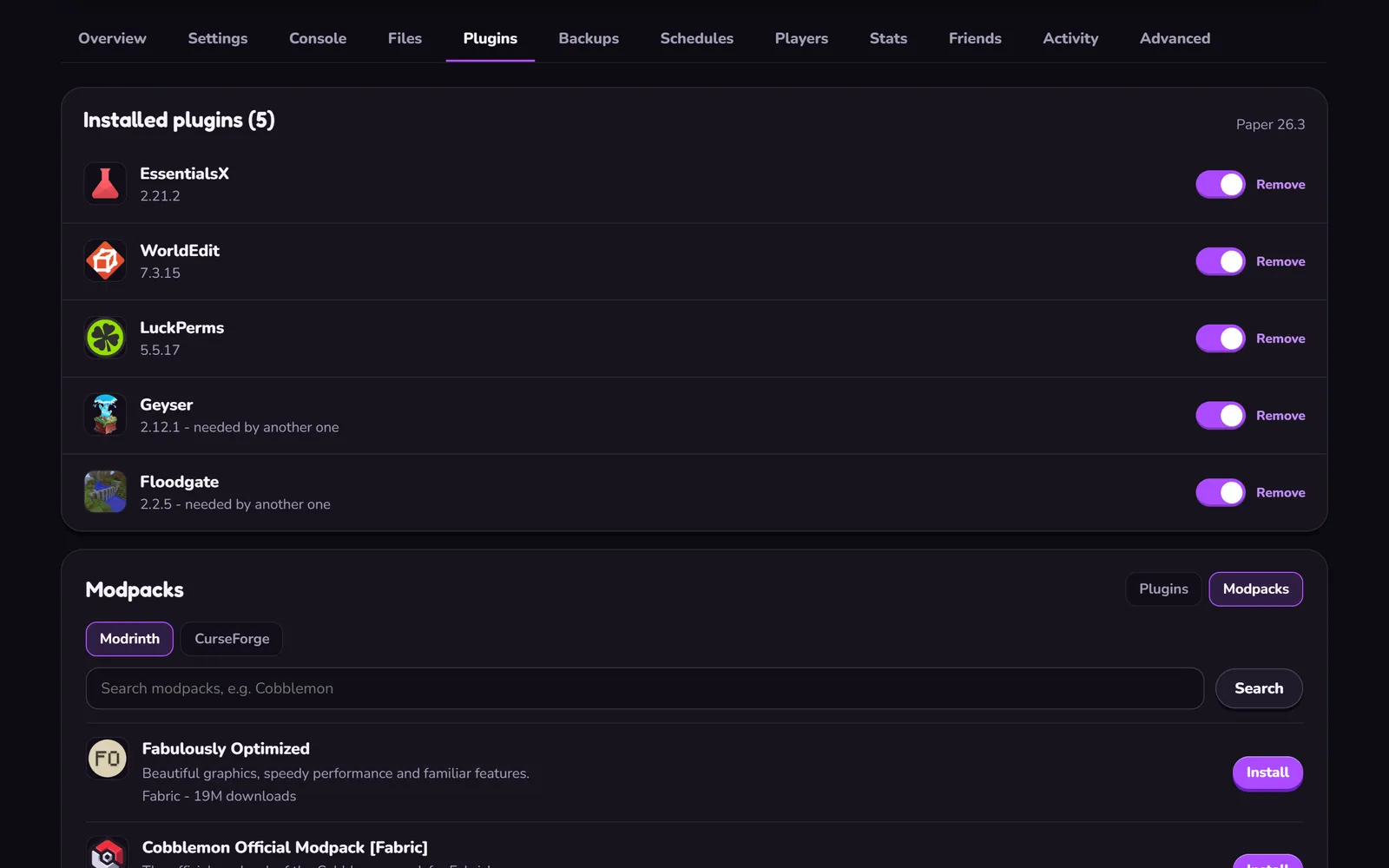
Mods, plugins and modpacks
Modpacks from Modrinth or CurseForge, mods and plugins from Modrinth, installed in one click.
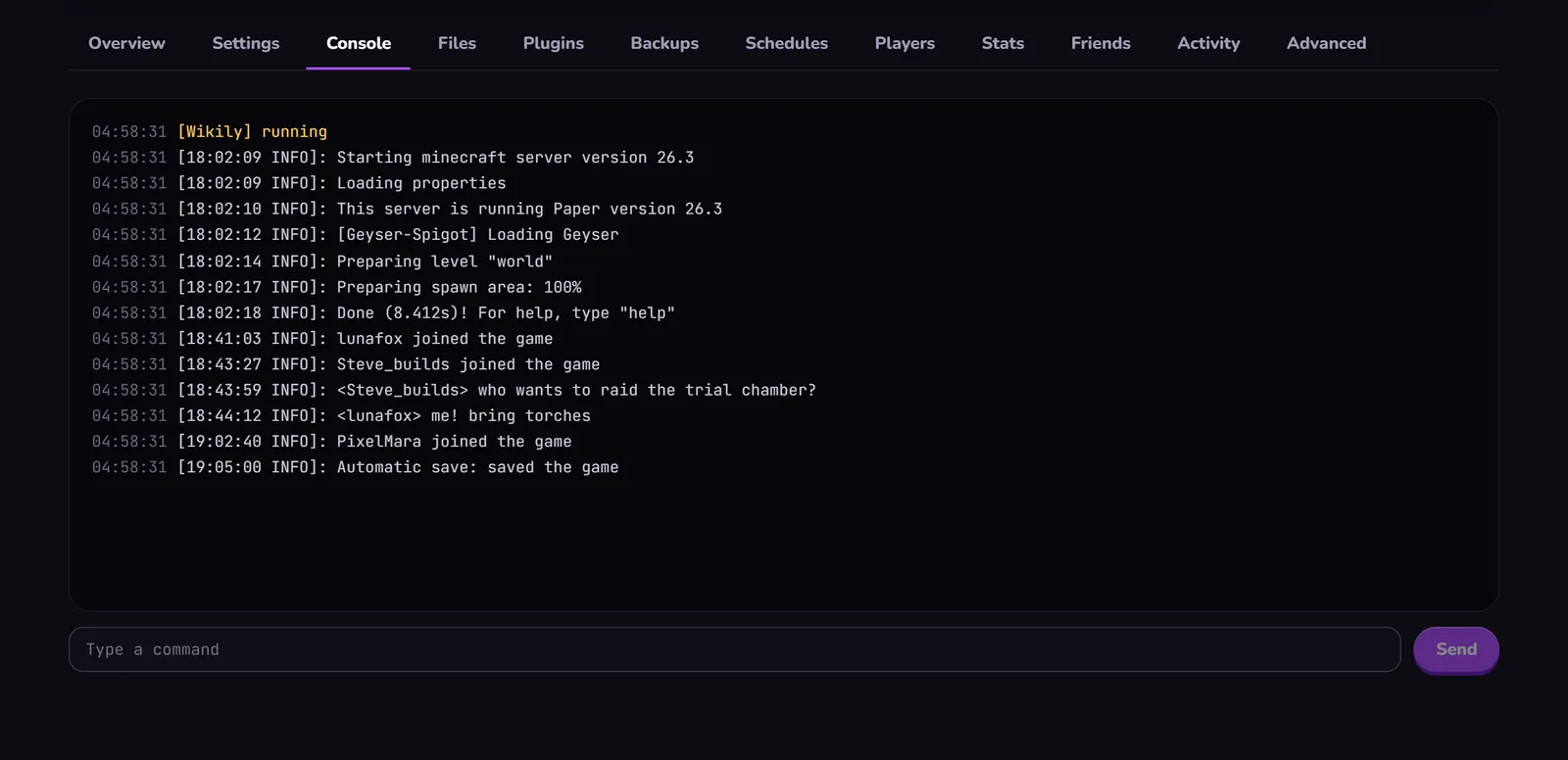
Live console
Watch the server log as it happens and type commands.
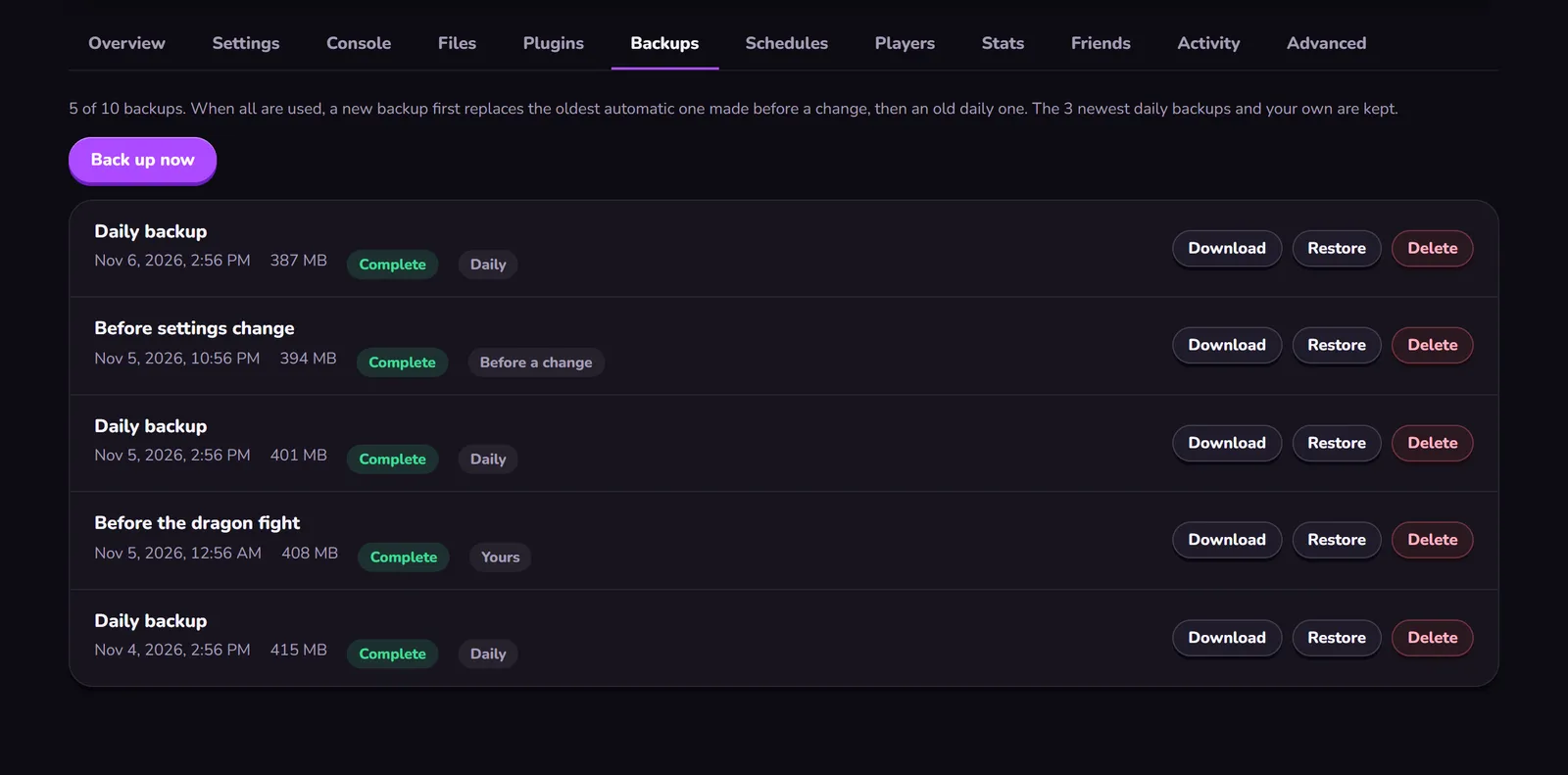
Backups you can restore
A backup every day and one before every change. Restore or download any of them.
How it works
Pick a plan
Choose by players and memory. The first 24 hours are free: cancel before then and you pay nothing.
It sets itself up
Right after checkout, the game installs on its own. Your panel shows the progress.
Share the address and play
Copy the address from your panel and send it to your friends. They add it in Minecraft as shown above.
Plans
Every plan runs on an AMD Ryzen 7 9700X with NVMe storage, with daily backups and Wikily Premium.
- Modpacks from Modrinth and CurseForge in one click
- Up to 2 CPU threads
- 15 GB storage
- Manual and scheduled backups
- Wikily Premium includedNo ads on any Wikily wiki, worth $5 a month
- Modpacks from Modrinth and CurseForge in one click
- Up to 3 CPU threads
- 20 GB storage
- Manual and scheduled backups
- Wikily Premium includedNo ads on any Wikily wiki, worth $5 a month
- Modpacks from Modrinth and CurseForge in one click
- Up to 4 CPU threads
- 30 GB storage
- Manual and scheduled backups
- Wikily Premium includedNo ads on any Wikily wiki, worth $5 a month
- Modpacks from Modrinth and CurseForge in one click
- Up to 5 CPU threads
- 40 GB storage
- Manual and scheduled backups
- Wikily Premium includedNo ads on any Wikily wiki, worth $5 a month
- Modpacks from Modrinth and CurseForge in one click
- Up to 6 CPU threads
- 50 GB storage
- Manual and scheduled backups
- Wikily Premium includedNo ads on any Wikily wiki, worth $5 a month
Compare Minecraft plans
| Starter | Plus | Modded | Modded+ | Heavy modpacks | |
|---|---|---|---|---|---|
| Runs well with | Vanilla or Paper, about 2-6 friends | Paper with plugins, about 10 players | Small modpacks, or 20 players on Paper | Most modpacks | Big modpacks that ask for 10 GB or more |
| Memory | 3 GB | 4 GB | 6 GB | 8 GB | 12 GB |
| CPU threads | 2 | 3 | 4 | 5 | 6 |
| Storage | 15 GB | 20 GB | 30 GB | 40 GB | 50 GB |
| Backups | Included | Included | Included | Included | Included |
| Wikily Premium included | Included | Included | Included | Included | Included |
| Price per month | €4.99 | €5.99 | €8.99 | €11.99 | €16.99 |
| Price per week | €2.49 | €2.99 | €4.49 | €5.99 | €8.49 |
Modpacks need more memory than Vanilla. Check how much the pack asks for and pick a plan with at least that. You can move to a bigger plan later.
No minimum term. Your server runs until the end of the period you paid for. Prices in euros include VAT; in US and Canadian dollars, tax is added at checkout. Prices and plans updated on November 9, 2026.
Server types
Change the server type and the Minecraft version in the panel whenever you like.
- VanillaNo add-onsMinecraft as Mojang ships it. No mods or plugins.
- PaperPluginsFaster than Vanilla, runs Paper, Spigot and Bukkit plugins. New servers start on Paper.
- PurpurPluginsPaper with extra gameplay options. Runs the same plugins.
- FabricModsA light mod loader that is quick to update to new Minecraft versions.
- QuiltModsA Fabric fork. Runs Quilt mods and most Fabric mods.
- ForgeModsThe classic mod loader. Most older modpacks use it.
- NeoForgeModsThe Forge fork most new mods use (Minecraft 1.20.2 and newer).
- Not sure?Stay on Paper. Add plugins whenever you like, and players join with plain Minecraft.
Also included
- Java + Bedrock crossplayFriends on phones, tablets and Windows (Bedrock) can join your Java server.
- Ports for modsMods like voice chat need a port of their own. Add one in the panel.
- Updates on their ownWhen the game updates, your server installs the new version while nobody is on.
- SchedulesRestarts and backups at the times you pick.
- Friends and rolesLet friends start the server, or make them operator or admin.
- Files and SFTPUpload a world or your own files in the browser, or with an SFTP app.
- Wikily Premium includedNo ads on any Wikily wiki while your server runs. Worth $5 a month.
Questions
How does the free trial work?
You add a way to pay at checkout and nothing is charged. Your server is made right away and is free for 24 hours. Cancel on the Billing page before the trial ends and you pay nothing: the server stops when the trial ends and its world is kept 3 days. Otherwise the monthly plan starts and the first month is charged. We email you a few hours before the trial ends. There is one free trial per customer.
Do I need an account?
No. Enter your email address when you pay: your Wikily account is made with it and you are signed in right away. Set a password afterwards, or sign in with Google or Apple using the same email.
How can I pay?
Checkout shows the ways to pay that work for your currency. Prices in euros include VAT; in US and Canadian dollars, tax is added at checkout.
Which plan do I need?
Starter, 3 GB: Vanilla or Paper, about 2-6 friends. Plus, 4 GB: Paper with plugins, about 10 players. Modded, 6 GB: Small modpacks, or 20 players on Paper. Modded+, 8 GB: Most modpacks. Heavy modpacks, 12 GB: Big modpacks that ask for 10 GB or more.
How do I install a modpack?
Open the Mods tab of your server, pick Modpacks, search Modrinth or CurseForge and install. A backup is made first, your current mods and config are kept under new names, and the pack's mod loader and Minecraft version are installed with it. You can start a new world for the pack and keep the current one. Packs too big to install this way: upload their server pack .zip and install it from the same tab.
Can I change the Minecraft version later?
Yes, any release version, in the Advanced tab. The change makes a backup, installs the right Java and starts the server once to check it works; if it doesn't start, the old version comes back. For a version older than your world, the panel offers to start with a new world and keeps the current one in Files.
Can Bedrock players join?
Yes, with crossplay turned on in the panel: players with Minecraft on phones, tablets and Windows (Bedrock Edition) join your Java server without a Java account. It works on Paper and Purpur on the newest Minecraft version. Consoles can't join Java servers; for them, take a Bedrock server.
Can I switch plans later?
You can switch plans later: a bigger plan starts right away (you pay the difference for the rest of the paid period), a smaller one from the next period.
Can I pay by the week?
Yes. A weekly plan costs half the monthly price and renews every week until you cancel. Cancel any time on the Billing page; the server then runs until the end of the paid week. We email you a day before each renewal. There is no free trial on weekly plans.
How do my friends join?
Your server's page in the panel shows its address and, for games that have one, the join password, with what to enter in the game. Friends you add in the panel get the role you pick: player (may start the server), operator (also stops it and manages players) or admin (also settings, files and backups).
Where is my server?
In Gravelines, France. Players in Europe, the UK, North Africa and the Middle East get the lowest ping.
How quickly is my server ready?
Right after checkout, the game installs on its own. Your panel shows the progress.
Can I bring my world from another host or my PC?
Yes. Upload your world in the Files tab of your server (up to 50 MB per file) or with SFTP, which takes any size. Then restart the server so the game loads it.
How do backups work?
Your server makes a backup every day and keeps the last 3. You can also make your own, up to 10 in all, and restore any of them in the Backups tab.
What happens when I cancel?
There is no minimum term. A canceled plan runs until the end of the period you paid for. Then the server stops and its world is kept 14 days: renew within that time to continue where you left off.
Can I get my money back?
Try your server free for 24 hours first: cancel before the trial ends and nothing is charged. If something is not right after you paid, write to [email protected].
How do I get help?
Write to [email protected] with your server's name and what happened, or ask on the Wikily Discord: discord.gg/VC2bHXhmfd. We usually reply within 24 hours.
Ready to play?
From €4.99 a month. The first 24 hours are free.Support: [email protected] · Discord · We usually reply within 24 hours · Server status