
Which Minecraft Bedrock server do you need?
Phones, tablets, Windows and consoles in one world: when your own hosted world is enough, and when a server makes sense.
Three ways to play Bedrock together
- FreeYour own world, friends join
Open your world to friends or to your local network from the game's settings. They join from any Bedrock device while you are in the world.
Enough for family and a few friends who play when you play. The world lives on your device and closes with the game.
- FreeBedrock Dedicated Server on your PC
Mojang gives the server away for free for Windows and Ubuntu. It needs a PC that stays on and port 19132 forwarded on your router, TCP and UDP.
For a world that is online when you are not, if a PC at home can stay on. Our guide takes you through it.
- From €2.99 a monthA rented server
The same official server on a machine in a data centre, with a panel for the allowlist, operators, game rules, add-ons and backups.
For a world that is always there, for a bigger group, and for add-ons and texture packs without the file work.
When you do not need a paid server
If you host a world for your kids, your partner or two friends and you are in the world when they are, Bedrock already does everything you need, on every device. A server adds nothing to that except a bill.
You want a server when:
- People should be able to play while the host is not: school hours, other time zones.
- The host plays on a phone or a tablet and the world lags once a few people are in.
- You want add-ons and texture packs applied once for everyone, operators and an allowlist, and the world backed up without anyone remembering to do it.
- Your internet provider gives you no public IPv4 address (CGNAT), so the free server on your PC cannot be reached from outside.
The free way, step by step: How to make a Minecraft Bedrock server. Two things trip everyone up: the allowlist is on and empty on a new server, and every update is a fresh zip that resets your settings unless you copy them over.
What a Bedrock server really needs
- Memory
- The lightest server we sell. Mojang lists 4 GB; our wiki's test world with nobody online used under 0.4 GB, and the server idles at about 190 MB on our machines (measured 25 October 2026). Players, view distance and add-ons add to it, which is why the plans give 2 to 4 GB.
- CPU
- Light as well: a fraction of a thread when idle. The plans give 2 to 4 threads for busy moments.
- Devices
- Phones, tablets, Windows and consoles with Bedrock Edition. Java Edition players cannot join a Bedrock server; it is a different game program.
- Network
- Port 19132 for the game. Players add the server on the Play screen under Servers, Add Server.
- Mojang's EULA
- A Minecraft server runs under Mojang's EULA, ours included. You agree to it when you create the server.
Source: our plan prices, the monthly price in euros with VAT divided by the plan's players
| per player and month | |
|---|---|
| Small group (10 players, €2.99 a month) | €0.30 |
| Medium group (20 players, €4.99 a month) | €0.25 |
| Big group (40 players, €6.99 a month) | €0.17 |
Our plans
Three sizes, by players. Because the Bedrock server is so light, these are the cheapest servers we sell.
- Small groupUp to 10 players2 GB memory · 2 CPU threads · 10 GB storageFamily or a few friends€2.99a monthChoose
- Medium groupRecommendedUp to 20 players3 GB memory · 3 CPU threads · 15 GB storageA bigger group of friends€4.99a monthChoose
- Big groupUp to 40 players4 GB memory · 4 CPU threads · 20 GB storageA big group or a small community€6.99a monthChoose
Every plan includes manual and scheduled backups, and Wikily Premium while the server runs. Every plan is also sold by the week at half the monthly price, without a free trial. Prices in euros include VAT; in US and Canadian dollars, tax is added at checkout. Every server runs in Gravelines, France on an AMD Ryzen 7 9700X with NVMe SSD.
Which one
- Family or a few friends: the 10-player plan. It is the cheapest server on our site, and for most Bedrock groups it is the right one.
- A bigger group of friends: the 20-player plan, the one the order page recommends: 3 GB gives room for add-ons and a long view distance.
- A big group or a small community: the 40-player plan. Small groups used to buy it for the price; you do not need it unless you have the people.
What you get, and what you do not
In the panel
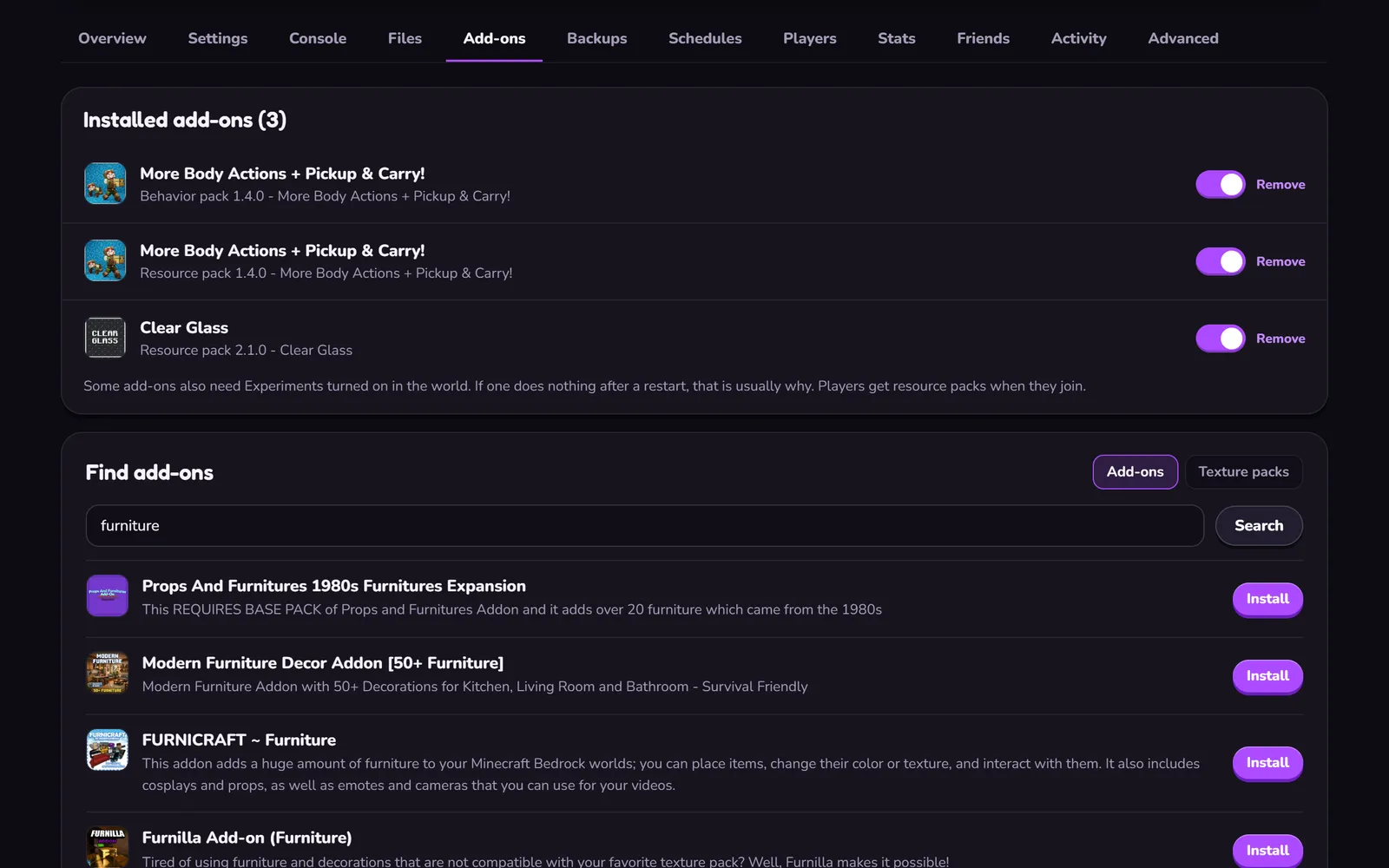 Add-ons and texture packs
Install them from CurseForge in the Add-ons tab, or upload your own .mcaddon or .mcpack.
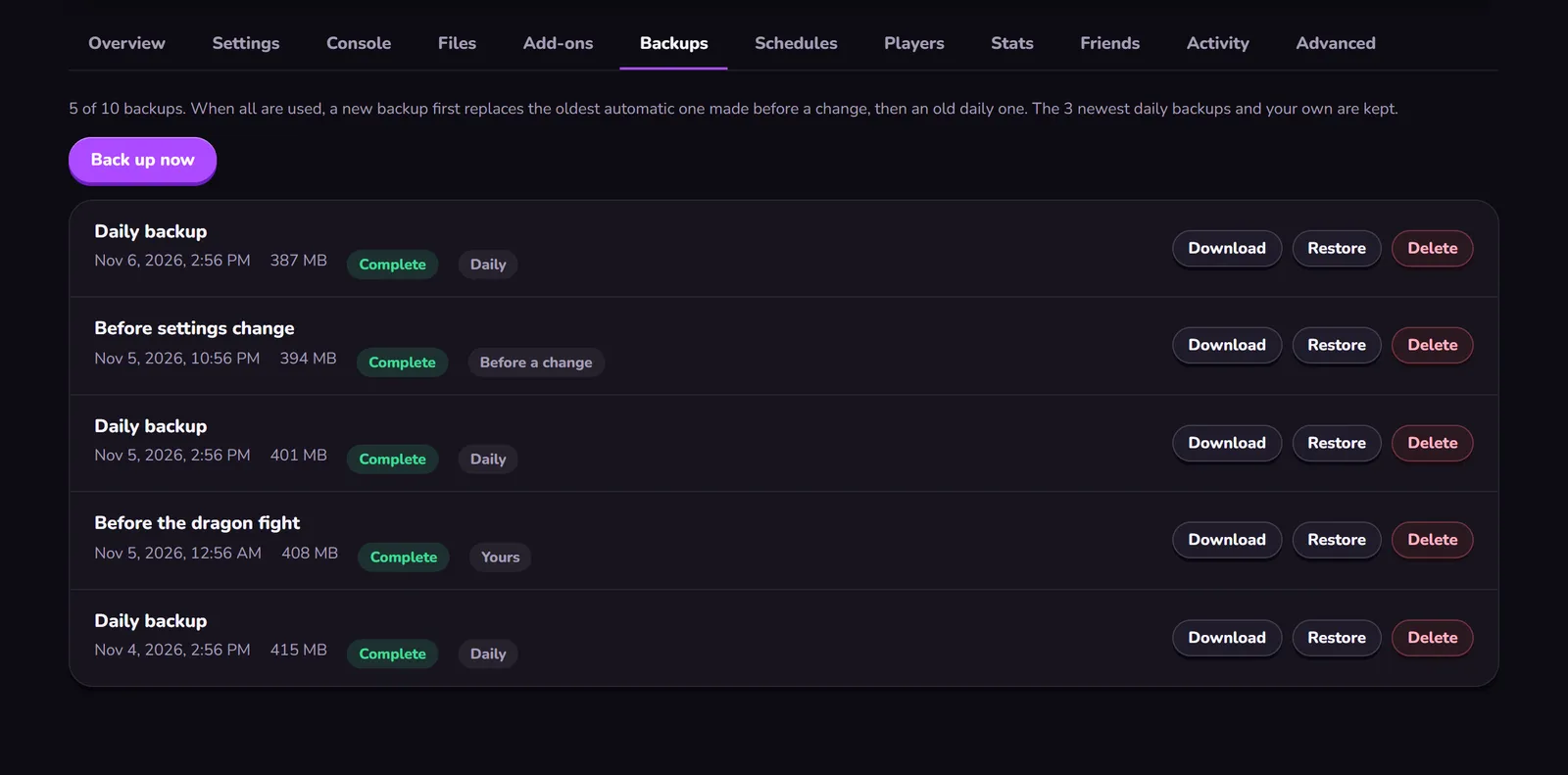 Backups you can restore
One automatic backup a day, the last 3 kept, plus your own up to 10 in all. Restore or download any of them in the panel.
Also included
- The official server Mojang's Bedrock Dedicated Server, with the version pinned or updated by you in the panel.
- Players, operators, game rules The allowlist and the operators by gamertag, the game rules and server.properties in the panel, each explained. Export and import the world as a file.
- Consoles Console players add Wikily's Xbox account as a friend once, then join your server from Minecraft.
- One location Gravelines, France. Lowest ping for players in Europe, the UK, North Africa and the Middle East. From North America or Asia the ping is higher than from a host near you.
- Wikily Premium No ads on any Wikily wiki while your server runs.
Trial, payments and cancelling
- 24-hour free trial
- A way to pay is needed at checkout, nothing is charged. Cancel before the trial ends and you pay nothing; the world is kept 3 days. One trial per account and per way to pay; weekly plans have none.
- No minimum term
- A cancelled plan runs to the end of the paid period. Then the server stops and the world is kept 14 days; renew within that time and it continues.
- A failed payment
- The server keeps running 7 more days on a monthly plan (2 on a weekly one) while the payment is retried.
- Changed your mind
- EU customers can withdraw within 14 days of a paid order and pay only for the days used.
Source: the panel's player presence per server, read on 14 November 2026
| All servers | |
|---|---|
| Start | 95 % (20 servers) |
| Day 1 | 79 % (24 servers) |
| Day 2 | 79 % (24 servers) |
| Day 3 | 75 % (24 servers) |
| Day 4 | 74 % (23 servers) |
| Day 5 | 76 % (21 servers) |
| Day 6 | 74 % (19 servers) |
| Day 7 | 72 % (18 servers) |
Make the world yours
Operator commands, game rules and the allowlist are on the wiki's commands pages. Bringing the world you already play: Move your world to the server.
Your own PC or a Wikily server
| Your own PC | Wikily Servers | |
|---|---|---|
| Online when | While your PC is on and the port is open | Around the clock, no PC of yours involved |
| Set up | SteamCMD, firewall, router, updates after every patch | Right after checkout; updates in the panel |
| Backups | Whatever you remember to copy | One a day kept, plus your own |
Minecraft server hosting from €4.99 a month