
Which Minecraft server do you need?
Open to LAN, your own PC, or a rented server: what each one gives you, and how much memory your world really needs.
Four ways to play Minecraft Java together
- FreeOpen to LAN
From a singleplayer world, press Escape and open it to LAN. Everyone on your home network joins while you play.
The right answer for family and friends in the same house. The world lives on your PC and closes with your game.
- FreeA server on your own PC
Mojang's server.jar is a free 62 MB download. It needs Java 25, a PC that stays on, and TCP port 25565 forwarded on your router.
For friends across the internet when a PC at home can stay on. Our guide takes you through it.
- PaidRealms
Mojang's own hosted worlds, paid by the month, run from inside the game.
Simple and official. No plugins, no mods, no file access: a plain world for a small group.
- From 4,99 € a monthA rented server
A server program of your choice (Vanilla, Paper, Fabric, Forge and more) on a machine in a data centre, with a panel for mods, settings and backups.
For a world that is always there, for plugins or a modpack, and for a group that grows.
When you do not need a paid server
Most people who search for Minecraft hosting are two to four friends who want to play survival together. If you are all in one house, Open to LAN is the whole answer. If you are in different houses but play at the same time, the plain server on one of your PCs is free and takes half an hour to set up; the host just has to keep the PC on and the server updated after each Minecraft version.
You want a server somewhere else when:
- People log in at different times and the world should be there for all of them.
- Your internet provider gives you no public IPv4 address (CGNAT). Then port forwarding does not work at all, and the free way is closed to you.
- You want plugins, a modpack or a different server type without maintaining Java, the loader and the mods yourself.
- Friends on phones or consoles want in: that needs crossplay, which a plain server has not.
The free way, step by step: How to make a Minecraft Java server. Note that since version 26.3 a new server starts with its whitelist on, so the first thing you do is add your friends' names.
How much memory a Minecraft server really needs
Memory is what you pay for. What we have measured:
- A new world, nobody online
- Mojang's own start line gives the server 4 GB. Our wiki's test ran a new world on 2 GB; our Paper server idles at about 1.35 GB (measured 25 October 2026). Players, a long view distance and mods add to it.
- Vanilla or Paper with friends
- 2 to 6 friends on a normal view distance are comfortable on 3 GB; about 10 players with a handful of plugins on 4 GB; 20 players on Paper on 6 GB.
- Modpacks
- The pack decides, not the player count. Most packs ask for 6 to 8 GB on the server; the big ones ask for 10 GB or more. Read the pack's own page before you pick a plan.
- CPU
- Minecraft runs its world on one main thread, so a fast core matters more than many cores. Our machines run at up to 5.5 GHz; the plans give 2 to 6 threads for the rest (chunks, networking, plugins).
- Network
- One TCP port. Players add the address under Multiplayer, Add Server.
- Mojang's EULA
- A Minecraft server runs under Mojang's EULA, ours included. You agree to it when you create the server.
Source: our measurement (25 October 2026), the Minecraft wiki's Java server guide (31 October 2026), our plan prices
| GB | |
|---|---|
| Paper, new world, nobody online (Our production image) | 1,35 GB |
| The wiki's test world (Vanilla, nobody online) | 2 GB |
| Mojang's own start line (-Xmx4G in the official start command) | 4 GB |
| Starter (4,99 €) | 3 GB |
| Plus (5,99 €) | 4 GB |
| Modded (8,99 €) | 6 GB |
| Modded+ (11,99 €) | 8 GB |
| Heavy modpacks (16,99 €) | 12 GB |
Our plans
We sell Minecraft Java by memory, not by player slots, because that is what decides whether your world runs well. There is no player limit on any plan; you set max-players yourself.
- Starter3 GB memoryNo player limit · 2 CPU threads · 15 GB storageVanilla or Paper, about 2-6 friends4,99 €a monthChoose
- Plus4 GB memoryNo player limit · 3 CPU threads · 20 GB storagePaper with plugins, about 10 players5,99 €a monthChoose
- ModdedRecommended6 GB memoryNo player limit · 4 CPU threads · 30 GB storageSmall modpacks, or 20 players on Paper8,99 €a monthChoose
- Modded+8 GB memoryNo player limit · 5 CPU threads · 40 GB storageMost modpacks11,99 €a monthChoose
- Heavy modpacks12 GB memoryNo player limit · 6 CPU threads · 50 GB storageBig modpacks that ask for 10 GB or more16,99 €a monthChoose
Every plan includes manual and scheduled backups, and Wikily Premium while the server runs. Every plan is also sold by the week at half the monthly price, without a free trial. Prices in euros include VAT; in US and Canadian dollars, tax is added at checkout. Every server runs in Gravelines, France on an AMD Ryzen 7 9700X with NVMe SSD.
Which one
- Vanilla or Paper, a few friends: the 3 GB plan. Enough for most groups that search for this.
- Paper with plugins, around 10 players: the 4 GB plan.
- A small modpack, or 20 players on Paper: the 6 GB plan, the one the order page recommends.
- Most modpacks: 8 GB. Packs that ask for 10 GB or more: 12 GB. If the pack's page names a number, believe the pack.
Not sure? Start small. A bigger plan starts right away, you pay the difference for the rest of the period, and the world stays.
What you get, and what you do not
In the panel
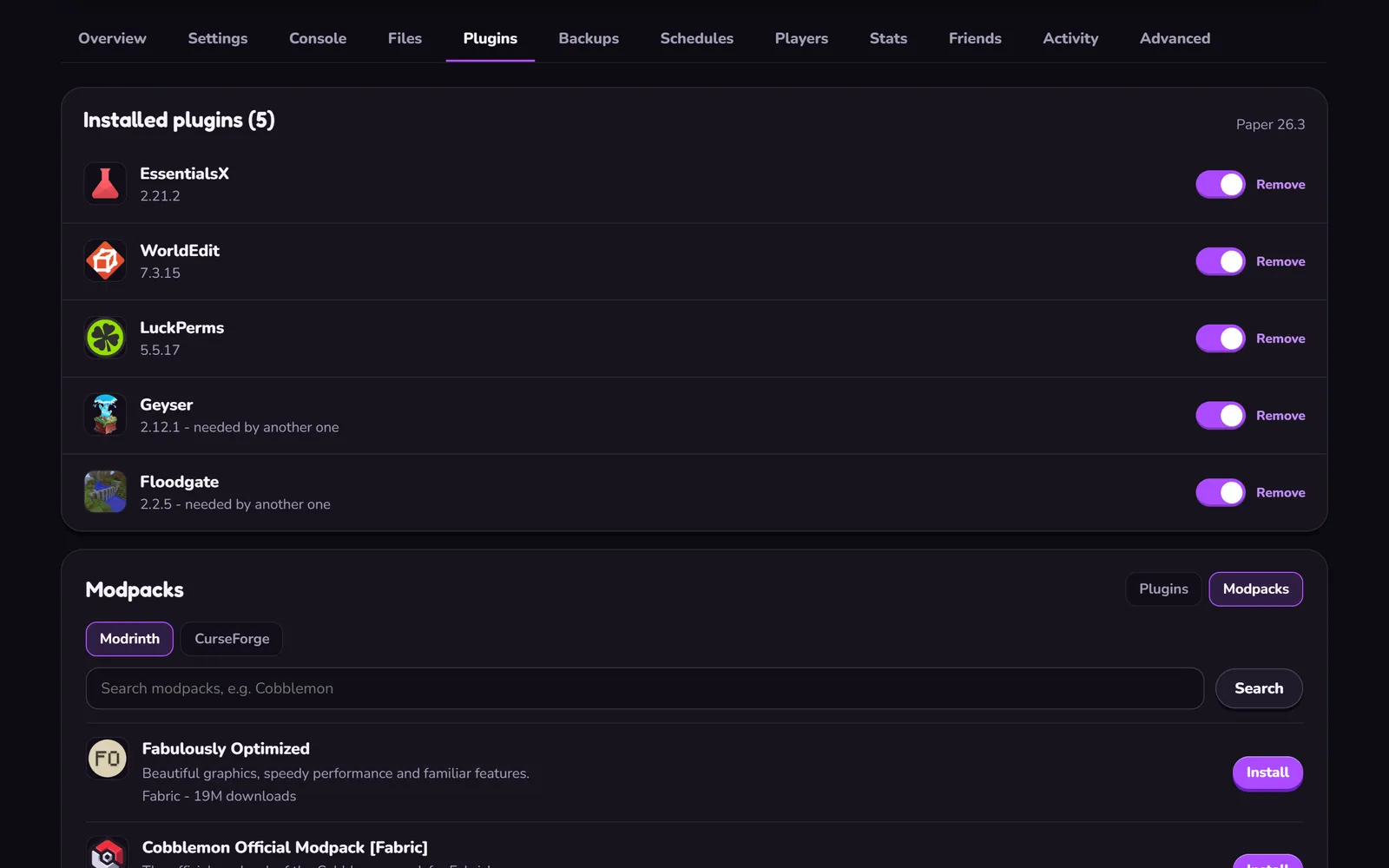 Mods, plugins, modpacks
Installed in one click from Modrinth, modpacks also from CurseForge. A pack that is too big to install that way goes in as its server pack zip.
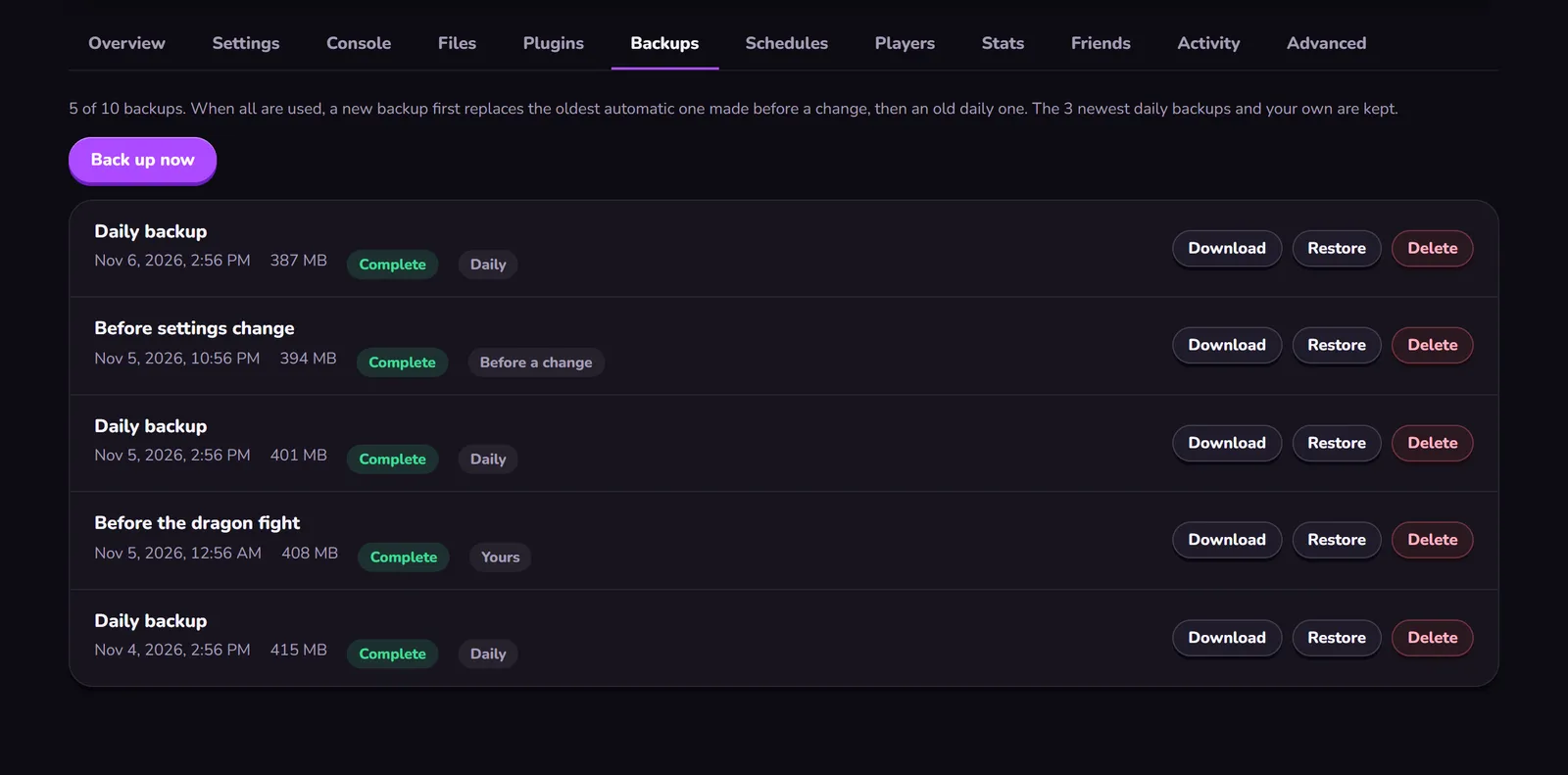 Backups you can restore
One automatic backup a day, the last 3 kept, plus your own up to 10 in all. Restore or download any of them in the panel.
Also included
- Server types New servers start on Paper. Switch to Vanilla, Purpur, Fabric, Quilt, Forge or NeoForge and any release version in the panel; the switch makes a backup first and comes back on its own if the server does not start.
- Crossplay Switch it on and players on phones, tablets and Windows (Bedrock Edition) join your Java server on Paper or Purpur on the newest Minecraft version. Consoles cannot join a Java server; for them, take a Bedrock server.
- Settings and performance server.properties in the panel with each setting explained. The panel tells you when the server is slow and offers the fixes.
- One location Gravelines, France. Lowest ping for players in Europe, the UK, North Africa and the Middle East. From North America or Asia the ping is higher than from a host near you.
- Wikily Premium No ads on any Wikily wiki while your server runs.
Trial, payments and cancelling
- 24-hour free trial
- A way to pay is needed at checkout, nothing is charged. Cancel before the trial ends and you pay nothing; the world is kept 3 days. One trial per account and per way to pay; weekly plans have none.
- No minimum term
- A cancelled plan runs to the end of the paid period. Then the server stops and the world is kept 14 days; renew within that time and it continues.
- A failed payment
- The server keeps running 7 more days on a monthly plan (2 on a weekly one) while the payment is retried.
- Changed your mind
- EU customers can withdraw within 14 days of a paid order and pay only for the days used.
Source: the panel's player presence per server, read on 14 November 2026
| All servers | |
|---|---|
| Start | 95 % (20 servers) |
| Day 1 | 79 % (24 servers) |
| Day 2 | 79 % (24 servers) |
| Day 3 | 75 % (24 servers) |
| Day 4 | 74 % (23 servers) |
| Day 5 | 76 % (21 servers) |
| Day 6 | 74 % (19 servers) |
| Day 7 | 72 % (18 servers) |
Make the world yours
Every command you will type as an operator is on the wiki's commands pages, whitelist included. Moving a world from your PC to the server: Move your world to the server.
Your own PC or a Wikily server
| Your own PC | Wikily Servers | |
|---|---|---|
| Online when | While your PC is on and the port is open | Around the clock, no PC of yours involved |
| Set up | SteamCMD, firewall, router, updates after every patch | Right after checkout; updates in the panel |
| Backups | Whatever you remember to copy | One a day kept, plus your own |
Hébergement de serveur Minecraft dès 4,99 € par mois