
Mods & CC
Paralives Mods & Custom Content (CC)
Every Paralives mod and custom content (CC) item from the Steam Workshop in one searchable index, refreshed from the Workshop every hour. Each entry links straight to its Workshop page, where you subscribe.

Browse all mods
 Households
 Households
 Household
 Households
Para Self
 Households
Paraselves!
 Households
Val Varris - F/Adult
 Households
 Households
mine
 Households
Just a pretty girl to kick off your new world in paralives
 Households
bao bao
 Households
Arisuna
 Households
mY FIRST HOUSEHOLD
 Households
 Households
Amaya williams is a young adult female
 Households
James Wilson, doctor of Doctor House
 Households
 Households
WinshipT
 Households
Just Anastasia Winter
 Households
Just Using to transfer!
 Households
ce shi zhuan fa
 Households
Ostensibly Purple!!
 Households
A creation of myself!
 Households
....
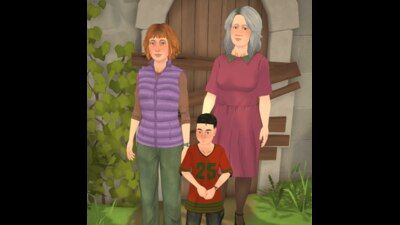 Household
I gave The Harper Household a Cosy Calm makeover! Stats upgrades don't save on the Steam Workshop at the moment, but I've reported it to the devs. Camille and h...
Mod names and descriptions are shown in their original language, as their authors wrote them on the Steam Workshop.

How do I install a Paralives mod?
1. Open the Paralives Workshop on Steam and click Subscribe on a mod.
2. Steam downloads the mod for you.
3. Launch Paralives. The new content shows up in the matching tab, such as Build Mode or the Paramaker.
4. To remove a mod, unsubscribe in Steam. Paralives unloads it the next time you launch the game.
Frequently Asked Questions
What kinds of mods can Paralives load?
The Workshop sorts items into categories: Modpacks change gameplay or add content such as new items, Households are pre-built Parafolk families, and Houses are pre-built lots you can place in your town.
Do mods break when Paralives updates?
Sometimes. Modpacks that change game settings are the most fragile, because a game update can rename or restructure what they change. Households and Houses usually hold up better. Check a mod's Workshop comments after a patch.
Where do I report a broken or NSFW mod?
Use the Report button on the mod's Steam Workshop page. The Workshop handles moderation, comments and ratings, and every entry on this wiki links to it.
What is Paralives CC (custom content)?
CC means custom content: player-made items such as hair, clothing and furniture. In Paralives, CC ships as Steam Workshop items, and this index lists them all, searchable and filterable by category, with a direct link to subscribe.