
Mods & CC
Paralives Mods & Custom Content (CC)
Every Paralives mod and custom content (CC) item from the Steam Workshop in one searchable index, refreshed from the Workshop every hour. Each entry links straight to its Workshop page, where you subscribe.

Browse all mods
 Lot
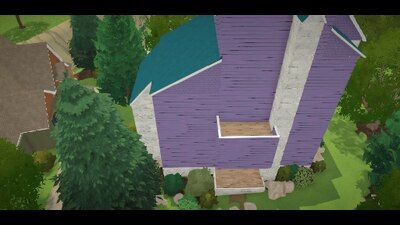
So I have a challenge if you wish to undertake it. Complete this! Rules are simple: to be complete it must have the eleven bathrooms at least three using any on...
 Household
David & Rianna
 Household
From the comic "Claire's Bad Date."
 Household
The adorable officer from "Claire's Bad Date," who is hyper-knowledgable about all the wrong subjects. Now available for running the intake of your Paras' local...
 Household
John from the Sora 2 app is back for your Paralives playtime. Now part of the Into the Soraverse collection.
 Household
The shameless opportunist fireman from Cincinnati in "Claire's Bad Date" is now ready to woo your Paras. But watch out! Sid's not known to be loyal...
 Household
Inspired by the Amber Morgantown Cheer Captain character by Elit3Pixie, as she appeared on Sora 2. Amber was a minor recurring character in The New Camelorum Ad...
 Lot
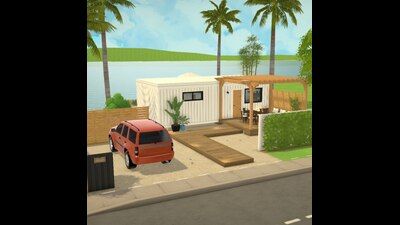
One bedroom container home
 Household
Dennis Family
 Household
Lauren "Sunshine" Fox from Sora 2 is back, as she appeared in 90 Memes In and The New Camelorum Adventures! In real life, she's a music artist from Los Angeles....
 Mod
OI QUEFSKÇLFS
 Mod
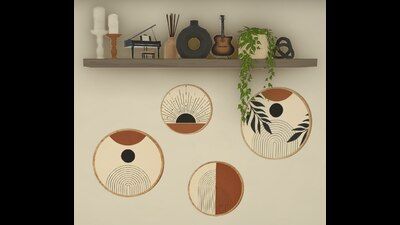
36 boho wall rounds All files have been compressed All credits to the original artist. If it is a genuine artist I have and will always get permission from the...
 Lot
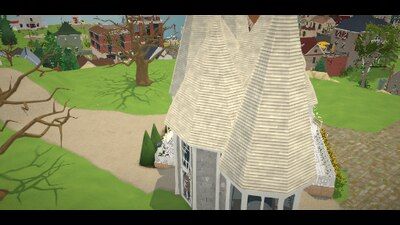
Re-Uploaded, fully edited and fixed up. It's completely decorated and fully functional now. It Looks Stunning in game!!. (PS. Terrain adjustments will be needed...
 Household
itfskg household with fushiguro tsumiki para wip whoops
 Household
From the Sora 2 series "The New Camelorum Adventures." As Stan Woudean's global enterprise demanded too much from him, Stan stepped down as the warden of the re...
 Household
my best friend
 Mod
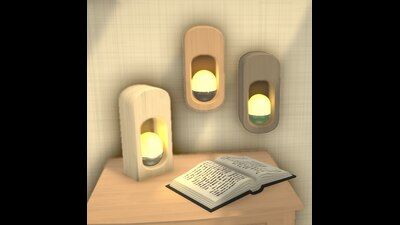
✨ About Bring a little warmth to your space with Nook Glow. Featuring a cozy recessed design, soft glowing light, and a warm wooden frame, these lamps add a gen...
Mod names and descriptions are shown in their original language, as their authors wrote them on the Steam Workshop.

How do I install a Paralives mod?
1. Open the Paralives Workshop on Steam and click Subscribe on a mod.
2. Steam downloads the mod for you.
3. Launch Paralives. The new content shows up in the matching tab, such as Build Mode or the Paramaker.
4. To remove a mod, unsubscribe in Steam. Paralives unloads it the next time you launch the game.
Frequently Asked Questions
What kinds of mods can Paralives load?
The Workshop sorts items into categories: Modpacks change gameplay or add content such as new items, Households are pre-built Parafolk families, and Houses are pre-built lots you can place in your town.
Do mods break when Paralives updates?
Sometimes. Modpacks that change game settings are the most fragile, because a game update can rename or restructure what they change. Households and Houses usually hold up better. Check a mod's Workshop comments after a patch.
Where do I report a broken or NSFW mod?
Use the Report button on the mod's Steam Workshop page. The Workshop handles moderation, comments and ratings, and every entry on this wiki links to it.
What is Paralives CC (custom content)?
CC means custom content: player-made items such as hair, clothing and furniture. In Paralives, CC ships as Steam Workshop items, and this index lists them all, searchable and filterable by category, with a direct link to subscribe.