Skip to content
All items

Items · Shop

Shop

122 shop items in the Paralives build mode catalog, organised into 9 sub-categories. Each card shows the in-game thumbnail, computed price, swatches, and collection label.

122Items
9Sub-categories
4Interactable
86With swatches
5Collections

Showing 116 of 122 items

What do the badges mean?
$ / $$ / $$$ / $$$$
In-game build-mode price. Tier-tinted from cheap (green) to luxury (coral).
Interactive
Parafolk can use this item - sit on it, cook with it, play with it.
Recolours
Supports swatches: you can change its colour in build mode.
Buy in bulk
One purchase places several copies at once. Useful for filler items like bushes or books.
Mushrooms / Gemstones / Artefacts / Paintings
Collectible item - found in the world and tracked in the museum collection book.
N sizes
Item ships with multiple preset sizes you can pick in build mode.
Stays clean / Durable
High-quality tier: dirt builds up slowly and the item rarely breaks.
Gets dirty / Breaks easily
Low-quality tier: needs cleaning often and breaks faster under use.
+N (on thumbnail)
Item has linked variants. Hover the thumbnail to preview the matching pieces.
Collection: name
Themed item line. Mixing pieces from the same collection (Vecheli, Modino, Kicheni...) gives a coordinated look.
How to get
Shown when the item has no buy price - tells you the way to obtain it (cooking, collecting, etc.).
Not obtainable (red box)
Pure world dressing - the game places these on the city map or inside shops; players can't buy or place them themselves.

Shop Oddities

10 items
  • Oddities Anatomical Model build mode thumbnail

    Oddities Anatomical Model

    Collection Oditi

    $800
  • Oddities Butterlies Taxidermy build mode thumbnail

    Oddities Butterlies Taxidermy

    Collection Oditi

    $250Recolours
  • Oddities Cat Mystical build mode thumbnail

    Oddities Cat Mystical

    Collection Oditi

    $150
  • Oddities Chair Clown build mode thumbnail

    Oddities Chair Clown

    Collection Oditi

    $10Recolours
  • Oddities Frame Eye build mode thumbnail

    Oddities Frame Eye

    Collection Oditi

    $150Recolours
  • Oddities Incense Burner build mode thumbnail

    Oddities Incense Burner

    Collection Oditi

    $100
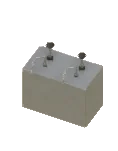
  • Oddities Microwave Frog build mode thumbnail

    Oddities Microwave Frog

    Collection Oditi

    $500Recolours
  • Oddities Mirror Snake build mode thumbnail

    Oddities Mirror Snake

    Collection Oditi

    $300Recolours
  • Oddities Toad Country build mode thumbnail

    Oddities Toad Country

    Collection Oditi

    Country$500
  • Oddities Wall Ear build mode thumbnail

    Oddities Wall Ear

    Collection Oditi

    $250

Shop Clothes

9 items
  • Clothes Dummy Dress Summer Frill build mode thumbnail

    Clothes Dummy Dress Summer Frill

    Recolours

    How to get Found in the build catalog when editing shop lots. The lot-specific catalog opens whenever you build or remodel one of these lot types.

  • Clothes Dummy Dress Wedding Strapless build mode thumbnail

    Clothes Dummy Dress Wedding Strapless

    Recolours

    How to get Found in the build catalog when editing shop lots. The lot-specific catalog opens whenever you build or remodel one of these lot types.

  • Clothes Dummy Head build mode thumbnail

    Clothes Dummy Head

    Interactive

    How to get Found in the build catalog when editing shop lots. The lot-specific catalog opens whenever you build or remodel one of these lot types.

  • Clothes Dummy Tuxedo build mode thumbnail

    Clothes Dummy Tuxedo

    Recolours

    How to get Found in the build catalog when editing shop lots. The lot-specific catalog opens whenever you build or remodel one of these lot types.

  • Clothes Free Standing Curtain build mode thumbnail

    Clothes Free Standing Curtain

    Recolours

    How to get Found in the build catalog when editing shop lots. The lot-specific catalog opens whenever you build or remodel one of these lot types.

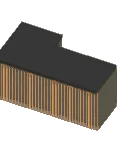
  • Clothes Roof build mode thumbnail

    Clothes Roof

    Recolours

    Not obtainable

    Low-poly background impostor (rendered for distant city view) - placed automatically by the game; no build mode catalog lists this for the player.

  • Clothes Vintage Sewing Dummy Breast build mode thumbnail

    Clothes Vintage Sewing Dummy Breast

    VintageRecolours

    How to get Found in the build catalog when editing shop lots. The lot-specific catalog opens whenever you build or remodel one of these lot types.

  • Clothes Vintage Sewing Dummy Pecs build mode thumbnail

    Clothes Vintage Sewing Dummy Pecs

    VintageRecolours

    How to get Found in the build catalog when editing shop lots. The lot-specific catalog opens whenever you build or remodel one of these lot types.

  • Clothes Wood Panel build mode thumbnail

    Clothes Wood Panel

    Wood

    How to get Found in the build catalog when editing shop lots. The lot-specific catalog opens whenever you build or remodel one of these lot types.

Shop Creme

9 items
  • Creme Baguette build mode thumbnail

    Creme Baguette

    How to get Found in the build catalog when editing cafe lots. The lot-specific catalog opens whenever you build or remodel one of these lot types.

  • Creme Chalkboard Bread build mode thumbnail

    Creme Chalkboard Bread

    Recolours

    How to get Found in the build catalog when editing cafe lots. The lot-specific catalog opens whenever you build or remodel one of these lot types.

  • Creme Chalkboard Coffee build mode thumbnail

    Creme Chalkboard Coffee

    Recolours

    How to get Found in the build catalog when editing cafe lots. The lot-specific catalog opens whenever you build or remodel one of these lot types.

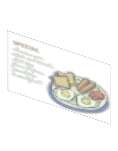
  • Creme Chalkboard Specials build mode thumbnail

    Creme Chalkboard Specials

    Recolours

    How to get Found in the build catalog when editing cafe lots. The lot-specific catalog opens whenever you build or remodel one of these lot types.

  • Creme Cup Cardboard build mode thumbnail

    Creme Cup Cardboard

    How to get Found in the build catalog when editing cafe lots. The lot-specific catalog opens whenever you build or remodel one of these lot types.

  • Creme Poster Hiring build mode thumbnail

    Creme Poster Hiring

    Interactive

    How to get Found in the build catalog when editing cafe lots. The lot-specific catalog opens whenever you build or remodel one of these lot types.

  • Creme Sign build mode thumbnail

    Creme Sign

    Recolours

    How to get Found in the build catalog when editing cafe lots. The lot-specific catalog opens whenever you build or remodel one of these lot types.

  • Creme Storefront build mode thumbnail

    Creme Storefront

    Recolours

    How to get Found in the build catalog when editing cafe lots. The lot-specific catalog opens whenever you build or remodel one of these lot types.

  • Creme Window Sticker build mode thumbnail

    Creme Window Sticker

    Buy in bulk

    How to get Found in the build catalog when editing cafe lots. The lot-specific catalog opens whenever you build or remodel one of these lot types.

Shop Florist

9 items
  • Florist Bouquets Hydrangea build mode thumbnail

    Florist Bouquets Hydrangea

    Recolours

    How to get Found in the build catalog when editing shop lots. The lot-specific catalog opens whenever you build or remodel one of these lot types.

  • Florist Bouquets Roses build mode thumbnail

    Florist Bouquets Roses

    Recolours

    How to get Found in the build catalog when editing shop lots. The lot-specific catalog opens whenever you build or remodel one of these lot types.

  • Florist Bouquets Tulips build mode thumbnail

    Florist Bouquets Tulips

    Recolours

    How to get Found in the build catalog when editing shop lots. The lot-specific catalog opens whenever you build or remodel one of these lot types.

  • Florist Crate Upside Down build mode thumbnail

    Florist Crate Upside Down

    How to get Found in the build catalog when editing shop lots. The lot-specific catalog opens whenever you build or remodel one of these lot types.

  • Florist Greenhouse Roof build mode thumbnail

    Florist Greenhouse Roof

    Not obtainable

    Low-poly background impostor (rendered for distant city view) - placed automatically by the game; no build mode catalog lists this for the player.

  • Florist Sign Bloom build mode thumbnail

    Florist Sign Bloom

    Recolours

    How to get Found in the build catalog when editing shop lots. The lot-specific catalog opens whenever you build or remodel one of these lot types.

  • Florist Sign Side Flowers build mode thumbnail

    Florist Sign Side Flowers

    How to get Found in the build catalog when editing shop lots. The lot-specific catalog opens whenever you build or remodel one of these lot types.

  • Florist Specials build mode thumbnail

    Florist Specials

    Recolours

    How to get Found in the build catalog when editing shop lots. The lot-specific catalog opens whenever you build or remodel one of these lot types.

  • Florist Wheelbarrow Display build mode thumbnail

    Florist Wheelbarrow Display

    How to get Found in the build catalog when editing shop lots. The lot-specific catalog opens whenever you build or remodel one of these lot types.

Shop The

4 items
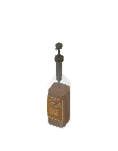
  • The Story Nook Bottles build mode thumbnail
    1/4

    The Story Nook Bottles

    Collection Kapita

    $6
    Matching pieces3 items
  • The Story Nook Cup Cardboard build mode thumbnail

    The Story Nook Cup Cardboard

    $6
  • The Story Nook Roof build mode thumbnail
    1/3

    The Story Nook Roof

    Recolours

    Not obtainable

    Low-poly background impostor (rendered for distant city view) - placed automatically by the game; no build mode catalog lists this for the player.

    Matching pieces2 items
  • The Story Nook Sign build mode thumbnail
    1/2

    The Story Nook Sign

    Recolours

    How to get Found in the build catalog when editing shop lots. The lot-specific catalog opens whenever you build or remodel one of these lot types.

    Matching pieces1 item

Shop General

5 items
  • General Store Grocery Basket build mode thumbnail
    1/3

    General Store Grocery Basket

    Recolours

    How to get Found in the build catalog when editing shop lots. The lot-specific catalog opens whenever you build or remodel one of these lot types.

    Matching pieces2 items
  • General Store Roof1 build mode thumbnail

    General Store Roof1

    Recolours

    Not obtainable

    Low-poly impostor roof (rendered for distant city view) - placed automatically by the game; no build mode catalog lists this for the player.

  • General Store Roof2 build mode thumbnail

    General Store Roof2

    Recolours

    Not obtainable

    Low-poly impostor roof (rendered for distant city view) - placed automatically by the game; no build mode catalog lists this for the player.

  • General Store Roof3 build mode thumbnail

    General Store Roof3

    Recolours

    Not obtainable

    Low-poly impostor roof (rendered for distant city view) - placed automatically by the game; no build mode catalog lists this for the player.

  • General Store Roof4 build mode thumbnail

    General Store Roof4

    Recolours

    Not obtainable

    Low-poly impostor roof (rendered for distant city view) - placed automatically by the game; no build mode catalog lists this for the player.

Shop Painter

6 items
  • Painter Community Center build mode thumbnail

    Painter Community Center

    $500Recolours
  • Painter General Store build mode thumbnail

    Painter General Store

    $500Recolours
  • Painter Miki Spring build mode thumbnail

    Painter Miki Spring

    $500Recolours
  • Painter Miki Summer build mode thumbnail

    Painter Miki Summer

    $500Recolours
  • Painter Miki Winter build mode thumbnail

    Painter Miki Winter

    $500Recolours
  • Painter Tower Clouds build mode thumbnail

    Painter Tower Clouds

    $500Recolours

Shop Sign

6 items
  • Sign Chez Maurice build mode thumbnail

    Sign Chez Maurice

    Recolours

    How to get Found in the build catalog when editing restaurant lots. The lot-specific catalog opens whenever you build or remodel one of these lot types.

  • Sign Online Pickup build mode thumbnail

    Sign Online Pickup

    How to get Found in the build catalog when editing cafe lots. The lot-specific catalog opens whenever you build or remodel one of these lot types.

  • Sign Side L Armoire build mode thumbnail

    Sign Side L Armoire

    Recolours

    How to get Found in the build catalog when editing shop lots. The lot-specific catalog opens whenever you build or remodel one of these lot types.

  • Sign Side Maurice build mode thumbnail

    Sign Side Maurice

    Recolours

    How to get Found in the build catalog when editing restaurant lots. The lot-specific catalog opens whenever you build or remodel one of these lot types.

  • Sign Specials build mode thumbnail

    Sign Specials

    Recolours

    How to get Found in the build catalog when editing restaurant lots. The lot-specific catalog opens whenever you build or remodel one of these lot types.

  • Sign The Cellar Door build mode thumbnail

    Sign The Cellar Door

    Recolours

    How to get Found in the build catalog when editing restaurant lots. The lot-specific catalog opens whenever you build or remodel one of these lot types.

Shop Antiques

5 items
  • Antiques Awning5m build mode thumbnail

    Antiques Awning5m

    Recolours

    How to get Found in the build catalog when editing shop lots. The lot-specific catalog opens whenever you build or remodel one of these lot types.

  • Antiques Awning8m build mode thumbnail

    Antiques Awning8m

    Recolours

    How to get Found in the build catalog when editing shop lots. The lot-specific catalog opens whenever you build or remodel one of these lot types.

  • Antiques Roof build mode thumbnail

    Antiques Roof

    Recolours

    Not obtainable

    Low-poly background impostor (rendered for distant city view) - placed automatically by the game; no build mode catalog lists this for the player.

  • Antiques Sign build mode thumbnail

    Antiques Sign

    How to get Found in the build catalog when editing shop lots. The lot-specific catalog opens whenever you build or remodel one of these lot types.

  • Antiques Signage build mode thumbnail

    Antiques Signage

    Recolours

    How to get Found in the build catalog when editing shop lots. The lot-specific catalog opens whenever you build or remodel one of these lot types.

Other Shop items

53 items
  • Awning Sides build mode thumbnail

    Awning Sides

    $90Recolours
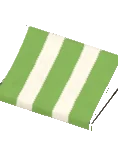
  • Awning Striped build mode thumbnail

    Awning Striped

    $90Recolours
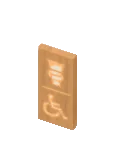
  • Bathroom Sign Wood build mode thumbnail

    Bathroom Sign Wood

    Wood

    How to get Found in the build catalog when editing cafe lots and restaurant lots. The lot-specific catalog opens whenever you build or remodel one of these lot types.

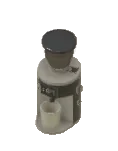
  • Bean Grinder build mode thumbnail

    Bean Grinder

    Recolours

    How to get Found in the build catalog when editing cafe lots. The lot-specific catalog opens whenever you build or remodel one of these lot types.

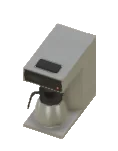
  • Coffee Brewer build mode thumbnail

    Coffee Brewer

    Recolours

    How to get Found in the build catalog when editing cafe lots. The lot-specific catalog opens whenever you build or remodel one of these lot types.

  • Coffee Machine Espresso build mode thumbnail

    Coffee Machine Espresso

    Recolours

    How to get Found in the build catalog when editing cafe lots. The lot-specific catalog opens whenever you build or remodel one of these lot types.

  • Counter Basic build mode thumbnail

    Counter Basic

    BasicRecolours

    How to get Found in the build catalog when editing cafe lots. The lot-specific catalog opens whenever you build or remodel one of these lot types.

  • Counter Fluted Display build mode thumbnail

    Counter Fluted Display

    Recolours

    How to get Found in the build catalog when editing cafe lots. The lot-specific catalog opens whenever you build or remodel one of these lot types.

  • Counter Fluted L build mode thumbnail

    Counter Fluted L

    Recolours

    How to get Found in the build catalog when editing cafe lots. The lot-specific catalog opens whenever you build or remodel one of these lot types.

  • Decal Chez Maurice Menu build mode thumbnail

    Decal Chez Maurice Menu

    How to get Found in the build catalog when editing restaurant lots. The lot-specific catalog opens whenever you build or remodel one of these lot types.

  • Dispenser Syrup build mode thumbnail

    Dispenser Syrup

    Recolours

    How to get Found in the build catalog when editing cafe lots. The lot-specific catalog opens whenever you build or remodel one of these lot types.

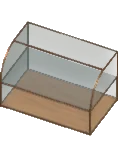
  • Display Food Curved build mode thumbnail

    Display Food Curved

    Recolours

    How to get Found in the build catalog when editing cafe lots. The lot-specific catalog opens whenever you build or remodel one of these lot types.

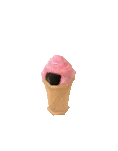
  • Disposable Bin Ice Cream build mode thumbnail

    Disposable Bin Ice Cream

    Recolours

    How to get Found in the build catalog when editing shop lots. The lot-specific catalog opens whenever you build or remodel one of these lot types.

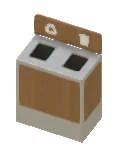
  • Disposal Bin build mode thumbnail

    Disposal Bin

    Recolours

    How to get Found in the build catalog when editing cafe lots and restaurant lots. The lot-specific catalog opens whenever you build or remodel one of these lot types.

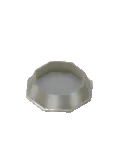
  • Dog Drinking Bowl build mode thumbnail

    Dog Drinking Bowl

    Not obtainable

    Open-city decoration (placed on the city map) - placed automatically by the game; no build mode catalog lists this for the player.

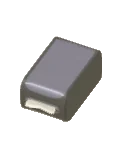
  • Fast Food Napkin Holder build mode thumbnail

    Fast Food Napkin Holder

    Recolours

    How to get Found in the build catalog when editing restaurant lots. The lot-specific catalog opens whenever you build or remodel one of these lot types.

  • Fast Food Sauce Pump Dispenser build mode thumbnail

    Fast Food Sauce Pump Dispenser

    Recolours

    How to get Found in the build catalog when editing restaurant lots. The lot-specific catalog opens whenever you build or remodel one of these lot types.

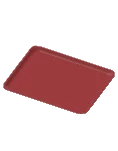
  • Fast Food Tray build mode thumbnail

    Fast Food Tray

    How to get Found in the build catalog when editing restaurant lots. The lot-specific catalog opens whenever you build or remodel one of these lot types.

  • Gym Sign Premium build mode thumbnail

    Gym Sign Premium

    PremiumRecolours

    How to get Found in the build catalog when editing shop lots. The lot-specific catalog opens whenever you build or remodel one of these lot types.

  • Gym Sign Side Biceps build mode thumbnail

    Gym Sign Side Biceps

    Recolours

    How to get Found in the build catalog when editing shop lots. The lot-specific catalog opens whenever you build or remodel one of these lot types.

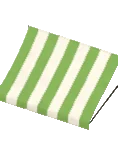
  • Hairdreser Awning Striped build mode thumbnail

    Hairdreser Awning Striped

    Recolours

    How to get Found in the build catalog when editing shop lots. The lot-specific catalog opens whenever you build or remodel one of these lot types.

  • Hairdresser Barber Pole Spin build mode thumbnail

    Hairdresser Barber Pole Spin

    Recolours

    How to get Found in the build catalog when editing shop lots. The lot-specific catalog opens whenever you build or remodel one of these lot types.

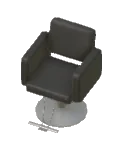
  • Hairdresser Chair build mode thumbnail

    Hairdresser Chair

    InteractiveRecolours

    How to get Found in the build catalog when editing shop lots. The lot-specific catalog opens whenever you build or remodel one of these lot types.

  • Hairdresser Headlines Decal build mode thumbnail

    Hairdresser Headlines Decal

    How to get Found in the build catalog when editing shop lots. The lot-specific catalog opens whenever you build or remodel one of these lot types.

  • Hairdresser Roof1 build mode thumbnail

    Hairdresser Roof1

    Collection Hairdresser Roof 1

    Recolours

    Not obtainable

    Low-poly background impostor (rendered for distant city view) - placed automatically by the game; no build mode catalog lists this for the player.

  • Hairdresser Roof2 build mode thumbnail

    Hairdresser Roof2

    Collection Hairdresser Roof 2

    Recolours

    Not obtainable

    Low-poly background impostor (rendered for distant city view) - placed automatically by the game; no build mode catalog lists this for the player.

  • Jar Tips build mode thumbnail

    Jar Tips

    How to get Found in the build catalog when editing cafe lots and restaurant lots. The lot-specific catalog opens whenever you build or remodel one of these lot types.

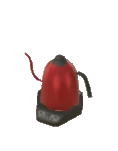
  • Kettle Electric build mode thumbnail

    Kettle Electric

    Collection Kicheni

    $24Recolours
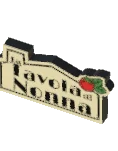
  • La Tavola Sign build mode thumbnail

    La Tavola Sign

    Recolours

    Not obtainable

    Low-poly background impostor (rendered for distant city view) - placed automatically by the game; no build mode catalog lists this for the player.

  • Lady Rose Sign build mode thumbnail

    Lady Rose Sign

    Recolours

    How to get Found in the build catalog when editing shop lots. The lot-specific catalog opens whenever you build or remodel one of these lot types.

  • Lady Rose Window Sticker build mode thumbnail

    Lady Rose Window Sticker

    Buy in bulk

    How to get Found in the build catalog when editing shop lots. The lot-specific catalog opens whenever you build or remodel one of these lot types.

  • Light House Roof1 build mode thumbnail

    Light House Roof1

    Recolours

    Not obtainable

    Low-poly background impostor (rendered for distant city view) - placed automatically by the game; no build mode catalog lists this for the player.

  • Light House Roof2 build mode thumbnail

    Light House Roof2

    Recolours

    Not obtainable

    Low-poly background impostor (rendered for distant city view) - placed automatically by the game; no build mode catalog lists this for the player.

  • Light House Roof3 build mode thumbnail

    Light House Roof3

    Not obtainable

    Low-poly background impostor (rendered for distant city view) - placed automatically by the game; no build mode catalog lists this for the player.

  • Lumen Storefront build mode thumbnail

    Lumen Storefront

    How to get Found in the build catalog when editing shop lots. The lot-specific catalog opens whenever you build or remodel one of these lot types.

  • Metal Napkin Holder build mode thumbnail

    Metal Napkin Holder

    Collection Kicheni

    Metal$6Recolours
  • Pharmacy Roof build mode thumbnail

    Pharmacy Roof

    Recolours

    Not obtainable

    Low-poly background impostor (rendered for distant city view) - placed automatically by the game; no build mode catalog lists this for the player.

  • Price Label Chic build mode thumbnail

    Price Label Chic

    Chic

    How to get Found in the build catalog when editing cafe lots. The lot-specific catalog opens whenever you build or remodel one of these lot types.

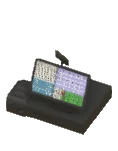
  • Register Cash build mode thumbnail

    Register Cash

    Recolours

    How to get Found in the build catalog when editing cafe lots and restaurant lots. The lot-specific catalog opens whenever you build or remodel one of these lot types.

  • Restaurant Fancy Roof build mode thumbnail

    Restaurant Fancy Roof

    FancyRecolours

    Not obtainable

    Low-poly background impostor (rendered for distant city view) - placed automatically by the game; no build mode catalog lists this for the player.

  • Restaurant Food For Sale build mode thumbnail

    Restaurant Food For Sale

    $20Interactive
  • Restaurant Menu Folded build mode thumbnail
    1/2

    Restaurant Menu Folded

    Recolours

    How to get Found in the build catalog when editing restaurant lots. The lot-specific catalog opens whenever you build or remodel one of these lot types.

    Matching pieces1 item
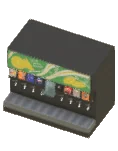
  • Soda Dispenser build mode thumbnail

    Soda Dispenser

    Recolours

    How to get Found in the build catalog when editing restaurant lots. The lot-specific catalog opens whenever you build or remodel one of these lot types.

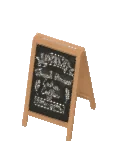
  • Standing Chalkboard build mode thumbnail
    1/2

    Standing Chalkboard

    Recolours

    How to get Found in the build catalog when editing cafe lots. The lot-specific catalog opens whenever you build or remodel one of these lot types.

    Matching pieces1 item
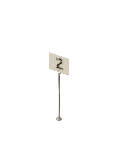
  • Table Number Holder1 build mode thumbnail

    Table Number Holder1

    Recolours

    How to get Found in the build catalog when editing restaurant lots. The lot-specific catalog opens whenever you build or remodel one of these lot types.

  • Table Number Holder2 build mode thumbnail

    Table Number Holder2

    Recolours

    How to get Found in the build catalog when editing restaurant lots. The lot-specific catalog opens whenever you build or remodel one of these lot types.

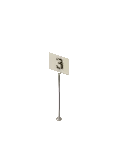
  • Table Number Holder3 build mode thumbnail

    Table Number Holder3

    Recolours

    How to get Found in the build catalog when editing restaurant lots. The lot-specific catalog opens whenever you build or remodel one of these lot types.

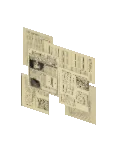
  • Vacant Cover Newspapers build mode thumbnail

    Vacant Cover Newspapers

    How to get Found in the build catalog when editing shop lots. The lot-specific catalog opens whenever you build or remodel one of these lot types.

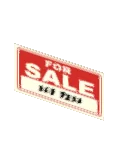
  • Vacant Sign For Sale build mode thumbnail

    Vacant Sign For Sale

    How to get Found in the build catalog when editing shop lots. The lot-specific catalog opens whenever you build or remodel one of these lot types.

  • Vacant1 Roof build mode thumbnail

    Vacant1 Roof

    Recolours

    Not obtainable

    Low-poly background impostor (rendered for distant city view) - placed automatically by the game; no build mode catalog lists this for the player.

  • Vacant2 Roof build mode thumbnail

    Vacant2 Roof

    Recolours

    Not obtainable

    Low-poly background impostor (rendered for distant city view) - placed automatically by the game; no build mode catalog lists this for the player.

  • Vacant3 Roof build mode thumbnail

    Vacant3 Roof

    Recolours

    Not obtainable

    Low-poly background impostor (rendered for distant city view) - placed automatically by the game; no build mode catalog lists this for the player.

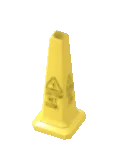
  • Wet Floor Sign build mode thumbnail

    Wet Floor Sign

    How to get Found in the build catalog when editing restaurant lots. The lot-specific catalog opens whenever you build or remodel one of these lot types.

Frequently asked

How many shop items are in Paralives?

How many shop items are in Paralives?
Paralives has 122 shop items, organised into 9 sub-categories. 4 of these are interactable, 86 support swatches for recolouring.
Are all shop items in Paralives recolourable?
86 out of 122 shop items support swatches in Paralives. The rest are decorative pieces that use their fixed mesh appearance.
Are shop items in Paralives interactable?
4 of the 122 shop items in Paralives are interactable - Parafolk can use them in some way. The remaining items are decorative and serve build mode aesthetics rather than gameplay.
What are the collection names on shop items in Paralives?
17 of the 122 shop items belong to 5 themed collections. Collections are item lines that share a single name (Vecheli for tableware, Kicheni for kitchen tools, Modino for modern couches, etc.) - mixing items from the same collection gives a coordinated look. The collection name is shown on each card under the item name.

Last updated:

Data extracted from Paralives Early Access game files (build 1). Stats and counts verified against the shipped catalog.