Beyond the Map´s Edge

ワークショップの統計
累計購読者数
現在の購読者数
累計お気に入り数
閲覧数
ファイルサイズ
最終更新
公開日
スクリーンショット

MODの説明
# Beyond the Map's Edge
Ever wished the world of Paralives could stretch just a little further beyond the edges of your map?
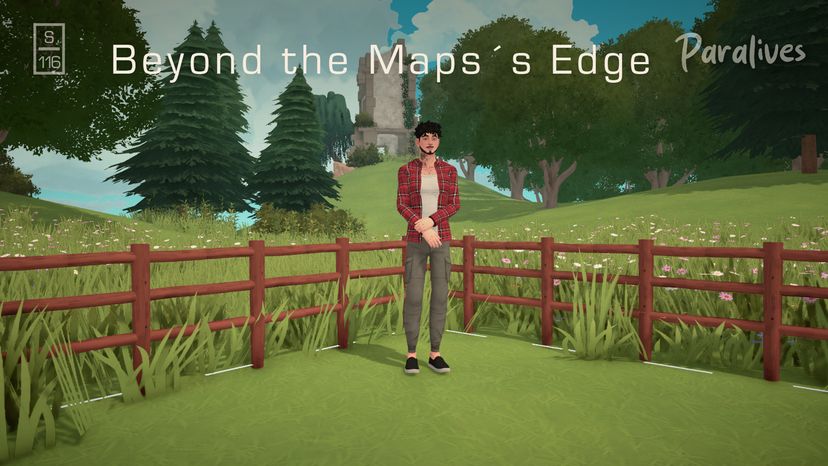
**Beyond the Map's Edge** is a modular landscape collection designed to visually extend the standard Empty Terrain map with rolling hills and natural scenery.
Instead of having your world end abruptly at the map boundaries, these eight landscape modules create the illusion of a much larger, continuous environment.
The landscape is intentionally left undecorated, giving you the freedom to create your own surroundings. Add trees, rocks, fields, ruins, or anything else you can imagine!
## What's Included?
The collection contains **8 landscape modules**
- Corner 1
- Corner 2
- Corner 3
- Corner 4
- Straight 1
- Straight 2
- Straight 3
- Straight 4
All modules are designed for the **standard Empty Terrain map (74 × 74 m)**.
## How to Arrange the Modules
The modules are designed to connect seamlessly when placed in the correct order.
- **Straight 1** connects Corner 1 and Corner 2.
- **Straight 2** connects Corner 2 and Corner 3.
- **Straight 3** connects Corner 3 and Corner 4.
- **Straight 4** connects Corner 4 and Corner 1.
You can start with Corner 1 in any corner of your map. What matters is keeping the correct sequence so that the landscape meshes line up properly.
### Positioning and Rotation
Use the **X key** to rotate the modules until they align with the edges of your map.
If you're having trouble getting a module perfectly straight, here's a little trick:
Build a straight wall along the in-game grid and use it as a reference. Hold your landscape module against the wall and press **X** to rotate it. This helps align the module with the grid, making it much easier to position correctly along the map edges.
### Placing Modules Outside the Map
I **strongly recommend using Toggle Edit Town** when placing the landscape modules.
Toggle Edit Town allows you to position the modules outside the normal map boundaries simply by dragging and dropping them with your mouse.
You do not need to remove the existing lots or modify the standard terrain to use this feature.
Without Toggle Edit Town, you would need to move the modules beyond the map boundaries using the Advanced Transform Tool, which can be a little more complicated and time-consuming.
**My recommended workflow:**
1. Place the landscape modules inside the map boundaries. 2. Rotate and align them using the X key. 3. If you want to decorate the landscape, do so while the modules are still inside the map, as the camera cannot move very far beyond the map boundaries. 4. Use Toggle Edit Town to drag the modules into their final positions outside the map.
For a visual demonstration of the setup process, please watch the accompanying tutorial video.
## Important Notes
- These modules visually extend the landscape. They do not increase the actual playable or buildable area.
- The collection is designed for the standard Empty Terrain map, not for larger custom map sizes.
- The landscape modules are imported 3D objects, so the in-game Terrain Paint tool cannot be used directly on them.
- Trees, rocks, buildings, and other decorations shown in the screenshots are examples of what you can create and are not included in this collection.
I hope this collection inspires you to create your own landscapes and bring a little more life to the world beyond your map.
Have fun building!
**Studio OneSixteen**
MODの作者がSteamワークショップに書いたもので、原文のまま表示している。