WikilyWIKILY
Tous les jeux19 wikis · choisissez votre jeu
Menu

Documentation

Change where map points link

Updated 2026-10-04

Every point on an interactive map can open a page: a reader clicks the marker, then Open page. This guide shows where that link lives and how to change it, for one point or for hundreds at once.

The usual reason is that pages were renamed or merged, for example every monsters/b-cow style page became monsters/cow, and the map still opens the old ones.
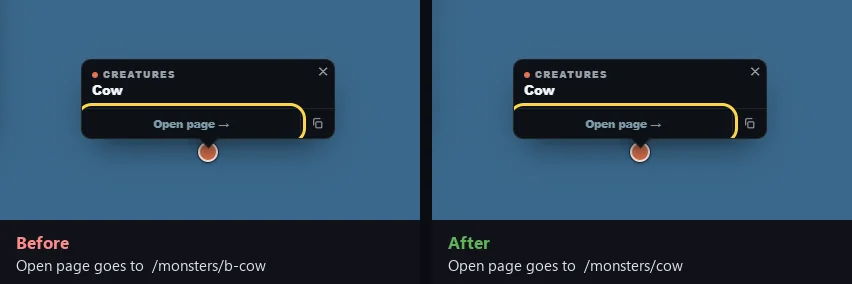
The same map popup twice. Before, its Open page button goes to /monsters/b-cow. After, it goes to /monsters/cow.
What changes for the reader: the same marker, the same button, a different page behind it.
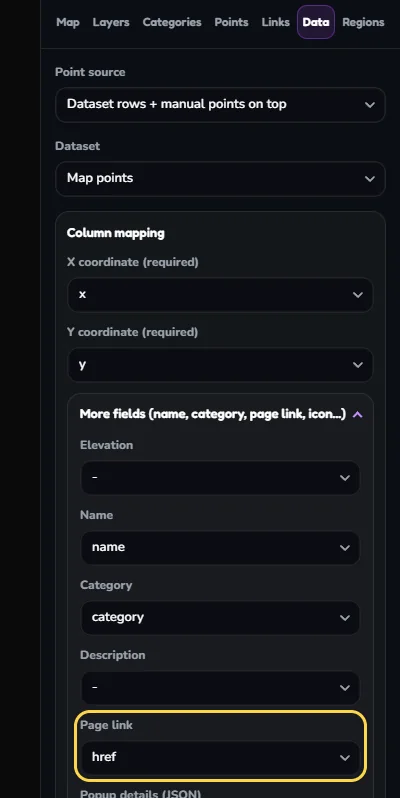
Points from a data tableThe link is one column of the table. In Map Studio, Data tab, More fields, Page link says which column.
Points placed by handThe link is a field on the point itself: Opens page in the Points tab.
Map Studio, Data tab. Under More fields, the Page link dropdown is outlined and set to the href column.
Data tab: the Page link column. Without it, points from a table have no link to change. Pick it, then Save map.

Changing a link in Map Studio never edits your data table. It saves a correction on top of it, the same way dragging a marker does, so the change survives the next data upload.

A link is a page path such as monsters/cow, or a full https:// address for another site. One link serves every language: the reader's language is added when the map is shown.

Open Map Studio

  1. Open the page that shows the map and choose Edit.
  2. Click the map block.
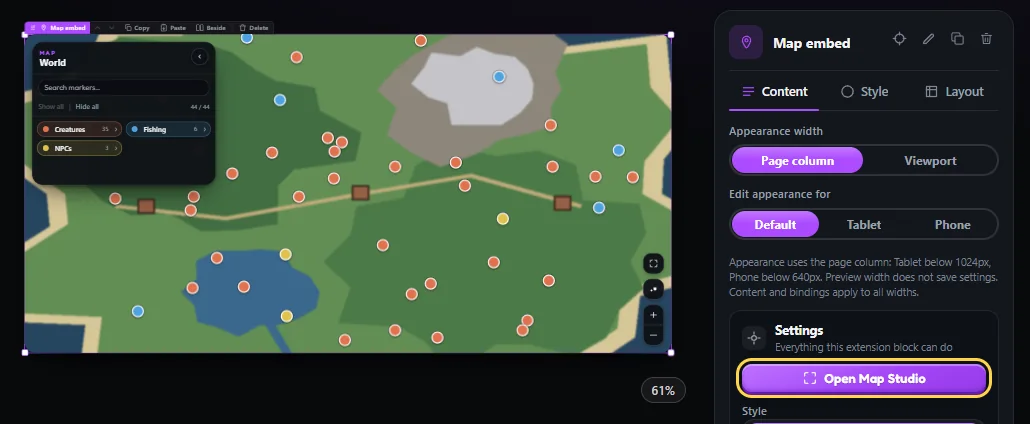
  3. In Properties, click Open Map Studio.
The page editor with the map block selected. In the Properties panel on the right, the Open Map Studio button is outlined.
Select the map block, then Open Map Studio.

Change one point

  1. Open the Points tab and click the marker on the map.
  2. Type in Opens page. Typing a page title or path suggests matching pages.
  3. Click Save link. Remove link takes the link away.
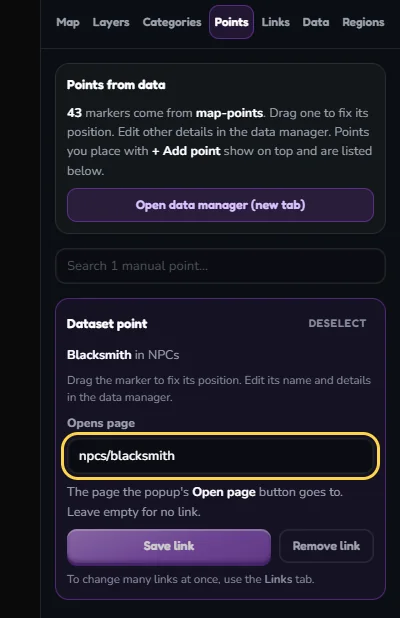
Map Studio, Points tab, with one point selected. The Opens page field is outlined and contains npcs/blacksmith. Below it are the Save link and Remove link buttons.
One selected point. Opens page is the link; Save link stores it.

Change many points at once

The Links tab lists every link on the map, with how many points use it and whether the page exists.
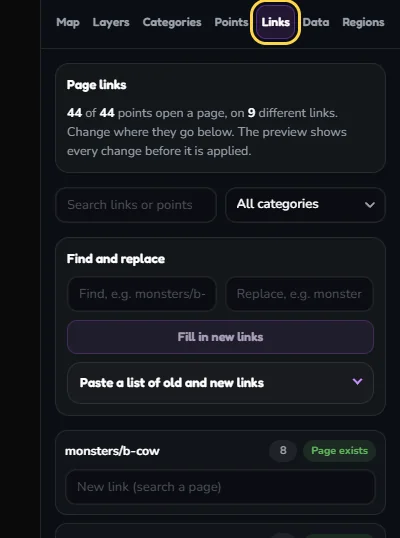
Map Studio, Links tab, with the Links tab outlined. It shows that 44 of 44 points open a page, a Find and replace box, and a list of links such as monsters/b-cow with 8 points and the label Page exists.
Links tab: one row per link. The number is how many points use it.
  1. Under Find and replace, type the part to change and what it becomes. For the example: find monsters/b-, replace with monsters/.
  2. Click Fill in new links. Nothing is saved yet.
  3. Read the Preview: how many points change, each old link with its new one, and in red any new link that has no page.
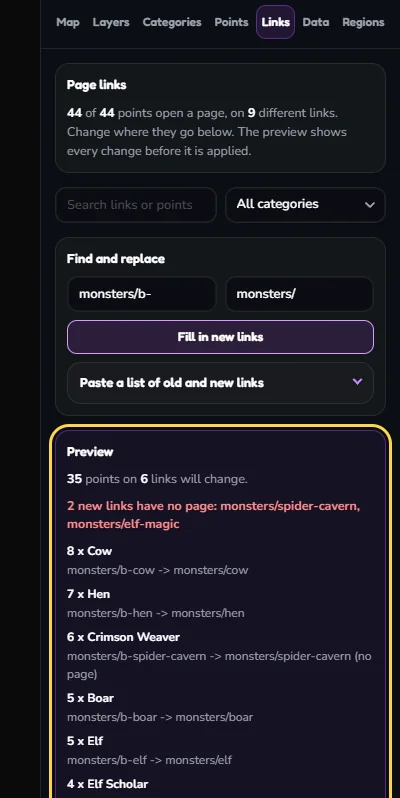
Find and replace filled with monsters/b- and monsters/. The outlined Preview says 35 points on 6 links will change and, in red, that 2 new links have no page: monsters/spider-cavern and monsters/elf-magic.
The preview before anything is saved. Two of the new links have no page, because those pages got a different name.
  1. Fix a link that has no page: find its row in the list and type the right page in New link. The label next to it turns to Page exists.
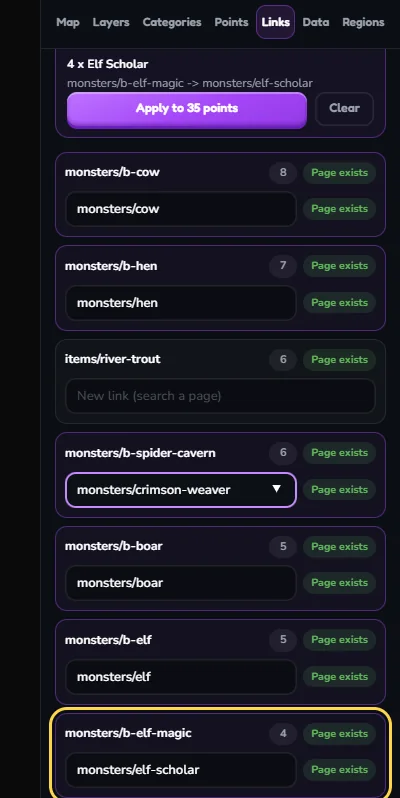
The list of links. The outlined row for monsters/b-elf-magic has the new link monsters/elf-scholar typed in, with the label Page exists next to it.
A page that was renamed as well as moved: type its new address in that row.
  1. When the preview is right, click Apply to ... points.
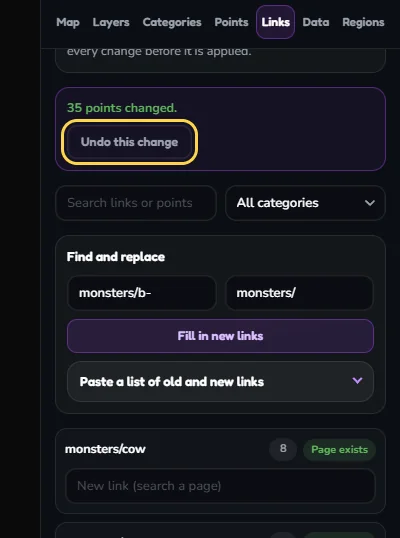
  2. Wrong after all? Undo this change puts the old links back.
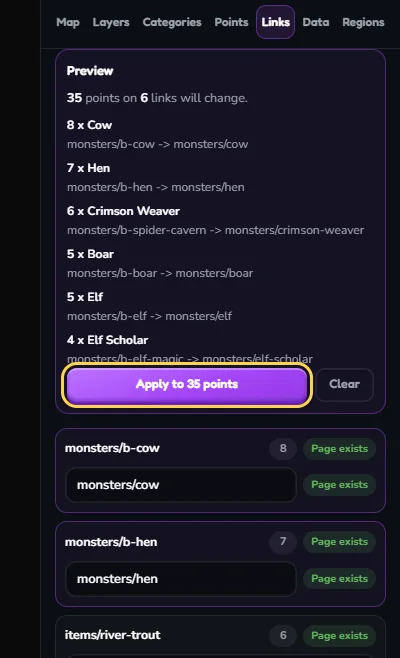
The Preview with no warnings left: 35 points on 6 links will change, each old link next to its new one. The Apply to 35 points button is outlined.
No warnings left. Apply changes all 35 points in one step.
After applying: a message says 35 points changed, with the outlined Undo this change button below it. The list now shows the new links such as monsters/cow.
Done. Undo is offered for as long as you stay on the Links tab.

When the new names follow no single rule, open Paste a list of old and new links and paste one pair per line: the old page, a comma, the new page. A spreadsheet with two columns pastes straight in.
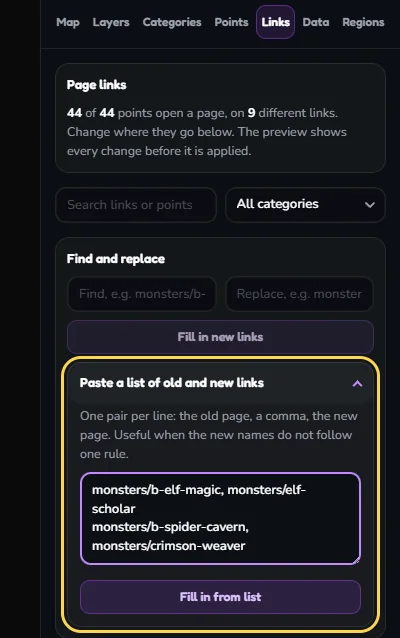
The Paste a list of old and new links section, outlined and open, with two lines: monsters/b-elf-magic, monsters/elf-scholar and monsters/b-spider-cavern, monsters/crimson-weaver.
A pasted list: old page, comma, new page.

The search box and the category menu above the list narrow what you see and what Find and replace touches, so you can change only the fishing spots, or only links containing a word.

When a linked page is deleted or merged

Deleting a page from Manage Pages now says how many map points open it. Two ways to keep those links working:
Re-link firstChange the map links in the Links tab as above, then delete the old pages. Nothing points at them any more.
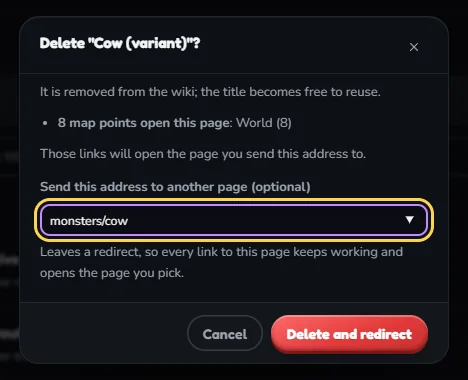
Send the address onIn the delete dialog, fill in Send this address to another page. The old address becomes a redirect, so map points, other pages and links from outside the wiki all open the new page. Wiki admins only.
The delete dialog for the page Cow (variant). It warns that 8 map points open this page on the map World. The outlined field Send this address to another page contains monsters/cow, and the button reads Delete and redirect.
Merging two pages: delete the old one and send its address to the page that replaces it.

Links that already lead nowhere show up in the Links tab as No page, with a count at the top and Show only these to list them.

To see everything that links to a page, not only map points, use Find where a page is used.

Common mistakes

No Page link columnPoints from a data table show no link field until the Data tab maps Page link and the map is saved.
Replacing too littleFinding b- alone also hits crab-cave. Include the folder: monsters/b-.
Ignoring red in the previewA new link with no page is a dead link on the live map. Fix the row or create the page first.
Editing the data table insteadA link typed into the table is lost when the table is uploaded again. A link changed in Map Studio is kept.
Expecting it live at onceIf your edits need review, the change waits as one entry until a moderator accepts it.
New data brings old links backOnly for rows that are new. If the table itself is generated, have the generator write the new addresses too.