Colourful Emotions

Estadísticas del Workshop
Suscriptores totales
Suscriptores actuales
Favoritos totales
Visitas
Tamaño del archivo
Última actualización
Publicado
Capturas de pantalla

Descripción del mod
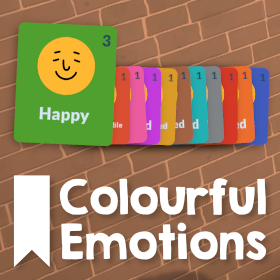
This mod gives every emotion a unique colour so they are easier to tell apart in the UI and on Parafolks' portraits, inspired by the The Sims 4's moodlets and made to fit nicely within Paralives.
All 11 of the base game emotions have a new unique colour
- Happy
- Amused
- Uncomfortable
- Flirty
- Embarrassed
- Disgusted
- Inspired
- Bored
- Angry
- Stressed
- Sad
See the image above for a comparison between the mod's colours and the base game.
The Digestive System Virus, Mushroom Poisoning, and Food Poisoning status effects are also changed so you can tell which Paras are sick. Some status effects like Asleep already have a colour in the base game and aren't changed by this mod.
If you find any issues or have suggestions for changes, please leave them in the Discussions tab on the Workshop!
Escrito por el autor del mod en Steam Workshop y mostrado en su idioma original.
Más mods de este tipo
Los mods con más suscriptores que tienen la misma etiqueta del Workshop. El número de cada tarjeta son sus suscriptores totales.