Play World of Warcraft in Paralives

Estatísticas da Oficina
Inscritos no total
Inscritos atuais
Favoritos no total
Visualizações
Tamanho do arquivo
Última atualização
Publicado
Capturas de tela

Descrição do mod
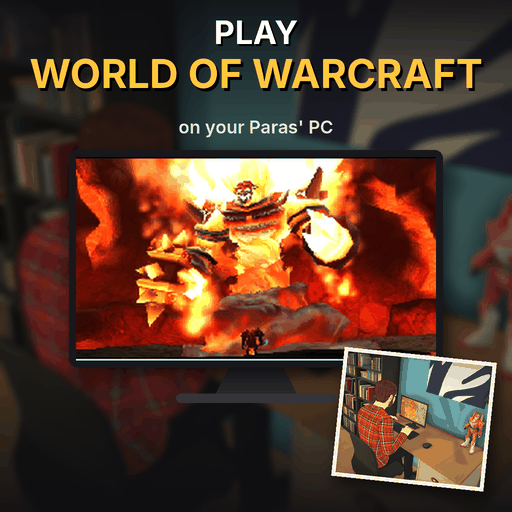
Your Paras can now dive into the world of Azeroth right from their computer.
The animated screen shows the full MMO experience: storming Orgrimmar's gates, flying on a dragon, studying the map, watching the sunset in Thunder Bluff, facing Ragnaros, questing in green fields, joining a massive crowd event - and exploring the glowing forests at night.
FEATURES
- Play World of Warcraft on any computer (Play video games > Play World of Warcraft)
- Fully animated game screen with 8 frames
- NEW Fixed frames - no more shifted edges on the screen
Looking for the classic nostalgia vibe? Check out my "Play WoW Forever" mod too!
Check out my other "Play" mods to build the ultimate gaming setup for your Paras!
If you enjoy this mod, please leave a thumbs up or a comment. It really helps and motivates me to make more!
Escrita pelo autor do mod na Oficina Steam e exibida no idioma original.
Mais mods deste tipo
Os mods com mais inscritos que têm a mesma tag da Oficina. O número em cada cartão é o total de inscritos.