Skip to content
Wszystkie przedmioty

Przedmioty · Shop

Shop

122 przedmiotów shop w katalogu trybu budowy Paralives, zorganizowanych w 9 podkategorii. Każda karta pokazuje miniaturę z gry, obliczoną cenę, swatche i etykietę kolekcji.

122Przedmioty
9Podkategorie
4Interaktywne
86Ze swatchami
5Kolekcje

Showing 116 of 122 items

What do the badges mean?
$ / $$ / $$$ / $$$$
In-game build-mode price. Tier-tinted from cheap (green) to luxury (coral).
Interactive
Parafolk can use this item - sit on it, cook with it, play with it.
Recolours
Supports swatches: you can change its colour in build mode.
Buy in bulk
One purchase places several copies at once. Useful for filler items like bushes or books.
Mushrooms / Gemstones / Artefacts / Paintings
Collectible item - found in the world and tracked in the museum collection book.
N sizes
Item ships with multiple preset sizes you can pick in build mode.
Stays clean / Durable
High-quality tier: dirt builds up slowly and the item rarely breaks.
Gets dirty / Breaks easily
Low-quality tier: needs cleaning often and breaks faster under use.
+N (on thumbnail)
Item has linked variants. Hover the thumbnail to preview the matching pieces.
Collection: name
Themed item line. Mixing pieces from the same collection (Vecheli, Modino, Kicheni...) gives a coordinated look.
How to get
Shown when the item has no buy price - tells you the way to obtain it (cooking, collecting, etc.).
Not obtainable (red box)
Pure world dressing - the game places these on the city map or inside shops; players can't buy or place them themselves.

Shop Oddities

10 items
  • Oddities Anatomical Model build mode thumbnail

    Oddities Anatomical Model

    Collection Oditi

    $800
  • Oddities Butterlies Taxidermy build mode thumbnail

    Oddities Butterlies Taxidermy

    Collection Oditi

    $250Recolours
  • Oddities Cat Mystical build mode thumbnail

    Oddities Cat Mystical

    Collection Oditi

    $150
  • Oddities Chair Clown build mode thumbnail

    Oddities Chair Clown

    Collection Oditi

    $10Recolours
  • Oddities Frame Eye build mode thumbnail

    Oddities Frame Eye

    Collection Oditi

    $150Recolours
  • Oddities Incense Burner build mode thumbnail

    Oddities Incense Burner

    Collection Oditi

    $100
  • Oddities Microwave Frog build mode thumbnail

    Oddities Microwave Frog

    Collection Oditi

    $500Recolours
  • Oddities Mirror Snake build mode thumbnail

    Oddities Mirror Snake

    Collection Oditi

    $300Recolours
  • Oddities Toad Country build mode thumbnail

    Oddities Toad Country

    Collection Oditi

    Country$500
  • Oddities Wall Ear build mode thumbnail

    Oddities Wall Ear

    Collection Oditi

    $250

Shop Clothes

9 items
  • Clothes Dummy Dress Summer Frill build mode thumbnail

    Clothes Dummy Dress Summer Frill

    Recolours

    How to get Found in the build catalog when editing shop lots. The lot-specific catalog opens whenever you build or remodel one of these lot types.

  • Clothes Dummy Dress Wedding Strapless build mode thumbnail

    Clothes Dummy Dress Wedding Strapless

    Recolours

    How to get Found in the build catalog when editing shop lots. The lot-specific catalog opens whenever you build or remodel one of these lot types.

  • Clothes Dummy Head build mode thumbnail

    Clothes Dummy Head

    Interactive

    How to get Found in the build catalog when editing shop lots. The lot-specific catalog opens whenever you build or remodel one of these lot types.

  • Clothes Dummy Tuxedo build mode thumbnail

    Clothes Dummy Tuxedo

    Recolours

    How to get Found in the build catalog when editing shop lots. The lot-specific catalog opens whenever you build or remodel one of these lot types.

  • Clothes Free Standing Curtain build mode thumbnail

    Clothes Free Standing Curtain

    Recolours

    How to get Found in the build catalog when editing shop lots. The lot-specific catalog opens whenever you build or remodel one of these lot types.

  • Clothes Roof build mode thumbnail

    Clothes Roof

    Recolours

    Not obtainable

    Low-poly background impostor (rendered for distant city view) - placed automatically by the game; no build mode catalog lists this for the player.

  • Clothes Vintage Sewing Dummy Breast build mode thumbnail

    Clothes Vintage Sewing Dummy Breast

    VintageRecolours

    How to get Found in the build catalog when editing shop lots. The lot-specific catalog opens whenever you build or remodel one of these lot types.

  • Clothes Vintage Sewing Dummy Pecs build mode thumbnail

    Clothes Vintage Sewing Dummy Pecs

    VintageRecolours

    How to get Found in the build catalog when editing shop lots. The lot-specific catalog opens whenever you build or remodel one of these lot types.

  • Clothes Wood Panel build mode thumbnail

    Clothes Wood Panel

    Wood

    How to get Found in the build catalog when editing shop lots. The lot-specific catalog opens whenever you build or remodel one of these lot types.

Shop Creme

9 items
  • Creme Baguette build mode thumbnail

    Creme Baguette

    How to get Found in the build catalog when editing cafe lots. The lot-specific catalog opens whenever you build or remodel one of these lot types.

  • Creme Chalkboard Bread build mode thumbnail

    Creme Chalkboard Bread

    Recolours

    How to get Found in the build catalog when editing cafe lots. The lot-specific catalog opens whenever you build or remodel one of these lot types.

  • Creme Chalkboard Coffee build mode thumbnail

    Creme Chalkboard Coffee

    Recolours

    How to get Found in the build catalog when editing cafe lots. The lot-specific catalog opens whenever you build or remodel one of these lot types.

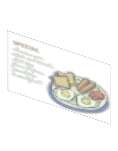
  • Creme Chalkboard Specials build mode thumbnail

    Creme Chalkboard Specials

    Recolours

    How to get Found in the build catalog when editing cafe lots. The lot-specific catalog opens whenever you build or remodel one of these lot types.

  • Creme Cup Cardboard build mode thumbnail

    Creme Cup Cardboard

    How to get Found in the build catalog when editing cafe lots. The lot-specific catalog opens whenever you build or remodel one of these lot types.

  • Creme Poster Hiring build mode thumbnail

    Creme Poster Hiring

    Interactive

    How to get Found in the build catalog when editing cafe lots. The lot-specific catalog opens whenever you build or remodel one of these lot types.

  • Creme Sign build mode thumbnail

    Creme Sign

    Recolours

    How to get Found in the build catalog when editing cafe lots. The lot-specific catalog opens whenever you build or remodel one of these lot types.

  • Creme Storefront build mode thumbnail

    Creme Storefront

    Recolours

    How to get Found in the build catalog when editing cafe lots. The lot-specific catalog opens whenever you build or remodel one of these lot types.

  • Creme Window Sticker build mode thumbnail

    Creme Window Sticker

    Buy in bulk

    How to get Found in the build catalog when editing cafe lots. The lot-specific catalog opens whenever you build or remodel one of these lot types.

Shop Florist

9 items
  • Florist Bouquets Hydrangea build mode thumbnail

    Florist Bouquets Hydrangea

    Recolours

    How to get Found in the build catalog when editing shop lots. The lot-specific catalog opens whenever you build or remodel one of these lot types.

  • Florist Bouquets Roses build mode thumbnail

    Florist Bouquets Roses

    Recolours

    How to get Found in the build catalog when editing shop lots. The lot-specific catalog opens whenever you build or remodel one of these lot types.

  • Florist Bouquets Tulips build mode thumbnail

    Florist Bouquets Tulips

    Recolours

    How to get Found in the build catalog when editing shop lots. The lot-specific catalog opens whenever you build or remodel one of these lot types.

  • Florist Crate Upside Down build mode thumbnail

    Florist Crate Upside Down

    How to get Found in the build catalog when editing shop lots. The lot-specific catalog opens whenever you build or remodel one of these lot types.

  • Florist Greenhouse Roof build mode thumbnail

    Florist Greenhouse Roof

    Not obtainable

    Low-poly background impostor (rendered for distant city view) - placed automatically by the game; no build mode catalog lists this for the player.

  • Florist Sign Bloom build mode thumbnail

    Florist Sign Bloom

    Recolours

    How to get Found in the build catalog when editing shop lots. The lot-specific catalog opens whenever you build or remodel one of these lot types.

  • Florist Sign Side Flowers build mode thumbnail

    Florist Sign Side Flowers

    How to get Found in the build catalog when editing shop lots. The lot-specific catalog opens whenever you build or remodel one of these lot types.

  • Florist Specials build mode thumbnail

    Florist Specials

    Recolours

    How to get Found in the build catalog when editing shop lots. The lot-specific catalog opens whenever you build or remodel one of these lot types.

  • Florist Wheelbarrow Display build mode thumbnail

    Florist Wheelbarrow Display

    How to get Found in the build catalog when editing shop lots. The lot-specific catalog opens whenever you build or remodel one of these lot types.

Shop The

4 items
  • The Story Nook Bottles build mode thumbnail
    1/4

    The Story Nook Bottles

    Collection Kapita

    $6
    Matching pieces3 items
  • The Story Nook Cup Cardboard build mode thumbnail

    The Story Nook Cup Cardboard

    $6
  • The Story Nook Roof build mode thumbnail
    1/3

    The Story Nook Roof

    Recolours

    Not obtainable

    Low-poly background impostor (rendered for distant city view) - placed automatically by the game; no build mode catalog lists this for the player.

    Matching pieces2 items
  • The Story Nook Sign build mode thumbnail
    1/2

    The Story Nook Sign

    Recolours

    How to get Found in the build catalog when editing shop lots. The lot-specific catalog opens whenever you build or remodel one of these lot types.

    Matching pieces1 item

Shop General

5 items
  • General Store Grocery Basket build mode thumbnail
    1/3

    General Store Grocery Basket

    Recolours

    How to get Found in the build catalog when editing shop lots. The lot-specific catalog opens whenever you build or remodel one of these lot types.

    Matching pieces2 items
  • General Store Roof1 build mode thumbnail

    General Store Roof1

    Recolours

    Not obtainable

    Low-poly impostor roof (rendered for distant city view) - placed automatically by the game; no build mode catalog lists this for the player.

  • General Store Roof2 build mode thumbnail

    General Store Roof2

    Recolours

    Not obtainable

    Low-poly impostor roof (rendered for distant city view) - placed automatically by the game; no build mode catalog lists this for the player.

  • General Store Roof3 build mode thumbnail

    General Store Roof3

    Recolours

    Not obtainable

    Low-poly impostor roof (rendered for distant city view) - placed automatically by the game; no build mode catalog lists this for the player.

  • General Store Roof4 build mode thumbnail

    General Store Roof4

    Recolours

    Not obtainable

    Low-poly impostor roof (rendered for distant city view) - placed automatically by the game; no build mode catalog lists this for the player.

Shop Painter

6 items
  • Painter Community Center build mode thumbnail

    Painter Community Center

    $500Recolours
  • Painter General Store build mode thumbnail

    Painter General Store

    $500Recolours
  • Painter Miki Spring build mode thumbnail

    Painter Miki Spring

    $500Recolours
  • Painter Miki Summer build mode thumbnail

    Painter Miki Summer

    $500Recolours
  • Painter Miki Winter build mode thumbnail

    Painter Miki Winter

    $500Recolours
  • Painter Tower Clouds build mode thumbnail

    Painter Tower Clouds

    $500Recolours

Shop Sign

6 items
  • Sign Chez Maurice build mode thumbnail

    Sign Chez Maurice

    Recolours

    How to get Found in the build catalog when editing restaurant lots. The lot-specific catalog opens whenever you build or remodel one of these lot types.

  • Sign Online Pickup build mode thumbnail

    Sign Online Pickup

    How to get Found in the build catalog when editing cafe lots. The lot-specific catalog opens whenever you build or remodel one of these lot types.

  • Sign Side L Armoire build mode thumbnail

    Sign Side L Armoire

    Recolours

    How to get Found in the build catalog when editing shop lots. The lot-specific catalog opens whenever you build or remodel one of these lot types.

  • Sign Side Maurice build mode thumbnail

    Sign Side Maurice

    Recolours

    How to get Found in the build catalog when editing restaurant lots. The lot-specific catalog opens whenever you build or remodel one of these lot types.

  • Sign Specials build mode thumbnail

    Sign Specials

    Recolours

    How to get Found in the build catalog when editing restaurant lots. The lot-specific catalog opens whenever you build or remodel one of these lot types.

  • Sign The Cellar Door build mode thumbnail

    Sign The Cellar Door

    Recolours

    How to get Found in the build catalog when editing restaurant lots. The lot-specific catalog opens whenever you build or remodel one of these lot types.

Shop Antiques

5 items
  • Antiques Awning5m build mode thumbnail

    Antiques Awning5m

    Recolours

    How to get Found in the build catalog when editing shop lots. The lot-specific catalog opens whenever you build or remodel one of these lot types.

  • Antiques Awning8m build mode thumbnail

    Antiques Awning8m

    Recolours

    How to get Found in the build catalog when editing shop lots. The lot-specific catalog opens whenever you build or remodel one of these lot types.

  • Antiques Roof build mode thumbnail

    Antiques Roof

    Recolours

    Not obtainable

    Low-poly background impostor (rendered for distant city view) - placed automatically by the game; no build mode catalog lists this for the player.

  • Antiques Sign build mode thumbnail

    Antiques Sign

    How to get Found in the build catalog when editing shop lots. The lot-specific catalog opens whenever you build or remodel one of these lot types.

  • Antiques Signage build mode thumbnail

    Antiques Signage

    Recolours

    How to get Found in the build catalog when editing shop lots. The lot-specific catalog opens whenever you build or remodel one of these lot types.

Inne przedmioty Shop

53 items
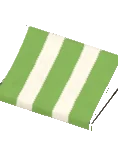
  • Awning Sides build mode thumbnail

    Awning Sides

    $90Recolours
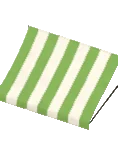
  • Awning Striped build mode thumbnail

    Awning Striped

    $90Recolours
  • Bathroom Sign Wood build mode thumbnail

    Bathroom Sign Wood

    Wood

    How to get Found in the build catalog when editing cafe lots and restaurant lots. The lot-specific catalog opens whenever you build or remodel one of these lot types.

  • Bean Grinder build mode thumbnail

    Bean Grinder

    Recolours

    How to get Found in the build catalog when editing cafe lots. The lot-specific catalog opens whenever you build or remodel one of these lot types.

  • Coffee Brewer build mode thumbnail

    Coffee Brewer

    Recolours

    How to get Found in the build catalog when editing cafe lots. The lot-specific catalog opens whenever you build or remodel one of these lot types.

  • Coffee Machine Espresso build mode thumbnail

    Coffee Machine Espresso

    Recolours

    How to get Found in the build catalog when editing cafe lots. The lot-specific catalog opens whenever you build or remodel one of these lot types.

  • Counter Basic build mode thumbnail

    Counter Basic

    BasicRecolours

    How to get Found in the build catalog when editing cafe lots. The lot-specific catalog opens whenever you build or remodel one of these lot types.

  • Counter Fluted Display build mode thumbnail

    Counter Fluted Display

    Recolours

    How to get Found in the build catalog when editing cafe lots. The lot-specific catalog opens whenever you build or remodel one of these lot types.

  • Counter Fluted L build mode thumbnail

    Counter Fluted L

    Recolours

    How to get Found in the build catalog when editing cafe lots. The lot-specific catalog opens whenever you build or remodel one of these lot types.

  • Decal Chez Maurice Menu build mode thumbnail

    Decal Chez Maurice Menu

    How to get Found in the build catalog when editing restaurant lots. The lot-specific catalog opens whenever you build or remodel one of these lot types.

  • Dispenser Syrup build mode thumbnail

    Dispenser Syrup

    Recolours

    How to get Found in the build catalog when editing cafe lots. The lot-specific catalog opens whenever you build or remodel one of these lot types.

  • Display Food Curved build mode thumbnail

    Display Food Curved

    Recolours

    How to get Found in the build catalog when editing cafe lots. The lot-specific catalog opens whenever you build or remodel one of these lot types.

  • Disposable Bin Ice Cream build mode thumbnail

    Disposable Bin Ice Cream

    Recolours

    How to get Found in the build catalog when editing shop lots. The lot-specific catalog opens whenever you build or remodel one of these lot types.

  • Disposal Bin build mode thumbnail

    Disposal Bin

    Recolours

    How to get Found in the build catalog when editing cafe lots and restaurant lots. The lot-specific catalog opens whenever you build or remodel one of these lot types.

  • Dog Drinking Bowl build mode thumbnail

    Dog Drinking Bowl

    Not obtainable

    Open-city decoration (placed on the city map) - placed automatically by the game; no build mode catalog lists this for the player.

  • Fast Food Napkin Holder build mode thumbnail

    Fast Food Napkin Holder

    Recolours

    How to get Found in the build catalog when editing restaurant lots. The lot-specific catalog opens whenever you build or remodel one of these lot types.

  • Fast Food Sauce Pump Dispenser build mode thumbnail

    Fast Food Sauce Pump Dispenser

    Recolours

    How to get Found in the build catalog when editing restaurant lots. The lot-specific catalog opens whenever you build or remodel one of these lot types.

  • Fast Food Tray build mode thumbnail

    Fast Food Tray

    How to get Found in the build catalog when editing restaurant lots. The lot-specific catalog opens whenever you build or remodel one of these lot types.

  • Gym Sign Premium build mode thumbnail

    Gym Sign Premium

    PremiumRecolours

    How to get Found in the build catalog when editing shop lots. The lot-specific catalog opens whenever you build or remodel one of these lot types.

  • Gym Sign Side Biceps build mode thumbnail

    Gym Sign Side Biceps

    Recolours

    How to get Found in the build catalog when editing shop lots. The lot-specific catalog opens whenever you build or remodel one of these lot types.

  • Hairdreser Awning Striped build mode thumbnail

    Hairdreser Awning Striped

    Recolours

    How to get Found in the build catalog when editing shop lots. The lot-specific catalog opens whenever you build or remodel one of these lot types.

  • Hairdresser Barber Pole Spin build mode thumbnail

    Hairdresser Barber Pole Spin

    Recolours

    How to get Found in the build catalog when editing shop lots. The lot-specific catalog opens whenever you build or remodel one of these lot types.

  • Hairdresser Chair build mode thumbnail

    Hairdresser Chair

    InteractiveRecolours

    How to get Found in the build catalog when editing shop lots. The lot-specific catalog opens whenever you build or remodel one of these lot types.

  • Hairdresser Headlines Decal build mode thumbnail

    Hairdresser Headlines Decal

    How to get Found in the build catalog when editing shop lots. The lot-specific catalog opens whenever you build or remodel one of these lot types.

  • Hairdresser Roof1 build mode thumbnail

    Hairdresser Roof1

    Collection Hairdresser Roof 1

    Recolours

    Not obtainable

    Low-poly background impostor (rendered for distant city view) - placed automatically by the game; no build mode catalog lists this for the player.

  • Hairdresser Roof2 build mode thumbnail

    Hairdresser Roof2

    Collection Hairdresser Roof 2

    Recolours

    Not obtainable

    Low-poly background impostor (rendered for distant city view) - placed automatically by the game; no build mode catalog lists this for the player.

  • Jar Tips build mode thumbnail

    Jar Tips

    How to get Found in the build catalog when editing cafe lots and restaurant lots. The lot-specific catalog opens whenever you build or remodel one of these lot types.

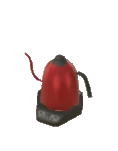
  • Kettle Electric build mode thumbnail

    Kettle Electric

    Collection Kicheni

    $24Recolours
  • La Tavola Sign build mode thumbnail

    La Tavola Sign

    Recolours

    Not obtainable

    Low-poly background impostor (rendered for distant city view) - placed automatically by the game; no build mode catalog lists this for the player.

  • Lady Rose Sign build mode thumbnail

    Lady Rose Sign

    Recolours

    How to get Found in the build catalog when editing shop lots. The lot-specific catalog opens whenever you build or remodel one of these lot types.

  • Lady Rose Window Sticker build mode thumbnail

    Lady Rose Window Sticker

    Buy in bulk

    How to get Found in the build catalog when editing shop lots. The lot-specific catalog opens whenever you build or remodel one of these lot types.

  • Light House Roof1 build mode thumbnail

    Light House Roof1

    Recolours

    Not obtainable

    Low-poly background impostor (rendered for distant city view) - placed automatically by the game; no build mode catalog lists this for the player.

  • Light House Roof2 build mode thumbnail

    Light House Roof2

    Recolours

    Not obtainable

    Low-poly background impostor (rendered for distant city view) - placed automatically by the game; no build mode catalog lists this for the player.

  • Light House Roof3 build mode thumbnail

    Light House Roof3

    Not obtainable

    Low-poly background impostor (rendered for distant city view) - placed automatically by the game; no build mode catalog lists this for the player.

  • Lumen Storefront build mode thumbnail

    Lumen Storefront

    How to get Found in the build catalog when editing shop lots. The lot-specific catalog opens whenever you build or remodel one of these lot types.

  • Metal Napkin Holder build mode thumbnail

    Metal Napkin Holder

    Collection Kicheni

    Metal$6Recolours
  • Pharmacy Roof build mode thumbnail

    Pharmacy Roof

    Recolours

    Not obtainable

    Low-poly background impostor (rendered for distant city view) - placed automatically by the game; no build mode catalog lists this for the player.

  • Price Label Chic build mode thumbnail

    Price Label Chic

    Chic

    How to get Found in the build catalog when editing cafe lots. The lot-specific catalog opens whenever you build or remodel one of these lot types.

  • Register Cash build mode thumbnail

    Register Cash

    Recolours

    How to get Found in the build catalog when editing cafe lots and restaurant lots. The lot-specific catalog opens whenever you build or remodel one of these lot types.

  • Restaurant Fancy Roof build mode thumbnail

    Restaurant Fancy Roof

    FancyRecolours

    Not obtainable

    Low-poly background impostor (rendered for distant city view) - placed automatically by the game; no build mode catalog lists this for the player.

  • Restaurant Food For Sale build mode thumbnail

    Restaurant Food For Sale

    $20Interactive
  • Restaurant Menu Folded build mode thumbnail
    1/2

    Restaurant Menu Folded

    Recolours

    How to get Found in the build catalog when editing restaurant lots. The lot-specific catalog opens whenever you build or remodel one of these lot types.

    Matching pieces1 item
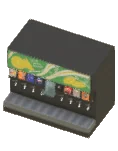
  • Soda Dispenser build mode thumbnail

    Soda Dispenser

    Recolours

    How to get Found in the build catalog when editing restaurant lots. The lot-specific catalog opens whenever you build or remodel one of these lot types.

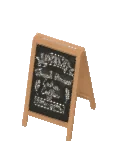
  • Standing Chalkboard build mode thumbnail
    1/2

    Standing Chalkboard

    Recolours

    How to get Found in the build catalog when editing cafe lots. The lot-specific catalog opens whenever you build or remodel one of these lot types.

    Matching pieces1 item
  • Table Number Holder1 build mode thumbnail

    Table Number Holder1

    Recolours

    How to get Found in the build catalog when editing restaurant lots. The lot-specific catalog opens whenever you build or remodel one of these lot types.

  • Table Number Holder2 build mode thumbnail

    Table Number Holder2

    Recolours

    How to get Found in the build catalog when editing restaurant lots. The lot-specific catalog opens whenever you build or remodel one of these lot types.

  • Table Number Holder3 build mode thumbnail

    Table Number Holder3

    Recolours

    How to get Found in the build catalog when editing restaurant lots. The lot-specific catalog opens whenever you build or remodel one of these lot types.

  • Vacant Cover Newspapers build mode thumbnail

    Vacant Cover Newspapers

    How to get Found in the build catalog when editing shop lots. The lot-specific catalog opens whenever you build or remodel one of these lot types.

  • Vacant Sign For Sale build mode thumbnail

    Vacant Sign For Sale

    How to get Found in the build catalog when editing shop lots. The lot-specific catalog opens whenever you build or remodel one of these lot types.

  • Vacant1 Roof build mode thumbnail

    Vacant1 Roof

    Recolours

    Not obtainable

    Low-poly background impostor (rendered for distant city view) - placed automatically by the game; no build mode catalog lists this for the player.

  • Vacant2 Roof build mode thumbnail

    Vacant2 Roof

    Recolours

    Not obtainable

    Low-poly background impostor (rendered for distant city view) - placed automatically by the game; no build mode catalog lists this for the player.

  • Vacant3 Roof build mode thumbnail

    Vacant3 Roof

    Recolours

    Not obtainable

    Low-poly background impostor (rendered for distant city view) - placed automatically by the game; no build mode catalog lists this for the player.

  • Wet Floor Sign build mode thumbnail

    Wet Floor Sign

    How to get Found in the build catalog when editing restaurant lots. The lot-specific catalog opens whenever you build or remodel one of these lot types.

Często zadawane

Ile przedmiotów shop jest w Paralives?

Ile przedmiotów shop jest w Paralives?
Paralives ma 122 przedmiotów shop, zorganizowanych w 9 podkategorii. 4 z nich jest interaktywnych, 86 obsługuje swatche do przekolorowania.
Czy wszystkie przedmioty shop w Paralives można przekolorować?
86 z 122 przedmiotów shop obsługuje swatche w Paralives. Reszta to elementy dekoracyjne ze stałym wyglądem siatki.
Czy przedmioty shop w Paralives są interaktywne?
4 z 122 przedmiotów shop w Paralives jest interaktywnych - Parafolk mogą ich w jakiś sposób używać. Pozostałe przedmioty są dekoracyjne i służą estetyce trybu budowy, a nie rozgrywce.
Jakie są nazwy kolekcji na przedmiotach shop w Paralives?
17 z 122 przedmiotów shop należy do 5 kolekcji tematycznych. Kolekcje to linie przedmiotów o wspólnej nazwie (Vecheli dla zastawy stołowej, Kicheni dla przyborów kuchennych, Modino dla nowoczesnych kanap itp.) - mieszanie przedmiotów z tej samej kolekcji daje skoordynowany wygląd. Nazwa kolekcji jest widoczna na każdej karcie pod nazwą przedmiotu.

Last updated:

Data extracted from Paralives Early Access game files (build 1). Stats and counts verified against the shipped catalog.