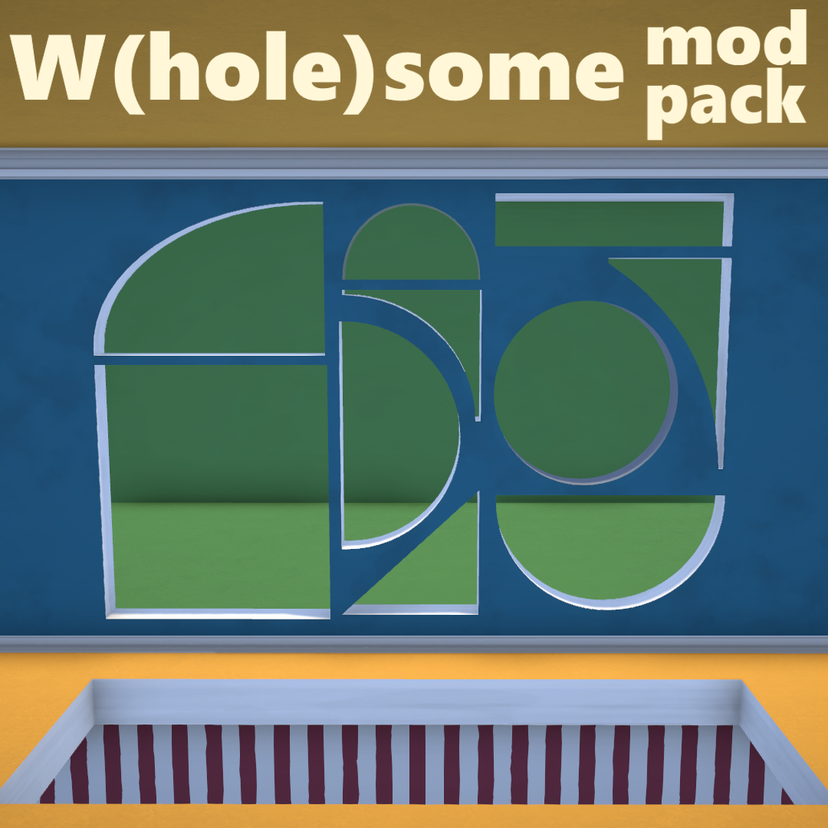
The W(Hole)some mopack

工作坊數據
累計訂閱者
目前訂閱者
累計收藏
瀏覽次數
檔案大小
最後更新
發布日期
螢幕擷圖

模組說明
The W(hole)some collection of holes!
Have you ever thought to yourself "Mmmh... Those walls are too thick; I can't even see through them! Who may know what lurks behind ?!". Then don't wait any longer and buy our holes and smash them into your house, so you'll never have to worry ever again!
We have square holes, semicircular holes, triangular holes, circular holes, but most importantly spectacular holes!
Heh, I knew I should have gone into marketing...
Warning you MUST put the mod into your local content folder as shown in the mod's gallery to make it work properly, especially if you want to be able to make the side invisible/ The folder is usually located under C:\Users\[YourUsername]\AppData\LocalLow\Paralives\Paralives. If you don't do this, you'll be greeted with a solid white texture instead of an invisible material.
As for mac users, since I don't really know how a Mac computer works, you can find your local mod folder by going into the custom content menu of the game and create a new mod (give it a name like "local mod folder shortcut" or anything that will make you find it with ease). Then, you should see row of icons next to the thumbnail: click on the folder icon and it will lead you to your mod. Go into the parent folder and *voilà*, you're in your local mod folder.
If you want to find the folder where the mod has been automatically downloaded in, click on the folder icon of my mod, it will lead you right where it is.
There a several type of holes
- square;
- square floor holes with different height (0cm/20cm/40cm/60cm/80cm/100cm)
- circular;
- ogival (for the Glass roofs mod);
- semi circular;
- quarter circular;
- circular corner;
- triangular
For the last four, there are two viariations facing upward and downward (and sideways for the semicircular hole). For each variation, there are several models available with invisible side, base or top, reshapable or resizable, which ends in a whooping total of 45 variations (!) Update 28/06/2026 : I've changed the way to handle things so you'll only need to recolor the hole you want with the no-material texture provided with this mod.
[NEW] A rug that acts as an archway : place it in your DIY archway and then make it invisible using the material selection tool.
For the floor holes to be working, you need to put them from the lower floor.
Since it doesn't look like I can make personnalized thumbnail (yet), they're a bit hard to distinguish, but their shape is told in their title and their respective variation is written in the description.
They are located in their own tab under the build tab > architectural detail > [M] The W(Hole)some modpack. The half-round holes are located among the circular hole's variations.
Known bug
- The color wheel is quite buggy but I think I have stabilized it in a """good enough""" state.
- [should be fixed] If you see a bit of a gap between the hole and the wall after installing it, don’t hesitate to move it a bit, it will automatically readapt itself.
- Invisible texture might appear solid white on first launch. If it happens, restarting your game can solve this issue.
由模組作者在 Steam 工作坊撰寫,以原文語言顯示。