MY PROFILE
建築模板
地圖
恐龍
物品
掉落表
指令
託管ARK伺服器
所有地圖和Mod
街機
XP計算器
傷害計算器
玩家指標
工具
GET PREMIUM
由...提供支援Nitrado
分享和下載來自ARK社群的精彩建築模板
社群現在正在下載的建築:新鮮上傳與經典熱門一應俱全
This template is only half of a building due to the number of building materials. So please connect them again with snaps to build. By placing a 3×3 base in the position where the industrial furnace in the video below is located, the template snap can be positioned correctly. ( The attached image is the finished product decorated with Bob's Tall Tales. )
Easy installation for flush dedis and tektroughs For more info, join my Discord
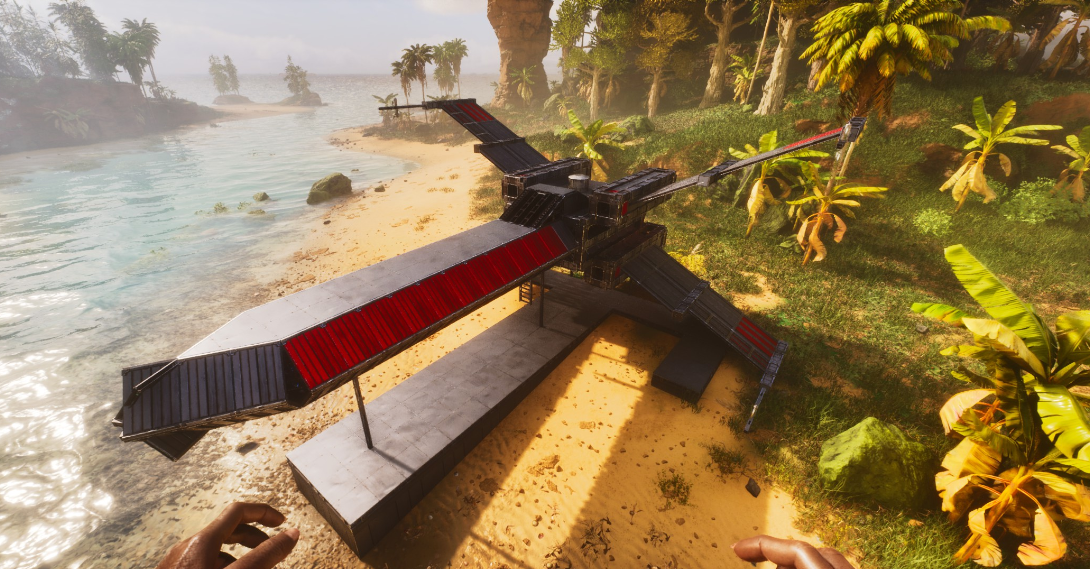
Pve lookout base used Sci Fi texture skin
overpowerd underwater floating tower. design origianly made by kak but i have edited some of it. be sure to build vaccume chambers to the desired hight and location then snap tower bottom. once the first vaccum snaps when auto building then delete the other chambers going to ground.
***Enjoy*** The second template has only 3 foundations — perfect height if you play on an unofficial server like I do. ( CS Dedi/Customs Cryos...)
A medium-sized base built with the help of a video by Etholdir. Some modifications were made to ensure the structure limit didn’t exceed 2000, but full credit for this base design still goes to Etholdir, an incredible builder with phenomenal creativity.
我們社群最多下載的模板 - 這些經過驗證的建築受到數千名玩家的信賴
All-in-one base with greenhouse. Skins used: - Frontiers -Steampunk - Klinger Additional Skin Cosmetics Rustic GreenHouse
Welcome to my Steampunk Starter House build in ARK: Aberration Ascended made completely from thatch! This build utilizes Bob’s Tall Tales Structure Skins, with a special focus on the Steampunk Skin to transform a simple thatch house into a unique, immersive base. PLEASE WATCH VIDEO TO SEE WHERE TO APPLY SKINS. Whether you’re new to ARK: Survival Ascended or just looking for some inspiration, this steampunk starter house is the perfect blend of style and practicality.
This is an official PVE compatible base that allows you to bring in resources using the Argento Anky using a cellar door. It is equipped with a full range of facilities, including an industrial forge and industrial grinder. The layout has been carefully designed to make it easy to bring in resources and craft, making it extremely user-friendly. The skin used is the Steampunk skin from the paid DLC, Bob's Tall Tales. こちらは公式PVE対応のセラードア使ってアルゲンアンキーで資源の搬入が可能な基地です。 インダストリアルフォージやインダストリアルグラインダーなどの設備は一通りそろっています。 資源搬入やクラフトなどがしやすいように配置を工夫して非常に使いやすい設計にしております。 スキンは有料DLC、ボブズトールテイルズのスチームパンクスキンを使用しています。
All wood bunkhouse with loft and green house. Room for plenty of tribemates and equipment. Skinned in Frontier skins and lit with Frontier oil lamps and chandeliers.
沒有描述
This is a template of 'GTP HQ 3.0 Functional & Efficient base'. This is GTP HQ 3.0. Our most upgraded base version up untill now. Credit: GambitN89, the building mastermind. I've finally gotten around to make a showcase and a template! (Youtube link to showcase below) This is a bigger version of the GTP HQ 1.0 I have uploaded. This template consists out of 2 templates. - 1. The empty shell template (The vault wall is included, i left the rest empty so you can decorate how you want.) - 2. 12 foundation template (You can lower this into the empty section to get your dedi boxes lowered, ofcourse you can also fill this section with foundations if you don't have/want dedi boxes.) If you do want to use the dedi boxes, make sure you place the empty shell template high enough for a floor to get lowered into it! IMPORTANT FOR AUTOFILL FEATURE - 1 corner of the outer wall of the base would NOT get into the template... Fill it exactly as the other corners and you're done with the outer wall section. - The ceilings below the greenhouse will NOT autofill. You gotta pick up the third row of the inner core of the walls (glass walls). Once you've picked up those walls, you can fill the entire roof. Atfer you filled the entire roof, you can add the third row of the inner core back. - The greenhouse section also doesn't autofill fully, but example parts do, just take one of the corners as an example and fill the rest. - The top part of the personal rooms also doesn't autofill. Pick up the second row of the quarter walls, place the ceilings first and then replace the quarter walls. In my base showcase video you can see how to place the rest of the missing structures. OVERALL RULE: If something doesn't autofill, a structure from the auto build feature is blocking it = Pick up blocking structure, place the one that didn't autofill and then place the blocking structure back. IF YOU DON'T USE AUTOBUILD FEATURE - Fill the template in the following order: {1. The foundations} {2. The outer walls} {3. The roof} {4. Greenhouse} {5. The inner core walls.} - Personal rooms from the top down. Skins - Astraeos Structures - Custom Cosmetic (Nekatus_modding) Entire Base shell - Arkitect's Paradise (BenzomineraMods) Glass walls inside Both of these mods are free to download. IF IT GIVES YOU AN ERROR ON IMPORTING TEMPLATE, KEEP COPYING AND PASTING. SOMETIMES IT WORKS, SOMETIMES IT DOESN'T. (Or join my discord, Pick streamer emote in rules and roles, this opens up 'Share-Builds-Templates', download the GTP HQ 3.0 and import it that way.) The template hammer is a new feature in ark, there is issues with it.... The build has been tested en build by multiple people already. FOR CONSOLE PEEPS. Free templates of each structure that i uploaded. (Its an item you can pick up). Astraeos 5997 - coords: 79 - 30. Transmitter is unlocked. Templates can be found on the OUTSIDE of the transmitter arena. ONLY accessable if you have Lost Colony. PLEASE ONLY GRAB 1 TEMPLATE, THATS ALL YOU NEED TO SAVE IT. YOU DONT NEED 10 OF THEM. In the links you can find the base showcase that I made for this basebuild. In this video you can also see where we have our replicator, industrial forge and the garden for example! Enjoy :D
熱騰騰出爐!發現我們創意社群的最新建築模板
plateforme aqua en métal + zone breed intégrée . utiliser des skins de type " transparent " pour la tranformer en aquarium géant
This places a free standing vertical 24 sided small-wall (triangle) Ring i made this around a year ago & used it (or as basis) for every "arched" build i did so far! the underlying mechanic is scalable to any size (even to make the 96 sided circles, all use the same logic) - i recommend to snap this to a "north facing" foundation (same as you just doubleclick one into the world) or it will snap weird&sideways, because of small foundations!..... #arklife - just make sure its placed high enough, that the full ring is above ground & this will build! & then add the lowest missing wall to close the ring ( ! its missing, so this can only build itself the right way ! ) - the 2 foundations give you the option to have the ring either standing flush with the foundation grid, - or "16 offset" infront, so walls & "everything" can be build "overlapping" (any evtl gap between the ring & the wall can be closed by a rim of pillar beams & also makes it look better tbh) now u can remove all the thatch & for example turn it into a gate, by extending the vertical walls down, catch them with a (small) 90°pillar each & then removing the lower half of the ring (thats how i build the gate btw!) the foundation height is the same i used for the gate & stargate & co , its 3 walls(cellar gate) + small ceiling from the rings upper rim what you guys are doing with this is up to YOU ... PS: since this ring only needs the 2 lowest pillars to "see ground" to auto-build itself, its also possible to glue this to an off-angle foundation ofc^^ enjoy
無預覽
848個模板
127個模板
108個模板
139個模板
182個模板
23個模板
16個模板
47個模板
75個模板
32個模板
17個模板
52個模板
使用模板錘匯出您的建築模板,上傳它們,新增圖片和描述
按類別探索模板,搜尋特定建築,並按功能篩選
複製模板並使用模板錘直接匯入到您的ARK遊戲中
為您喜歡的模板按讚,並與社群分享您自己的創作
學習如何在ARK: Survival Ascended中使用模板錘匯出和匯入建築模板。這個全面的教學涵蓋了您需要了解的一切!
特別感謝Teachers Game Too製作了這個有用的教學!
JOIN OUR DISCORD