

How to Host a Palworld Dedicated Server
Run your own Palworld world that stays online when you log off, for up to 32 players. Pocketpair gives the server away for free, for Windows and Linux.

What you need
A 64-bit Windows or Linux PC that stays on while people play, and SteamCMD, Valve's free command-line tool for downloading Steam servers. The server is Steam app 2394010, a 5.9 GB download with an anonymous login: that PC needs no copy of the game.
On our test PC a new world with nobody online used about 1.0 GB of RAM a minute after it started. Players and bases add to that.
Pocketpair's own figure is 16 GB of RAM and at least 4 CPU cores, and 32 GB for a large server. On 8 GB it runs, with a higher risk of crashing when memory runs out.
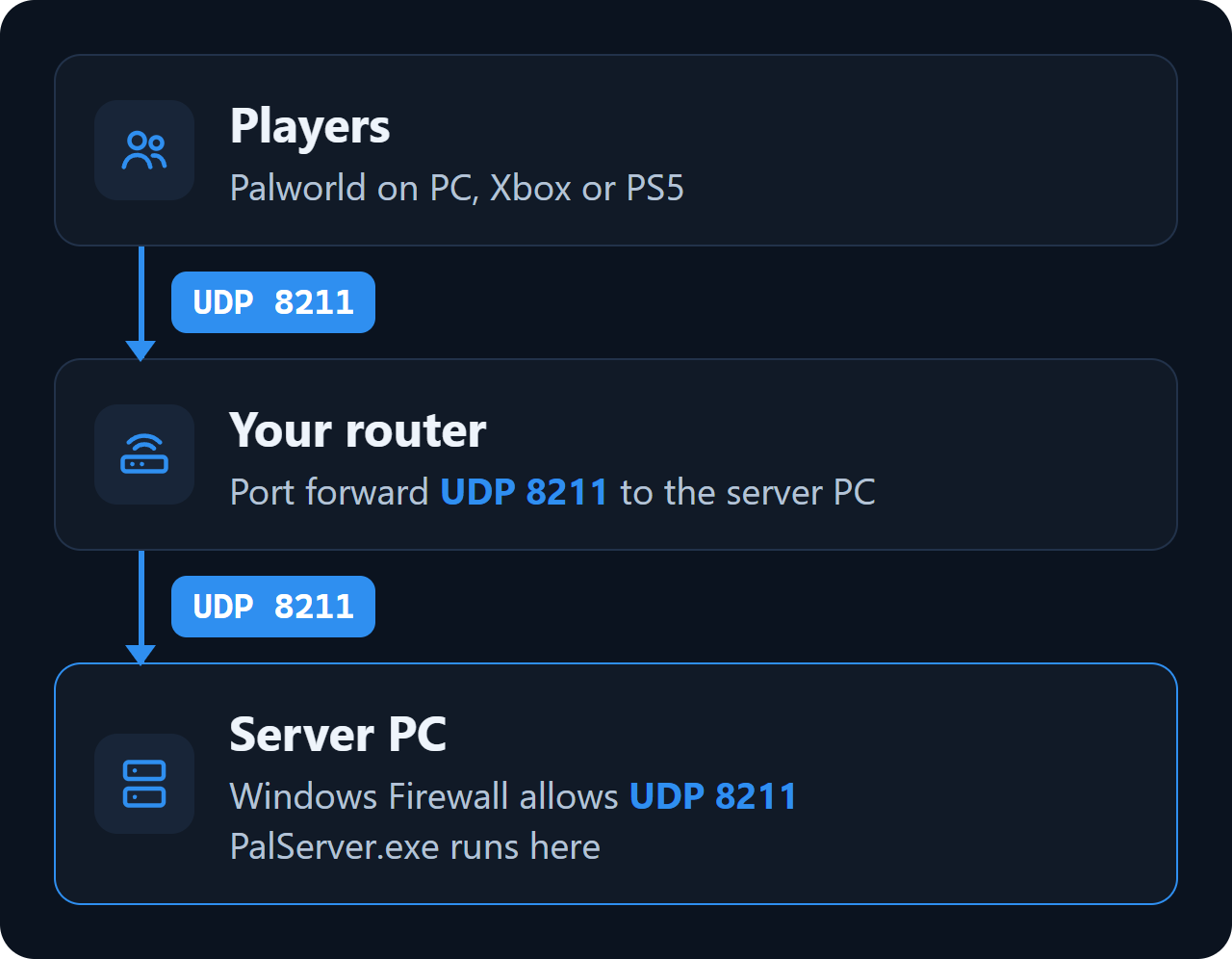
Players connect over one port, UDP 8211. If friends outside your home will join, you forward that port on your router (see Ports and firewall below).
Checked with server version 1.0.5, 31 October 2026.
Install the server
1. Download SteamCMD from Valve and unzip it to C:\steamcmd.
2. Open PowerShell or Command Prompt and download the server to C:\palworld-server:
C:\steamcmd\steamcmd.exe +force_install_dir C:\palworld-server +login anonymous +app_update 2394010 validate +quit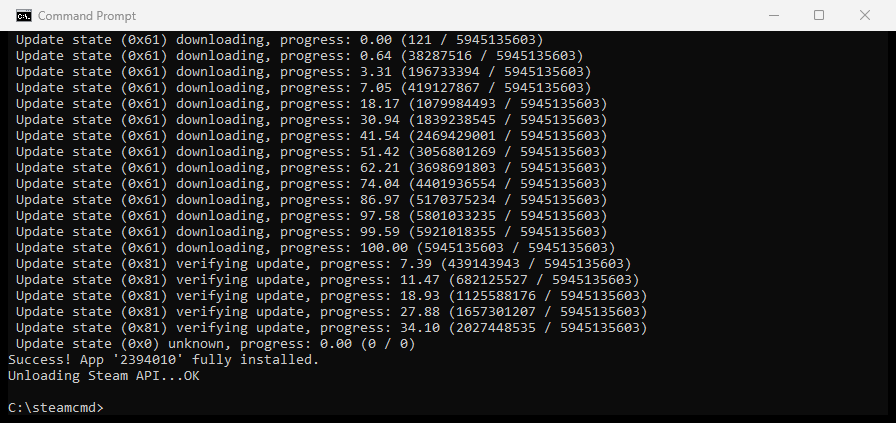
3. Start C:\palworld-server\PalServer.exe. A server with the Steam client can also be installed from the Steam Library: tick Tools in the filter and look for Palworld Dedicated Server.
On Ubuntu, SteamCMD comes from the multiverse repository. Accept the Steam licence when apt asks:
sudo add-apt-repository multiverse
sudo dpkg --add-architecture i386
sudo apt update
sudo apt install steamcmd

steamcmd +force_install_dir ~/palworld-server +login anonymous +app_update 2394010 validate +quit

cd ~/palworld-server
./PalServer.sh -port=8211
Pocketpair publishes an official image with a ready compose.yaml. Its compose folder starts the server on UDP 8211 and keeps the world in ./Saved:
git clone https://github.com/pocketpairjp/palworld-dedicated-server-docker.git
cd palworld-dedicated-server-docker/compose
docker compose up -d
The settings file is then ./Saved/Config/LinuxServer/PalWorldSettings.ini, and the start options are the command: lines in compose.yaml. Pocketpair advises against Docker Desktop on Windows and macOS, because its slow disk access can damage saves.
Server settings
The server's settings folder only appears after its first start. Start the server once, stop it, then copy the default file into place and edit the copy:
Copy-Item C:\palworld-server\DefaultPalWorldSettings.ini C:\palworld-server\Pal\Saved\Config\WindowsServer\PalWorldSettings.iniOn Linux the folder is Pal/Saved/Config/LinuxServer. Changes to DefaultPalWorldSettings.ini itself do nothing: the file says so in its first lines.
The file is one long line, OptionSettings=( ... ), holding every setting. Edit the values in place and add no line breaks:
[/Script/Pal.PalGameWorldSettings]
OptionSettings=(ServerName="YOUR-SERVER-NAME",ServerPassword="YOUR-JOIN-PASSWORD",AdminPassword="YOUR-ADMIN-PASSWORD",ServerPlayerMaxNum=16,ExpRate=2.000000,PalCaptureRate=1.500000,DeathPenalty=Item, ... the rest of the line as in the default file ...)| Setting | Default | What it does |
|---|---|---|
DayTimeSpeedRate | 1.000000 | Higher values make the day pass faster. |
NightTimeSpeedRate | 1.000000 | Higher values make the night pass faster. |
ExpRate | 1.000000 | Multiplies the XP players earn. |
PalCaptureRate | 1.000000 | Multiplies the chance that a thrown sphere catches the Pal. |
PalSpawnNumRate | 1.000000 | Multiplies the number of wild Pals. High values put load on the server. |
DeathPenalty | Item | None loses nothing. Item drops the inventory, ItemAndEquipment adds worn gear, All also drops the Pals with you. |
BaseCampWorkerMaxNum | 15 | How many Pals one base can put to work (50 at most). |
GuildPlayerMaxNum | 20 | Size limit of a guild. |
BaseCampMaxNumInGuild | 4 | How many bases one guild can build (10 at most). |
PalEggDefaultHatchingTime | 1.000000 | Hatching time of a Huge Egg, in hours. |
bIsPvP | False | Turns on PvP. For real fights, bEnablePlayerToPlayerDamage and bEnableDefenseOtherGuildPlayer must be True as well. |
bEnableFastTravel | True | Fast travel between unlocked points. |
ServerPlayerMaxNum | 32 | Most players online at the same time. |
ServerName | Default Palworld Server | Shown in the server list. |
AdminPassword | (empty) | Unlocks the chat admin commands and protects the REST API. |
ServerPassword | (empty) | Asked of players when they join. Left empty, the server is open. |
RCONEnabled | False | RCON on port 25575. Pocketpair marks RCON as deprecated. |
RESTAPIEnabled | False | The REST API on port 8212, for tools on your own network. |
CrossplayPlatforms | (Steam,Xbox,PS5,Mac) | Which platforms may join. |
bIsUseBackupSaveData | True | Keeps rolling backups of the world. |
Admin commands
Set AdminPassword, start the server, then type this in the game chat:
/AdminPassword YOUR-ADMIN-PASSWORD| Command | What it does |
|---|---|
/ShowPlayers | Lists the players online. |
/Save | Saves the world. |
/Broadcast <text> | Sends a message to everyone. |
/KickPlayer <SteamID> | Kicks a player. |
/BanPlayer <SteamID> | Bans a player. |
/UnBanPlayer <SteamID> | Lifts a ban. |
/Shutdown <seconds> <text> | Shuts the server down after a countdown. |
/DoExit | Stops the server at once. |
Ports and firewall
Players connect on UDP 8211, or the port set with -port= in the start line. The server also opens UDP 27015 for Steam.
Let the port through Windows Firewall, in PowerShell as administrator:
New-NetFirewallRule -DisplayName "Palworld server" -Direction Inbound -Protocol UDP -LocalPort 8211 -Action AllowFor players outside your home network, forward UDP 8211 on your router to the local IP address of the server PC. Keep the REST API (8212) and RCON (25575) closed to the internet.
Community server and consoles
A plain dedicated server is joined by address. Start it with -publiclobby and it is also listed under Community servers in the game. Xbox and PlayStation players can only join community servers.
PalServer.exe -port=8211 -publiclobbyPocketpair notes that since 1.0 the server may run better without the older performance flags -useperfthreads -NoAsyncLoadingThread -UseMultithreadForDS. Try both on your PC.
Join the server
Open the server list in the game and type the address into the box under the list, for example YOUR-SERVER-IP:8211. A server started with -publiclobby is also listed under Community servers. Players on the same network as the server use its local IP address.
Saves, backups and updates
The world is saved in Pal\Saved\SaveGames\0\<world ID>. Level.sav in that folder is the world itself; the folder name is a long code of letters and digits. With bIsUseBackupSaveData on (the default), older copies of the world go into its backup folder.
To make a backup, run /Save, stop the server and copy that folder. To update, stop the server and run the SteamCMD line again: it keeps the save and the settings.
A server on an older version than the game turns players away. When Palworld gets a patch, run the SteamCMD line again.
Mods
Pocketpair supports server mods from the Steam Workshop on the Windows server only. Each mod goes into Mods\Workshop next to PalServer.exe and is switched on in Mods\PalModSettings.ini with bGlobalEnableMod=true and one ActiveModList= line per mod. Mods load on the next restart.
Common problems
My settings do nothing
Edit Pal\Saved\Config\WindowsServer\PalWorldSettings.ini, not DefaultPalWorldSettings.ini, and keep OptionSettings on one line. Stop the server before you edit.
I cannot join my own community server
Routers without hairpin NAT cannot reach a server on their own network by its public address. Join by the local IP address instead.
Xbox or PlayStation friends cannot join
Start the server with -publiclobby and keep Xbox and PS5 in CrossplayPlatforms.
The server crashes or runs out of memory
Add memory. Pocketpair's own figure is 16 GB of RAM, and a large server should have 32 GB.
Questions
Do I need to own Palworld to host a server?
No. SteamCMD downloads the server with an anonymous login. Only the players need the game.
How many players can join a Palworld server?
32 by default, set with ServerPlayerMaxNum in PalWorldSettings.ini.
Which port do I forward for a Palworld server?
UDP 8211. Forward it on your router and allow it in Windows Firewall.
Can I run a Palworld server on Linux?
Yes. Pocketpair ships the server for Linux too (PalServer.sh) and an official Docker image.
How do I become admin on my Palworld server?
Set AdminPassword in PalWorldSettings.ini, then type /AdminPassword followed by it in the game chat.
Can console players join my server?
Yes, if it is a community server: start it with -publiclobby.
Wikily Servers hosts Palworld
From €4.99 a month