Blue's Laundry Basket Set

Statistiques du Workshop
Abonnés au total
Abonnés actuels
Favoris au total
Vues
Taille du fichier
Dernière mise à jour
Publié
Captures d'écran

Description du mod
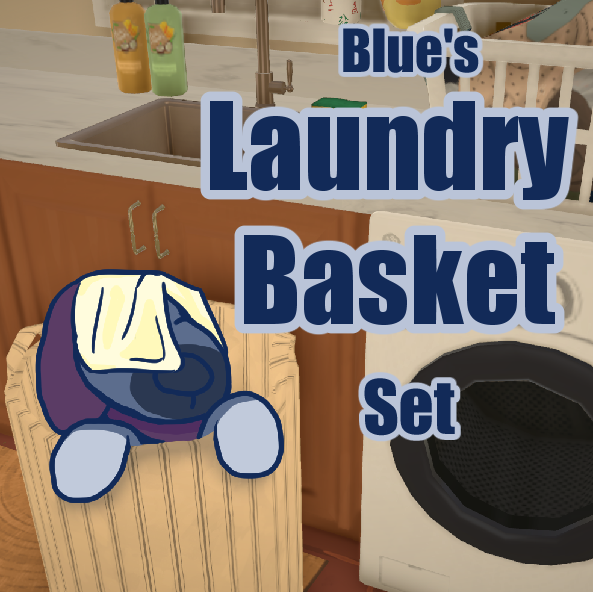
A clutter mod with laundry baskets! All baskets are recolourable and rescalable, and several of them have ‘full’ versions with laundry in them. Variants can be found in the item catalogue by mousing over an item and clicking the ‘∴’ symbol! All objects can be found in the ‘Clothes’ tab in the catalogue.
Due to a Paralive’s glitch with custom surfaces, some of the items in this mod will appear white unless you move them to your! These items will be marked with a * in the list, and instructions on how to fix this will be after the list.
- Round wicker basket
- Pop Up baskets (Tall, tall with laundry, short, and short with laundry)
- Shark basket (Shark and shark with laundry)
- *Frog basket (Frog and frog with laundry)
- *Chicken basket (Chicken and chicken with laundry)
- *Strawberry basket
How to fix this mod
- Open Paralives and go into your mod tab. Find my mod (Blue’s Laundry Basket Set in this case,) in the list and click the folder icon. Go up one level and locate the mod’s folder- this is the folder you will be moving.
- Return to your mods tab and find a mod you made. (If you don’t have any mods, just press the green Create a Mod and leave it empty.) On your mod, press the folder button. Go up one level- that is your mod local folder.
- Move the mod into your local folder. Close and re-open the game to make sure everything has taken effect.
Your mod should now be fixed! As far as I know, the only problem is that the mod won’t update automatically.
Enjoy the mod!
Rédigée par l'auteur du mod sur le Steam Workshop et affichée dans sa langue d'origine.
Autres mods de ce type
Les mods les plus suivis avec la même étiquette du Workshop. Le nombre sur chaque carte indique ses abonnés au total.