
How to Host an ASE Dedicated Server

Keep an ARK: Survival Evolved world running for your tribe on a PC you control, with your own rates, mods and maps. Studio Wildcard's server costs nothing and comes for Windows and for Linux.
What you need
A 64-bit PC with Windows or Linux that is switched on whenever people want to play. The server is Steam app 376030. SteamCMD, Valve's free command-line downloader, installs it with an anonymous login: no Steam account and no copy of ARK on that PC. Once installed it takes about 22 GB of disk.
In our Linux test The Island, with nobody online, held 5.5 GB of RAM 25 minutes after the start. Bigger maps, more tames and more players need more. One map is one server process.
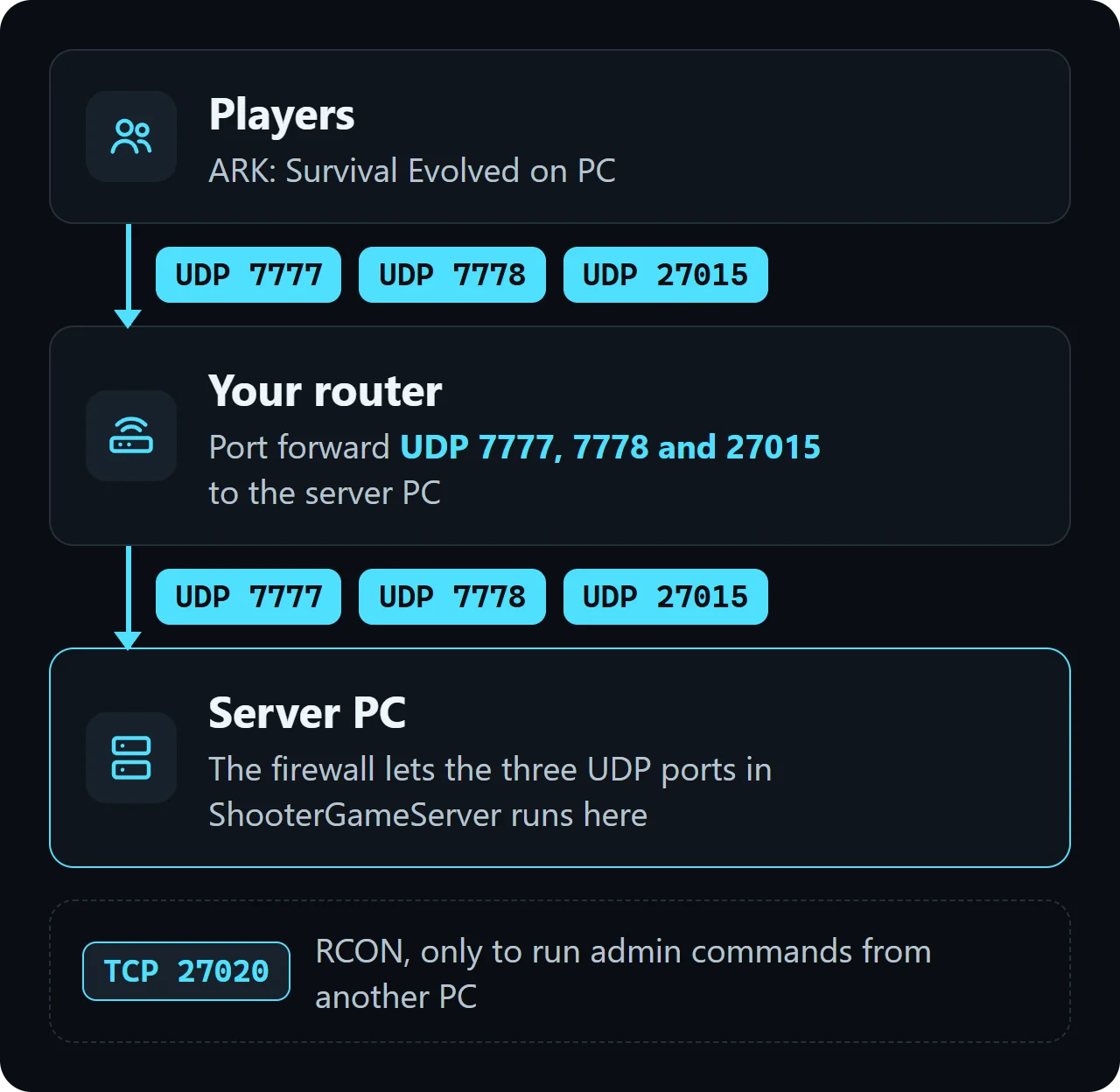
Players reach the server over UDP 7777, 7778 and 27015. For friends outside your home, forward those on your router (see Ports and firewall below).
Checked on build 21241282 of the server, 31 October 2026.
Install the server
1. Get SteamCMD from Valve and unpack it into C:\steamcmd.
2. In PowerShell or Command Prompt, download the server into C:\games\ase-server:
C:\steamcmd\steamcmd.exe +force_install_dir C:\games\ase-server +login anonymous +app_update 376030 validate +quit3. Put these two lines in a file called run-ase.cmd, fill in your own name and passwords, and double-click it:
cd /d C:\games\ase-server\ShooterGame\Binaries\Win64
ShooterGameServer.exe "TheIsland?listen?MaxPlayers=20?SessionName=YOUR-SERVER-NAME?ServerPassword=YOUR-JOIN-PASSWORD?ServerAdminPassword=YOUR-ADMIN-PASSWORD" -NoBattlEye
The Windows server file asks for MSVCP120.dll and XAudio2_7.dll. If Windows reports one of them missing, install Microsoft's Visual C++ 2013 Redistributable (x64) and the DirectX End-User Runtime.
Ubuntu ships SteamCMD in its multiverse repository. apt asks you to accept the Steam licence once. The Linux server runs without Wine or Proton:
sudo add-apt-repository multiverse
sudo dpkg --add-architecture i386
sudo apt update
sudo apt install steamcmd

steamcmd +force_install_dir ~/ase-server +login anonymous +app_update 376030 validate +quit

cd ~/ase-server/ShooterGame/Binaries/Linux
./ShooterGameServer "TheIsland?listen?MaxPlayers=20?SessionName=YOUR-SERVER-NAME?ServerPassword=YOUR-JOIN-PASSWORD?ServerAdminPassword=YOUR-ADMIN-PASSWORD" -NoBattlEye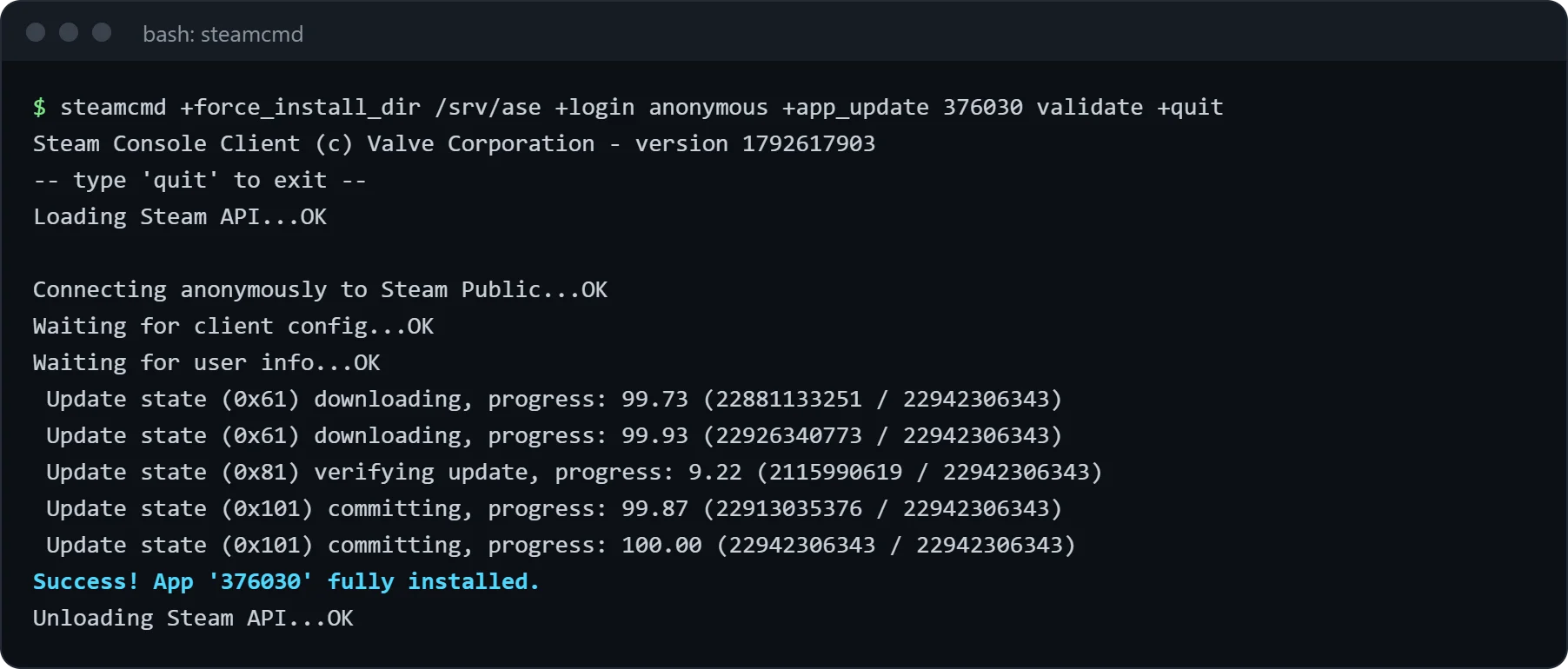
We ran it on Ubuntu 24.04. The program to start is ShooterGameServer in ShooterGame/Binaries/Linux. It prints SteamAPI_Init() failed right away; that is harmless, our server kept running and opened its ports.
Keep the whole map-and-options part in quotes and without spaces: the map name comes first, each option starts with ?, and the switches that start with - follow after a space.
Do not wait for a log line: in our Linux test ShooterGame.log stayed empty. Ask over RCON instead. Once listplayers answers No Players Connected, the server is running and its ports are open.
To stop, type SaveWorld and then DoExit in the admin console or over RCON. In our test DoExit wrote the world at once, but the process was still running two minutes later, so check it has ended before you copy saves or update.
Maps
All maps come with the one download. Put the map's name at the very start of the quoted part instead of TheIsland. Players need to own a paid map to join it, the server does not.
| Map | Name to start with | Players need |
|---|---|---|
| The Island | TheIsland | The game |
| The Center | TheCenter | The game |
| Ragnarok | Ragnarok | The game |
| Valguero | Valguero_P | The game |
| Crystal Isles | CrystalIsles | The game |
| Lost Island | LostIsland | The game |
| Fjordur | Fjordur | The game |
| Scorched Earth | ScorchedEarth_P | The DLC |
| Aberration | Aberration_P | The DLC |
| Extinction | Extinction | The DLC |
| Genesis: Part 1 | Genesis | Genesis Season Pass |
| Genesis: Part 2 | Gen2 | Genesis Season Pass |
Our anonymous Linux download held a folder for every map in this table: the paid ones under ShooterGame/Content/Maps, the free ones under ShooterGame/Content/Mods. We started only The Island.
Ports and firewall
UDP 7777 is the game port and UDP 7778 always sits one above it. UDP 27015 answers the server-list queries, so without it the server stays hidden. TCP 27020 is RCON and only matters if you want to send admin commands from another PC.
On Windows, open the three UDP ports with one rule (PowerShell as administrator):
New-NetFirewallRule -DisplayName "ARK Survival Evolved" -Direction Inbound -Protocol UDP -LocalPort 7777,7778,27015 -Action AllowOn Ubuntu with ufw switched on:
sudo ufw allow 7777:7778/udp
sudo ufw allow 27015/udp
Our running test server listened on exactly these: UDP 7777, 7778 and 27015, plus TCP 27020 with RCON switched on.
On the router, forward the same three UDP ports to the local IP address of the server PC. A second server on the same PC gets its own set, for example Port=7779 (with 7780) and QueryPort=27016.
Server settings
After the first start the settings live in ShooterGame\Saved\Config\WindowsServer on Windows and in ShooterGame/Saved/Config/LinuxServer on Linux. Change them while the server is stopped.
Our first start wrote a GameUserSettings.ini of about 16 KB that already held the options from the start line, such as the admin password. Many keys from the table below were not in it (XPMultiplier, for one), so add them yourself.
| Setting | Default | What it changes |
|---|---|---|
XPMultiplier | 1 | Experience from every source. |
TamingSpeedMultiplier | 1 | How fast taming goes. 3 is three times faster. |
HarvestAmountMultiplier | 1 | Resources from each hit. |
DifficultyOffset | 1 | Together with OverrideOfficialDifficulty, the level of wild creatures. |
OverrideOfficialDifficulty | 0 | Sets the ceiling for wild creature levels: 5 means up to level 150, the cap official servers use. |
ServerPVE | False | True stops players and their tames from damaging each other. |
DayCycleSpeedScale | 1 | Length of a day. 0.5 makes days twice as long. |
AutoSavePeriodMinutes | 15 | Minutes between saves of the world. |
MaxTamedDinos | 5000 | Tames for the whole server. |
ShowMapPlayerLocation | True | Your own marker on the map. |
AllowThirdPersonPlayer | True | Third-person camera. |
ServerCrosshair | True | Crosshair on screen. |
RCONEnabled | False | True opens RCON on RCONPort (27020). |
Most of these go under [ServerSettings]. A short example:
[ServerSettings]
XPMultiplier=2
TamingSpeedMultiplier=3
HarvestAmountMultiplier=2
DifficultyOffset=1
OverrideOfficialDifficulty=5
ServerPVE=True
RCONEnabled=True
RCONPort=27020
Game.ini was created empty on our first start. Put the section line [/Script/ShooterGame.ShooterGameMode] at the top and the keys under it:
| Setting | Default | What it changes |
|---|---|---|
EggHatchSpeedMultiplier | 1 | Higher hatches eggs sooner. |
BabyMatureSpeedMultiplier | 1 | Higher lets babies grow up sooner. |
MatingIntervalMultiplier | 1 | Wait between two matings. Lower is shorter. |
BabyCuddleIntervalMultiplier | 1 | Time between imprint cuddles. Lower is more often. |
[/Script/ShooterGame.ShooterGameMode]
EggHatchSpeedMultiplier=5
BabyMatureSpeedMultiplier=5
MatingIntervalMultiplier=0.25| Option | What it does |
|---|---|
?SessionName= | Name in the server list. |
?ServerPassword= | Join password. Leave it out for an open server. |
?ServerAdminPassword= | Password for admin commands and RCON. |
?Port= | Game port, 7777 if not set. The next port up is used too. |
?QueryPort= | Server-list port, 27015 if not set. |
?MaxPlayers= | Most players at once. Without it the generated file says MaxPlayers=70. |
-NoBattlEye | Starts without BattlEye. |
-automanagedmods | The server downloads and updates its Steam Workshop mods. |
-crossplay | Lets Epic Games Store players join too. |
-clusterid= | Servers with the same ID let survivors move between them. |
Admin and RCON
Press Tab in the game to open the console, then log in with the ServerAdminPassword. After that, admin commands start with admincheat:
enablecheats YOUR-ADMIN-PASSWORD
admincheat SaveWorldWith RCONEnabled=True, an RCON tool reaches the server on TCP 27020 with the same password. In our test listplayers, saveworld and doexit worked over RCON. A command with nothing to report, such as broadcast, replies Server received, But no response!!
To make someone admin without the password, write their SteamID64 (the 17-digit number that starts with 7656119) into ShooterGame/Saved/AllowedCheaterSteamIDs.txt, one per line, and restart.
Mods
Server mods for ASE are Steam Workshop items. Each mod has a number in its Workshop address (id=...). List the numbers in GameUserSettings.ini, the first one has the highest priority, and add -automanagedmods to the start line so the server fetches them:
[ServerSettings]
ActiveMods=FIRST-WORKSHOP-ID,SECOND-WORKSHOP-ID
Players get the mods from the Workshop when they join. Epic Games Store players cannot join a server with mods.
Join the server
1. In the main menu, click JOIN ARK. 2. Set SESSION FILTER to UNOFFICIAL PC SESSIONS and, for a server with a password, tick SHOW PASSWORD PROTECTED. 3. Type the server name in the search box, pick it and join.
If the list does not show it, open Steam, choose View, then Game Servers, add YOUR-SERVER-IP:27015 under Favorites and connect from there. People on the same network as the server use its local IP address.
Saves, backups and updates
Each map keeps its world in ShooterGame/Saved/SavedArks as one file named after the map. A fresh The Island in our test wrote TheIsland.ark, about 34 MB.
Once people play, their survivors (.arkprofile) and tribes (.arktribe) are saved in the same folder.
For a backup, save and stop the server, then copy the whole ShooterGame/Saved folder: worlds, characters, tribes, settings and the admin list are all in it.
To update, stop the server and run the SteamCMD line again. Players who stay on the older preaquatica version in Steam need a server on the same branch: add -beta preaquatica after 376030 in the SteamCMD line.
Common problems
SteamCMD says Missing configuration
Our first try ended with this error after about half a minute. Starting the download a second time fetched the whole server.
My server does not show up under Unofficial
Give a new world a few minutes (RCON listplayers answers once it is up), check that UDP 27015 is open and forwarded, and tick SHOW PASSWORD PROTECTED for a server with a password. Adding YOUR-SERVER-IP:27015 to the Steam favorites works without the list.
Joining ends in a timeout for friends outside my home
Forward UDP 7777 and 7778 to the server PC's local IP and let them through the firewall. Players on your own network join with the local IP.
Settings I changed in the ini are back to what they were
Stop the server before you edit and keep a copy of both files. After the Aquatica update Wildcard listed settings that reset with each patch as a known issue. Options in the start line were copied into GameUserSettings.ini in our test, so change such a key there too.
Players are told the version does not match
The game updated and the server did not, or one side is on the preaquatica branch. Stop the server and run the SteamCMD line again on the same branch as the players.
Mods crash the server after an update
Some older mods broke with the Aquatica update in 2025. Update or remove them, or run server and players on the preaquatica branch.
Questions
Do I need to own ARK: Survival Evolved to host a server?
No. The server download is free and SteamCMD fetches it without a Steam account; only the people who join need ARK: Survival Evolved, plus the DLC of a paid map.
Which ports do I forward for an ARK: Survival Evolved server?
UDP 7777 and 7778 for the game and UDP 27015 for the server list. TCP 27020 only for RCON from outside.
Can I run an ARK: Survival Evolved server on Linux?
Yes. The download contains a Linux server, ShooterGame/Binaries/Linux/ShooterGameServer, which runs without Wine.
How much RAM does an ASE server need?
The Island with nobody online used 5.5 GB in our test. Plan more for bigger maps, many tames and mods.
How do I add mods to my ASE server?
Put the Steam Workshop numbers in ActiveMods= under [ServerSettings] and start the server with -automanagedmods.
How do I become admin on my ASE server?
In the game, press Tab for the console, then type enablecheats and the ServerAdminPassword after it.