Even More Together Cards

Статистика Мастерской
Всего подписчиков
Текущие подписчики
Всего в избранном
Просмотры
Размер файла
Последнее обновление
Опубликовано

Описание мода
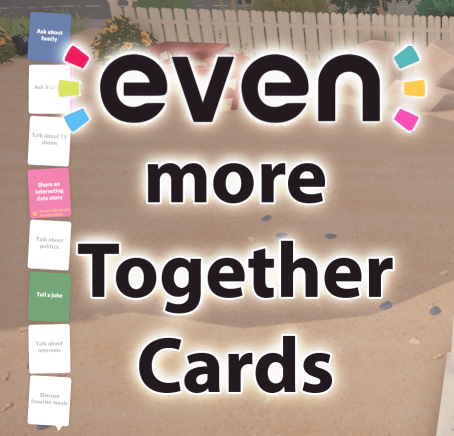
We've had a mod setting it to 4 Together Cards, we've had a mod setting it to 5 Togther Cards. Me? I play at 50% scaling, so this is a mod that gives you 8 card options per turn.
In case you prefer any other amount of Together Cards and your preferred size hasn't been made into a mod, here's how you can make it yourself:
1. On the Main Menu, click on "Mods" 2. Click "Create New Mod" 3. Click on your newly made mod and click on "Control Panel" on the top right 4. Type "Together Cards" into the search and select it. 5. Scroll down to Settings and look for "All Hand Sizes" 6. Adjust the Hand Size according to your preferences, this mod sets all of them to 8. 7. Also adjust the "Default Hand Size" below All Hand Sizes. 8. Go back to the "My Mods" tab on the top-right and click "Stop Editing This Mod" 9. You're done! Enjoy having the Together Cards at whichever size you prefer!
Написано автором мода в Мастерской Steam и показано на языке оригинала.
Другие моды этого типа
Моды с тем же тегом Мастерской, у которых больше всего подписчиков. Число на карточке - всего подписчиков.