
Mod-Beschreibung
Was dieser Mod hinzufügt
-No Mod
-3 custom wall paintings
-Other than the cover, no color change or filter used in any of my images (except default filter of in-game photo mode)
-Already play-tested
-If you try and like this build, please consider giving thump up. If you find an issue with the build, please let me know in the comments. This way, I'll know if you like my works and can improve. Thank you very much :D
INTRO
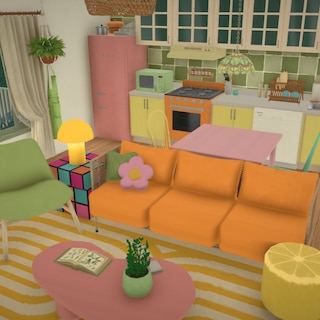
I tried to build elf house that blend into the city. The title is for family but it can also be for friends. This house suits high elves especially moon elves because of its theme colors and astrology study room. Other elves or even other beings who love studying and nature can also fit in. The interior gives off a magical, nature-inspired atmosphere with white trees inside also plenty of green plants and light.
By default, trees become invisible when camera gets close. To turn that off:
SETTINGS > ACCESSIBILITY > FADE OUT SPEED OF OBJECTS BLOCKING THE VIEW: choose DO NOT FADE OUT
In case you need some elves or just elf models for starter,
here is my first elf paras
Base Moon Elf Family (No Mod)
https://steamcommunity.com/sharedfiles/filedetails/?id=3759287854
---------------------------------
How to Replace ANY Lot More Safely (not only with my lot)
1. Switch to family that currently own the desired location and check for floating objects:
Look around the town to see if any objects are floating in mid-air. In this lot case, nearby, you can check Creme Cafe if the tables outside are floating. If so, exit to desktop and reload the game before placing any lot.
2. Bulldoze the old lot:
After successfully(cleanly) switching family, bulldoze the original building.
3. Clear old terrain painting:
Replace any remaining terrain paint from the old lot with simple terrain paint (no long grass no trash); otherwise, it will look weird when you place a new lot.
4. Place the new lot:
Place your chosen build from your Library. If the lot sinks or floats, hold the Shift key and move your mouse up or down to adjust its height.
5. Restart if necessary:
Check the surrounding area again for floating objects. If they appear, restart your game to retry—this is a common game engine glitch and not an issue with the downloaded lot. If no floating object around, you may proceed to the next step.
6. Adjust wall paintings:
Some paintings, especially larger ones, might get resized when placing a lot. You will need to manually resize and adjust them to fit their frames.
7. Replace custom paintings:
Any custom painting or photo will most likely become blank (still, right? ^^"). You can simply replace them with your own.
--------------
BUILDING DETAILS
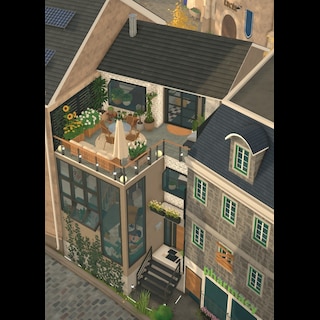
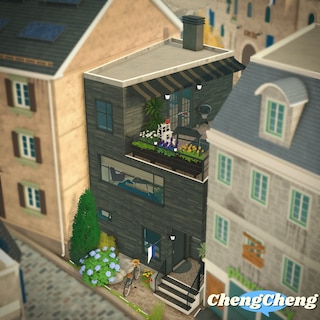
Build on the lot behind Creme Cafe (see the last image)
It's originally a small house of pre-made paras, so you need to switch to the pre-made paras first to sell the house. You could move them or make them homeless (they'll still walk around in town).
However, the house only requires 118m² space, so you could place this house onto many other lots.
LOT NAME: Moon Elf Family City Home
3br, 3ba
Size: 118m²
Price: 146,356
1st Floor
- dining room
- kitchen
- living room
- laundry & shower room
2nd Floor
- astrology study & magic room (lower loft)
- bedroom / master room (upper loft)
- bathroom
- balcony
3rd Floor
- bedroom for girl
- bedroom for 1-2 paras
- bathroom
-------------
Although this is just the 2nd lot I built, it's my 20th uploading overall. You can check out my workshop for other creations, mostly households. I'll probably upload new household from time to time :) English is not my native language, my apology for any mistake.

Discussion
Comments
No wiki comments yet · be the first.