Building Templates
ARK: Survival Ascended Logo

Modèles de Construction

Partagez et téléchargez d'incroyables modèles de construction de la communauté ARK

Tendances du moment

Explorer les tendances

Les constructions que la communauté télécharge en ce moment : nouveautés et favoris éprouvés

Plus Téléchargés

Explorer Tous les Populaires

Les modèles les plus téléchargés par notre communauté - ces constructions éprouvées sont approuvées par des milliers de joueurs

GTP HQ 3.0 Functional and Efficient
BasesBases

GTP HQ 3.0 Functional and Efficient

This is a template of 'GTP HQ 3.0 Functional & Efficient base'. This is GTP HQ 3.0. Our most upgraded base version up untill now. Credit: GambitN89, the building mastermind. I've finally gotten around to make a showcase and a template! (Youtube link to showcase below) This is a bigger version of the GTP HQ 1.0 I have uploaded. This template consists out of 2 templates. - 1. The empty shell template (The vault wall is included, i left the rest empty so you can decorate how you want.) - 2. 12 foundation template (You can lower this into the empty section to get your dedi boxes lowered, ofcourse you can also fill this section with foundations if you don't have/want dedi boxes.) If you do want to use the dedi boxes, make sure you place the empty shell template high enough for a floor to get lowered into it! IMPORTANT FOR AUTOFILL FEATURE - 1 corner of the outer wall of the base would NOT get into the template... Fill it exactly as the other corners and you're done with the outer wall section. - The ceilings below the greenhouse will NOT autofill. You gotta pick up the third row of the inner core of the walls (glass walls). Once you've picked up those walls, you can fill the entire roof. Atfer you filled the entire roof, you can add the third row of the inner core back. - The greenhouse section also doesn't autofill fully, but example parts do, just take one of the corners as an example and fill the rest. - The top part of the personal rooms also doesn't autofill. Pick up the second row of the quarter walls, place the ceilings first and then replace the quarter walls. In my base showcase video you can see how to place the rest of the missing structures. OVERALL RULE: If something doesn't autofill, a structure from the auto build feature is blocking it = Pick up blocking structure, place the one that didn't autofill and then place the blocking structure back. IF YOU DON'T USE AUTOBUILD FEATURE - Fill the template in the following order: {1. The foundations} {2. The outer walls} {3. The roof} {4. Greenhouse} {5. The inner core walls.} - Personal rooms from the top down. Skins - Astraeos Structures - Custom Cosmetic (Nekatus_modding) Entire Base shell - Arkitect's Paradise (BenzomineraMods) Glass walls inside Both of these mods are free to download. IF IT GIVES YOU AN ERROR ON IMPORTING TEMPLATE, KEEP COPYING AND PASTING. SOMETIMES IT WORKS, SOMETIMES IT DOESN'T. (Or join my discord, Pick streamer emote in rules and roles, this opens up 'Share-Builds-Templates', download the GTP HQ 3.0 and import it that way.) The template hammer is a new feature in ark, there is issues with it.... The build has been tested en build by multiple people already. FOR CONSOLE PEEPS. Free templates of each structure that i uploaded. (Its an item you can pick up). Astraeos 5997 - coords: 79 - 30. Transmitter is unlocked. Templates can be found on the OUTSIDE of the transmitter arena. ONLY accessable if you have Lost Colony. PLEASE ONLY GRAB 1 TEMPLATE, THATS ALL YOU NEED TO SAVE IT. YOU DONT NEED 10 OF THEM. In the links you can find the base showcase that I made for this basebuild. In this video you can also see where we have our replicator, industrial forge and the garden for example! Enjoy :D

1999
2
Vanilla
3894
86
Gingarella
about 1 year ago

Créations Fraîches

Voir Tous les Nouveaux Modèles

Tout chaud ! Découvrez les nouveaux modèles de construction de notre communauté créative

24 small Vertical Ring Creator
UtilitaireUtilitaire

24 small Vertical Ring Creator

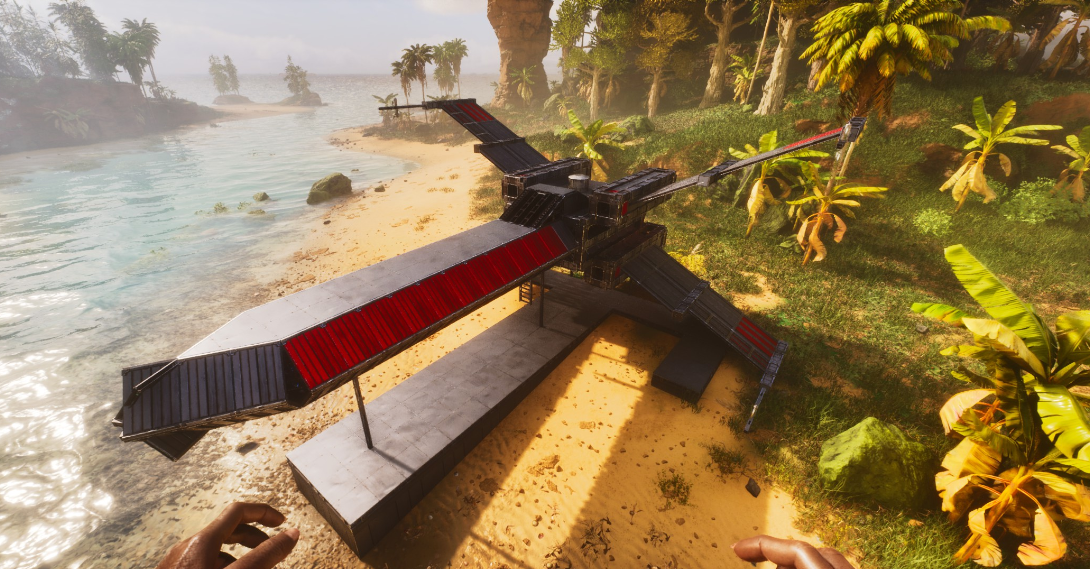
This places a free standing vertical 24 sided small-wall (triangle) Ring i made this around a year ago & used it (or as basis) for every "arched" build i did so far! the underlying mechanic is scalable to any size (even to make the 96 sided circles, all use the same logic) - i recommend to snap this to a "north facing" foundation (same as you just doubleclick one into the world) or it will snap weird&sideways, because of small foundations!..... #arklife - just make sure its placed high enough, that the full ring is above ground & this will build! & then add the lowest missing wall to close the ring ( ! its missing, so this can only build itself the right way ! ) - the 2 foundations give you the option to have the ring either standing flush with the foundation grid, - or "16 offset" infront, so walls & "everything" can be build "overlapping" (any evtl gap between the ring & the wall can be closed by a rim of pillar beams & also makes it look better tbh) now u can remove all the thatch & for example turn it into a gate, by extending the vertical walls down, catch them with a (small) 90°pillar each & then removing the lower half of the ring (thats how i build the gate btw!) the foundation height is the same i used for the gate & stargate & co , its 3 walls(cellar gate) + small ceiling from the rings upper rim what you guys are doing with this is up to YOU ... PS: since this ring only needs the 2 lowest pillars to "see ground" to auto-build itself, its also possible to glue this to an off-angle foundation ofc^^ enjoy

155
1
0
mho
about 22 hours ago

Comment ça Marche

1. Télécharger un Modèle

Exportez vos modèles de construction avec le Template Hammer, téléchargez-les, ajoutez des images et une description

2. Parcourir et Découvrir

Explorez les modèles par catégorie, recherchez des constructions spécifiques et filtrez par fonctionnalités

3. Copier et Importer

Copiez le modèle et importez-le directement dans votre jeu ARK avec le Template Hammer

4. Évaluer et Partager

Aimez vos modèles préférés et partagez vos propres créations avec la communauté

Apprendre à Utiliser les Modèles de Construction

Tutoriel par Teachers Game Too

Apprenez à utiliser le Template Hammer pour exporter et importer des modèles de construction dans ARK: Survival Ascended. Ce tutoriel complet couvre tout ce que vous devez savoir !

Remerciements spéciaux à Teachers Game Too pour avoir créé ce tutoriel utile !

Découvrez Teachers Game Too