

Console Guide
How to use building templates on PlayStation, Xbox, and PC with the Template Hammer Importer mod
The Template Hammer Importer is a mod that lets you download building templates from Wikily.gg directly in-game. Console players normally can't import templates because there's no clipboard access. This mod fixes that.
Installing the Mod
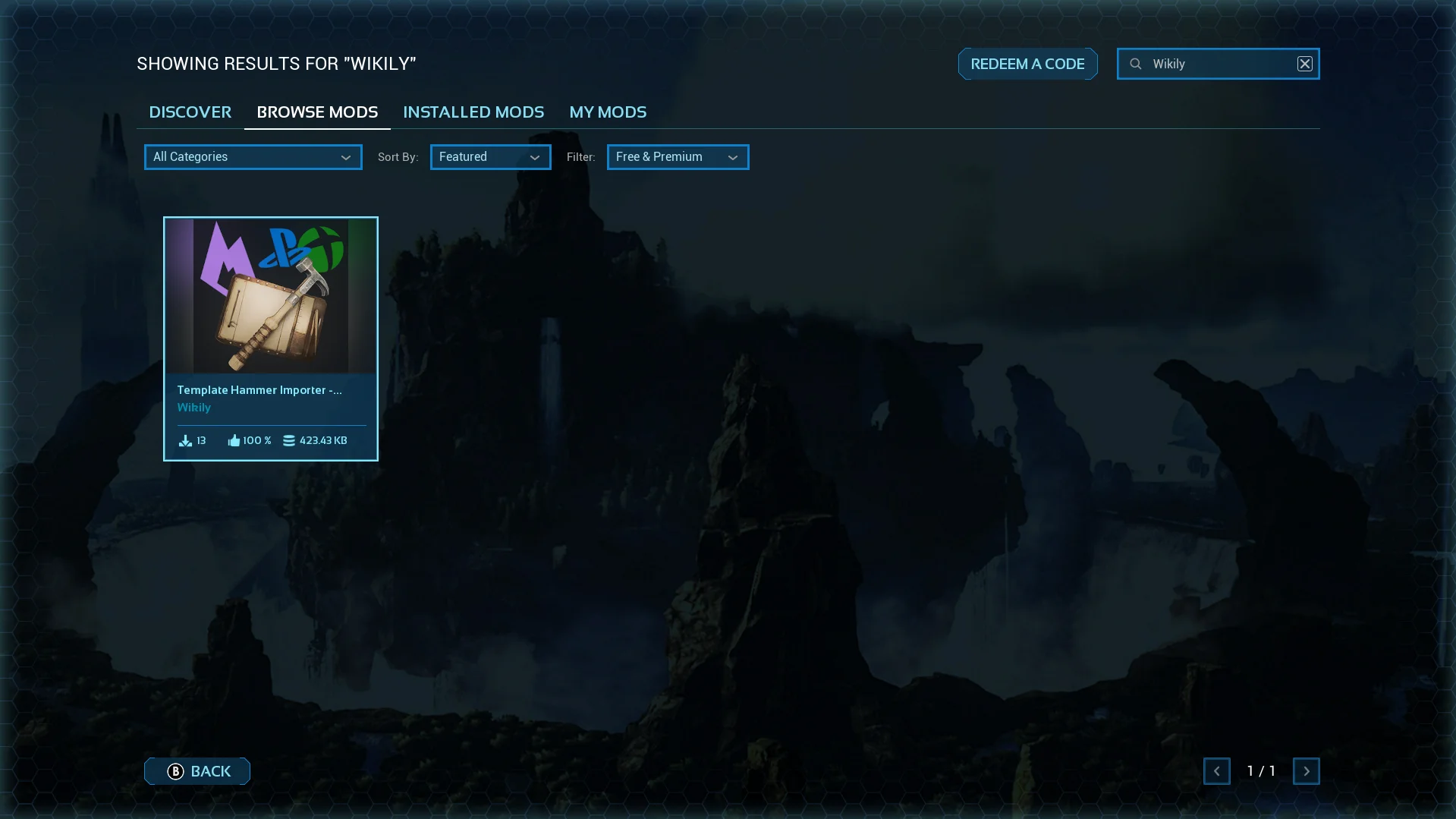
1. Search for the mod
Open the in-game mod browser and search for "Wikily" or "Template Hammer Importer".
2. Install it
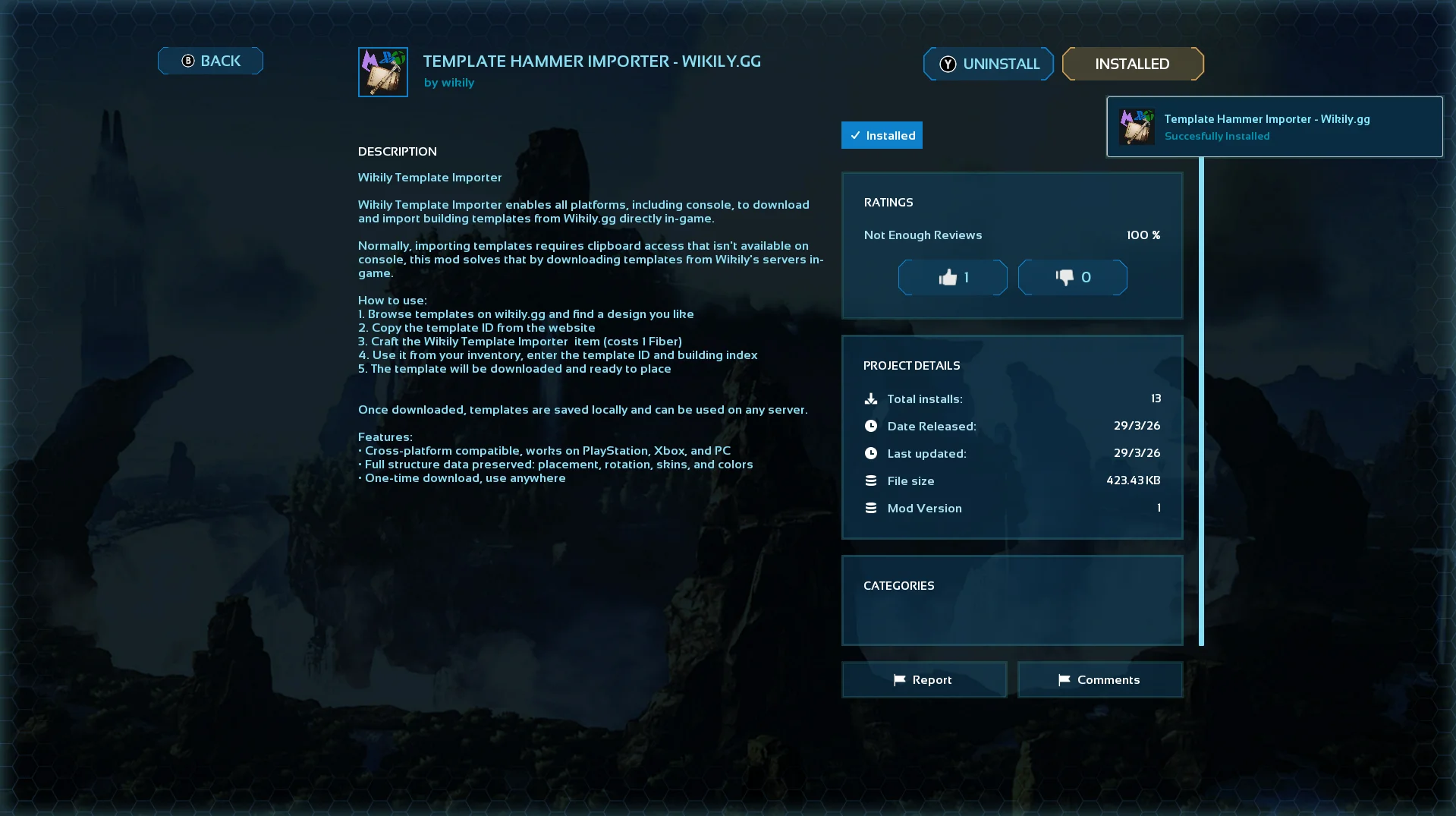
Click on the mod and hit install.
3. Activate it
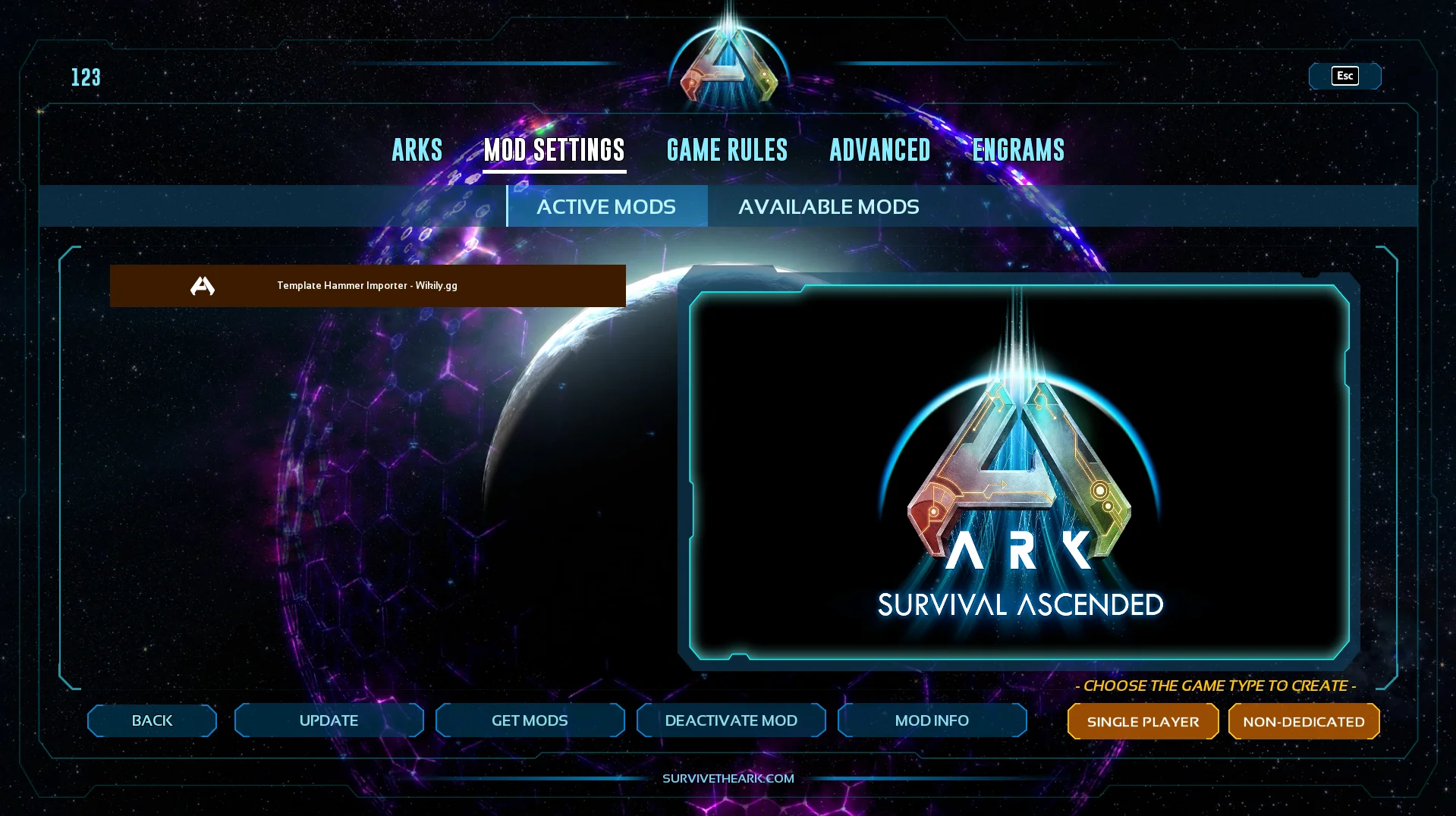
Go to Available Mods and make sure the mod is active.
Using It
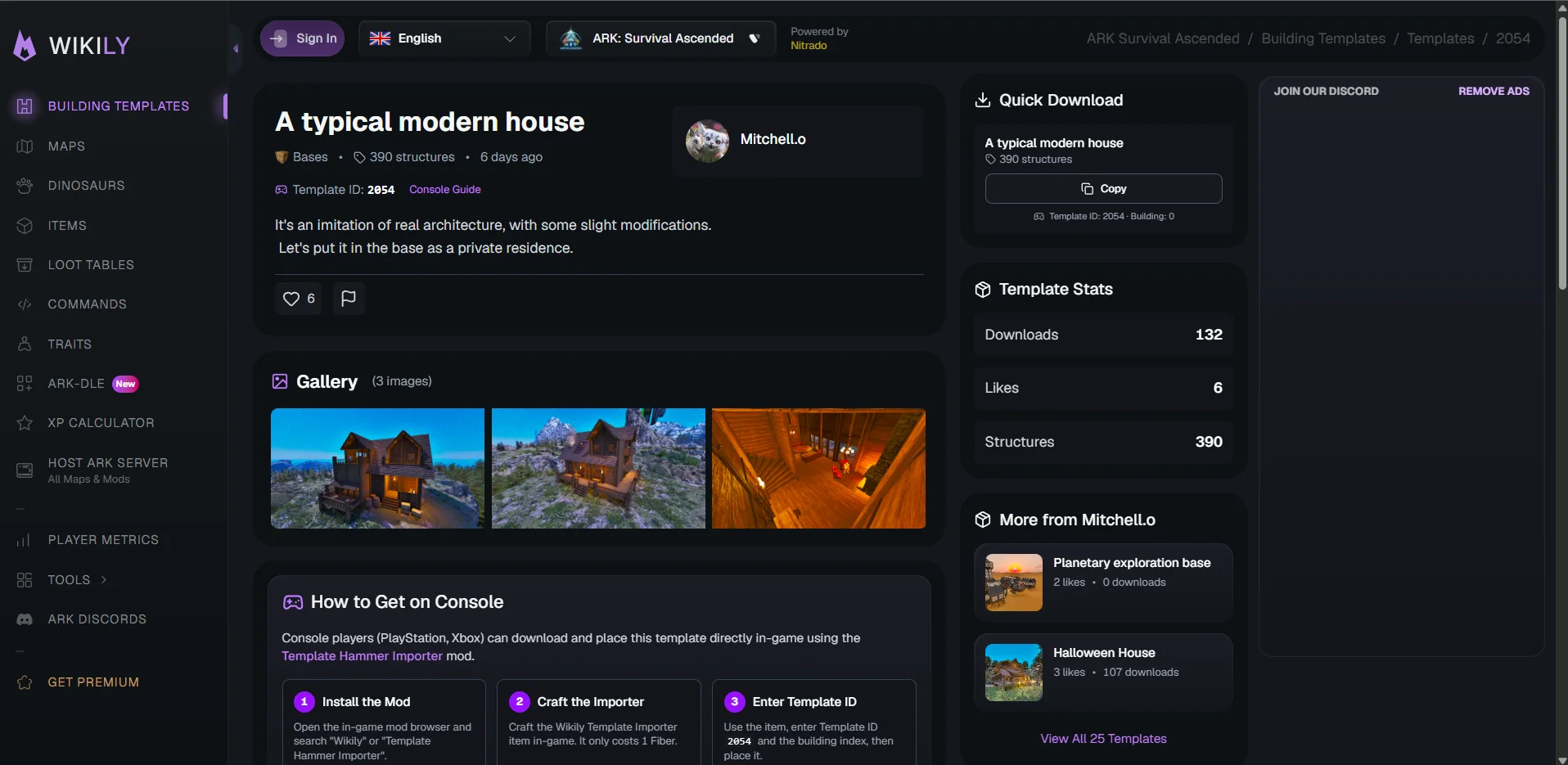
4. Find a template and note the IDs
Browse templates on Wikily.gg and pick one you like. At the top of every template page you will see the Template ID.
If the template has multiple buildings (because of the 2,000 structure cap), each building also has a Building ID (0 for the first, 1 for the second, etc.). You will find those in the download section.
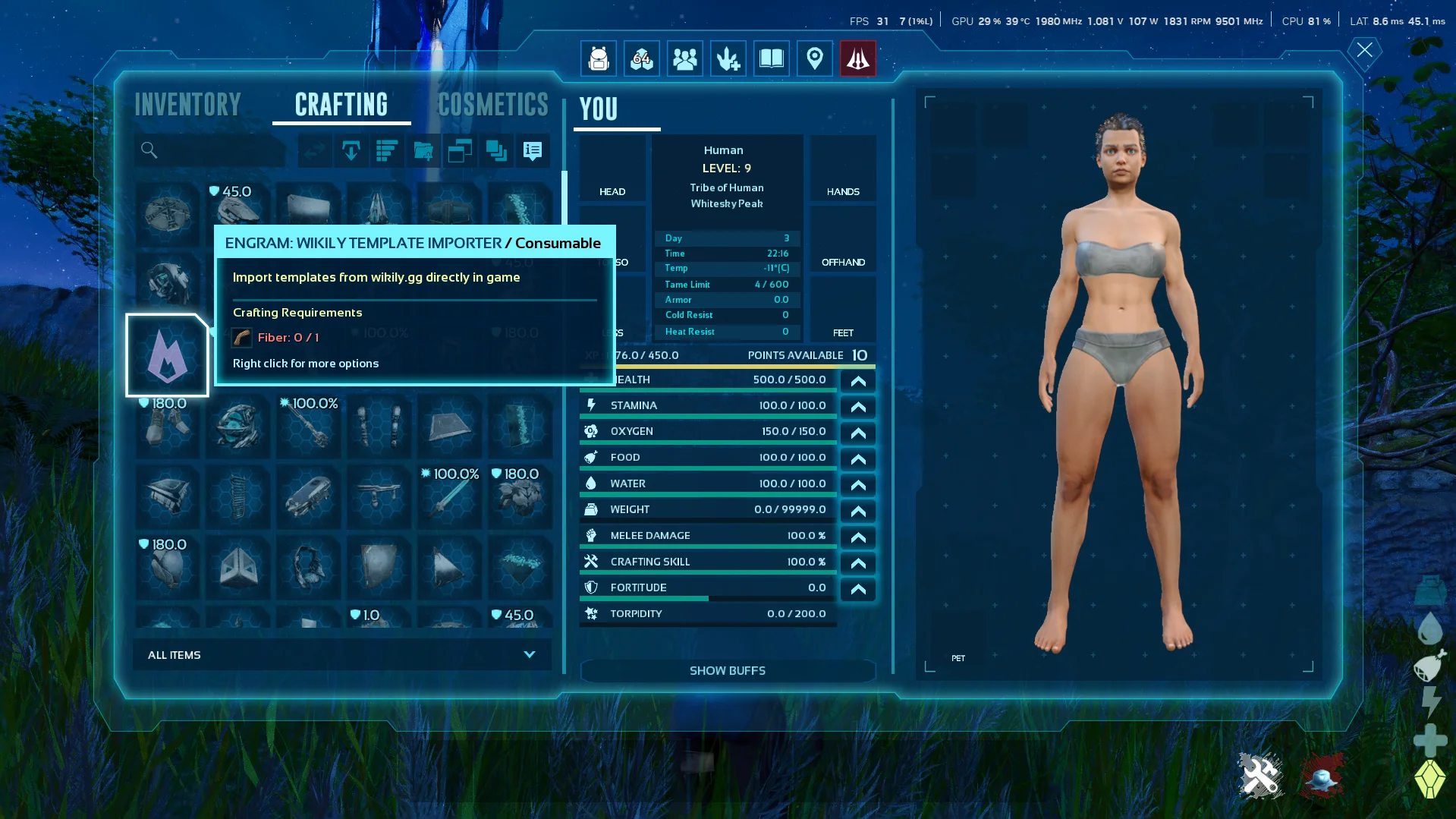
5. Craft the Wikily Template Importer
Go into Singleplayer and enable Creative Mode, then craft the item. It costs 1 Fiber.
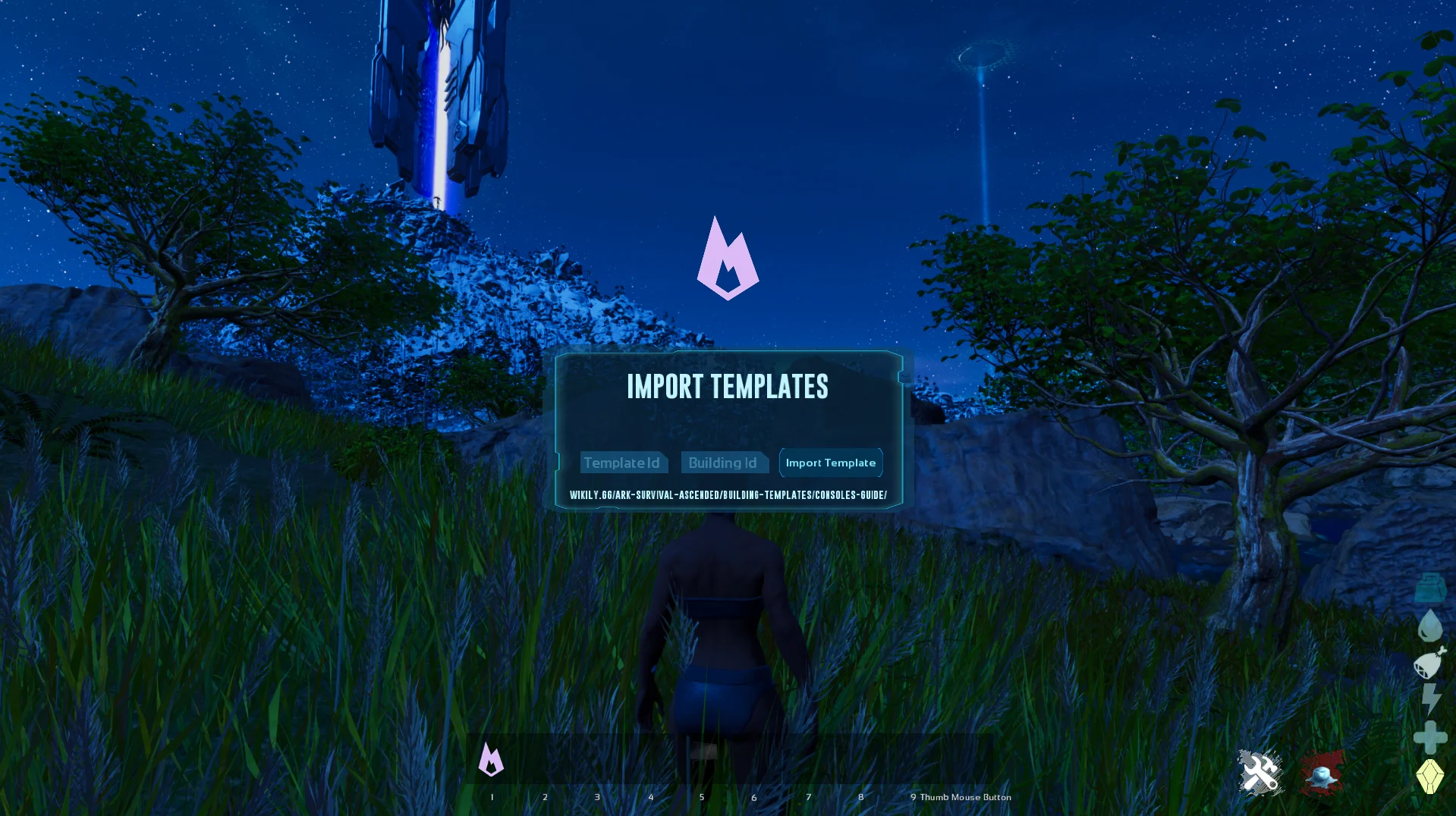
6. Enter the Template ID
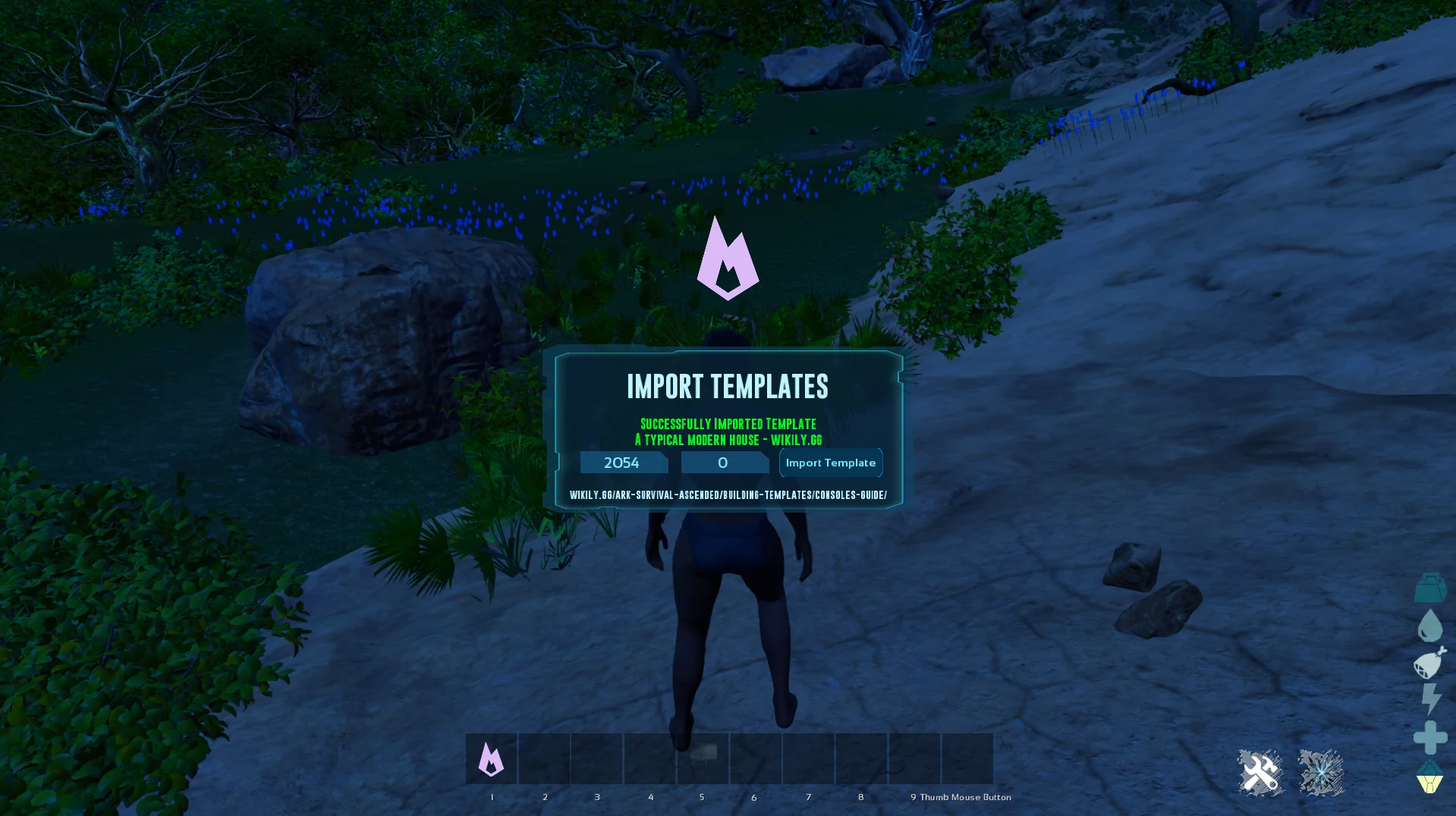
Use the item from your inventory. Enter the Template ID and the Building ID (defaults to 0 if the template only has one building).
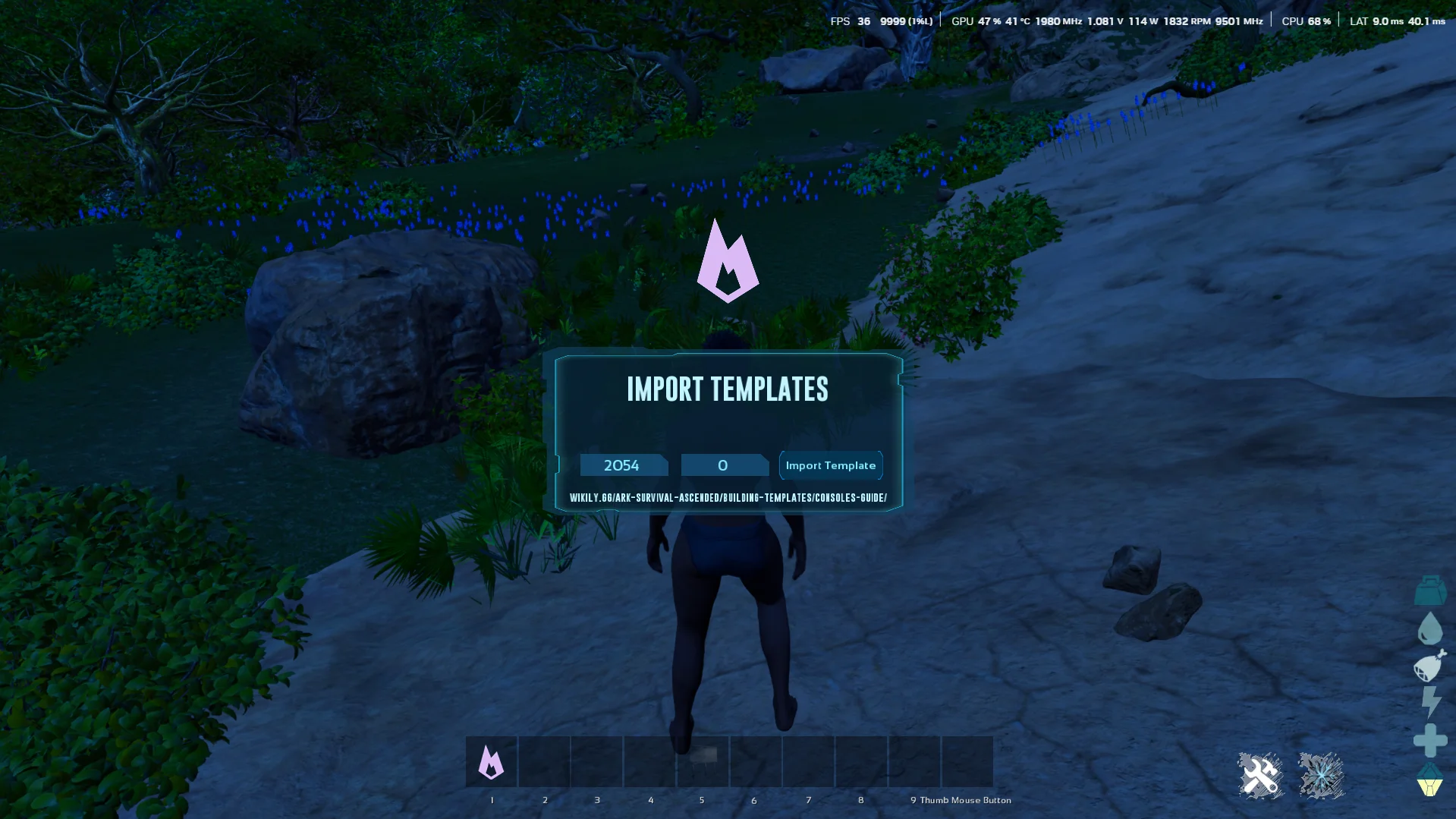
7. Import the template
Press Import Template. The template downloads from Wikily's servers.
8. Done!
The template is now saved locally. You can place it right away, and reuse it on any server without downloading again.
Placing an imported template
The Wikily Template Importer only downloads the template and saves it. You place it with the Template Hammer, a separate game item.
The Template Hammer is learned at level 26 for 5 Engram Points and crafted in a Smithy. Equip it, load the saved template and place it.
Import problems
The ID does not work
Templates made on Wikily use a short Template ID from 100000 up, for example 100047. Longer IDs such as 4294967343 do not fit in the game's Template ID field on Xbox, PlayStation and PC.
Every template page shows the short ID under Template ID. To convert an old long ID yourself: subtract 4294967296, then add 100000. 4294967343 becomes 100047.
Older templates with an ID below 100000 keep that ID.
The game cannot convert the template
The game shows this when it gets no building file for the IDs you entered. Check the Template ID (use the short one) and the Building ID.
Building IDs start at 0: a template with 3 buildings has 0, 1 and 2. A higher number finds no file.
A building marked "Console import is unavailable for this file" on the template page cannot be imported in the game. Private, draft and removed templates cannot be imported either.
The import worked but nothing appeared
A successful import shows "Successfully Imported Template" and the template name. The import only saves the template: place it with the Template Hammer, as described above.
Ready to build?
Browse thousands of community-made building templates.