跳至內容
WikilyWIKILY
所有遊戲23 個 Wiki · 選擇你的遊戲
維基建築模板

切換遊戲

23 個 Wiki · 選擇你的遊戲
瀏覽模板

基地

The Eden Citadel(Ring 1 Part 1/2)

jovialyoungsterBeachbob上傳於2026年10月11日
  • 2,718建築物
  • 5建築
  • 4下載
  • 0喜歡
Template ID3123主控台指南
喜歡: 0

描述

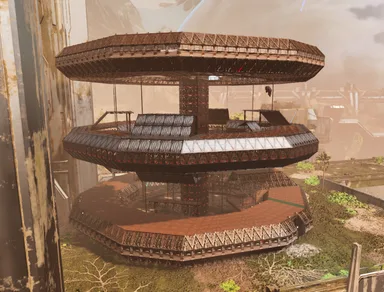
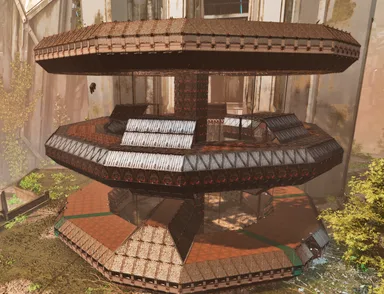
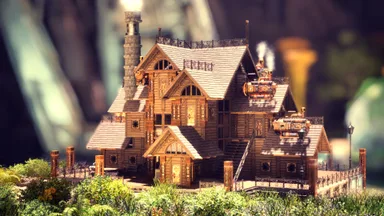
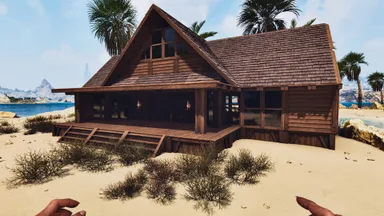
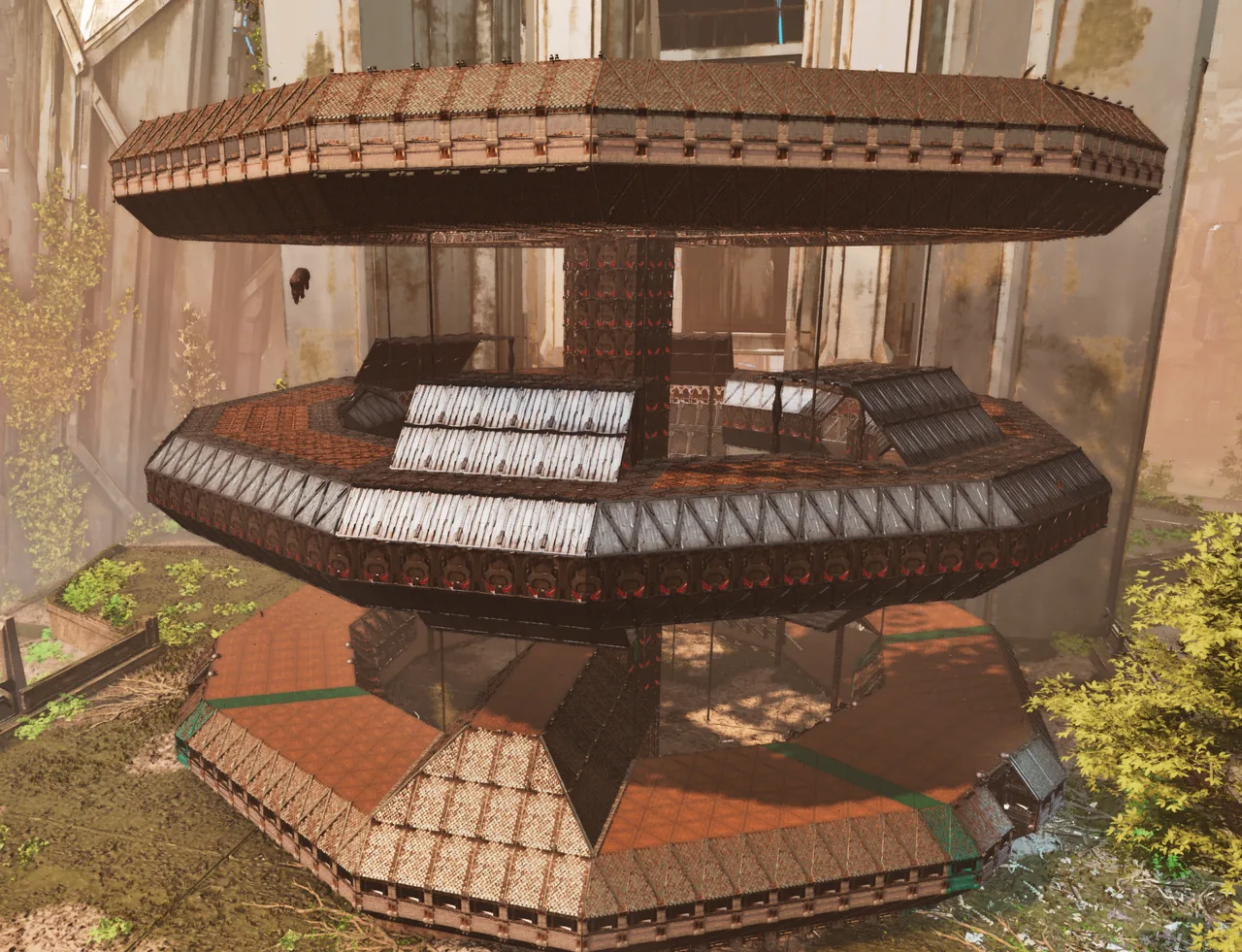
Ring 1 P2: https://wikily.gg/ark-survival-ascended/building-templates/templates/3124/ The Eden Citadel is a base originally built on my cluster, The Veridian Isles PVE, by a player who has since quit the game. They gave me permission to turn the build into a template for others to use! With OVER 7,000 structures, this build is really only for ARK grinders who enjoy a bit of pain... and admins. 😂 This is my first time using the Template Hammer to EXPORT and SHARE a build, so bear with me! The build is split into MULTIPLE parts because, for some reason, I couldn't select foundations beyond a certain range. And, of course, we're dealing with 7,000+ structures using a Template Hammer with a 2,000-structure limit. lol Due to the sheer number of structures and how the Template Hammer works, you'll need to snap certain pieces together manually. Unfortunately, getting everything to snap correctly can be a real pain with builds this large. The base itself is located on Extinction at coordinates 49.8, 60.0. Please ignore the paint in the pictures, as those colors were simply markers I used while creating the templates. A quick note about the parts: There are A LOT of them! Ring 1: 9 parts Ring 2: 4 parts Ring 3: 3 parts All parts are labeled with names beginning with "TEC..." to help you identify them. I'll add links to the additional parts in the comments or the description if I run out of room here. If you only want to build Ring 1, I'll include a separate link for that as well! MY RECOMMENDED BUILD ORDER RING 1 Step 1: Build the Foundations Start with the outer foundations, followed by the inner foundations for Ring 1. I ran into MANY snapping issues when trying to place templates before the foundations were in place. Honestly, save yourself the headache and build the foundations first! For the triangle foundations, you can either: Build 21 triangle foundations away from the first regular foundation. OR build 7 regular foundations from the first triangle foundation. Alternatively, follow my advice above and complete both the inner and outer foundation rings before placing any templates. Step 2: TEC Main Building Ring 1 Start with the main building, or begin with TEC Ring 1 Elevator+EleShaft if you prefer. Personally, I found it easiest to start with the main building and work outward from there. Step 3: TEC Right Hall (Inner Circle Right) When standing inside Ring 1 and looking toward the main building, place this section on the RIGHT side. You may need to place an extra row of foundations to help everything snap correctly. Step 4: TEC Left Hall (Inner Circle Left) When standing inside Ring 1 and looking toward the main building, place this section on the LEFT side. As with the right hall, you may need an extra row of foundations to help with snapping. Step 5: TEC Ring 1 Elevator Entry+EleShaft This section connects Ring 1 and provides the platforms and bridges leading to Rings 2 and 3. WARNING: This template REALLY likes to fight you when it comes to snapping. My best advice: Starting from the outermost triangle foundation (the outer ring, NOT the inner ring), count six regular foundations away. On the seventh foundation position, build a row of foundations leading inward toward the ring. Remove the six foundations behind that row from the outer ring. Try placing the template again until you find a position that it will cooperate with. If you're only building Ring 1, you can skip this step for now and use the Ring 1-only entryway in Step 9 instead. Step 6: TEC Ring 1 Gate Hall Left (Inner Circle Left) Place this section to the LEFT of where the gate opposite the main building will be. Step 7: TEC Ring 1 Gate Hall Right (Inner Circle Right) Place this section to the RIGHT of where the gate opposite the main building will be. Step 8: TEC Ring 1 Gate Opposite Side of Main As the name suggests, place this section directly opposite the main building on Ring 1. Step 9: TEC Ring 1 Large Entryway (Right of TEC Right Hall) My best advice: Starting from the outermost triangle foundation (the outer ring, NOT the inner ring), count six regular foundations away. On the seventh foundation position, build a row of foundations leading inward toward the ring. Remove the six foundations behind that row from the outer ring. Try placing the template again until you find a position that it will cooperate with. Connect The above section(Step 9) to TEC Right Hall (Inner Circle Right). Important: Steps 3–9 may require additional foundations to help the templates snap into place. If you're having trouble, don't fight with the templates for hours. Go back to Step 1 and make sure your inner and outer foundations are in place first! You can also “Skip” 6-8 because I do have a gate+hall version that combines the three, its just harder to snap. Once Ring 1 is complete, you can stop here if that's all you wanted to build. Otherwise, move on to Ring 2.(Linked in P2)

主機版取得方式

完整主機指南

主機玩家(PlayStation、Xbox)可使用Template Hammer Importer模組,直接在遊戲內下載並放置此模板。

  1. 1安裝模組Open the in-game mod browser and search "Wikily" or "Template Hammer Importer".
  2. 2製作匯入器進入單人 + 創造模式,製作Wikily Template Importer(1個纖維)。
  3. 3輸入模板ID使用該物品,輸入模板ID 3123和建築索引,然後放置。

建築5 files

  • 1

    The Eden Citadel Ring 1 Main V1

    941 個建築

    TEC Main Building Ring 1, Start here or start with TEC Ring 1 Elevator+EleShaft.

    建立者:Taron

    範本ID:3123 · 建築:0

  • 2

    TEC Ring 1 Right Hall(Inner Circle right)

    318 個建築

    Place this on the right side when standing inside Ring 1 looking toward the main building.

    建立者:TaronCapala

    範本ID:3123 · 建築:1

  • 3

    TEC Ring 1 Left Hall(Inner Circle left)

    318 個建築

    Place this on the left side when standing inside Ring 1 looking toward the main building.

    建立者:Taron

    範本ID:3123 · 建築:2

  • 4

    TEC Ring 1 Elevator Entry+ElevShaft

    1,011 個建築

    Starts Ring 1, gives all Platforms & Bridges to Rings 2 & 3, be warned, it likes to fight, Place 2 rows of foundations to assist its snap.

    建立者:TaronCapala

    範本ID:3123 · 建築:3

  • 5

    TEC Ring 1 Large Entryway, Connect to Right Hall

    130 個建築

    Connect this to TEC Right Hall(Inner Circle Right), you need to put 6 foundations of space between right hall and a foundi row to snap the build.

    建立者:TaronCapala

    範本ID:3123 · 建築:4

    jovialyoungster的更多作品

    基地6

    The Eden Citadel(Rings 2 and 3)

    The base itself is located on Extinction at coordinates 49.8, 60.0. Please ignore the paint in the pictures, as those colors were simply markers I used while creating the templates. If you have yet to complete Ring 1, go there and do that before starting here. RING 2 Step 10: TEC Ring 2 x2 Bridge Entryways This one is fairly self-explanatory. However, because ARK is ARK, you'll need to manually place all the floor ceilings and some of the roof pieces. Step 11: Ring 2 Bottom Ceilings Again, pretty self-explanatory! You'll need to place the floor ceilings manually, just like you did for Ring 1. Step 12: TEC Ring 2 x2 Landing Zone A This is one of the flier landing zones for Ring 2. Landing Zone A connects to the second landing zone and a bridge entryway. Step 13: TEC Ring 2 x2 Landing Zone B This is the second flier landing zone for Ring 2. It connects to the bridge entryway. Once Ring 2 is finished, you can move on to Ring 3 if you're a madman who somehow enjoys grinds like this. RING 3 Step 14: TEC Ring 3 x2 Bridge Entryways Pretty self-explanatory! Place the two bridge entryway sections. Step 15: Ring 3 Bottom Ceilings Because the game can't handle most these templates properly, you'll probably need to place the bottom "foundation" ceilings manually, just as you did for Rings 1 and 2. Step 16: TEC Ring 3 x2 Hallways Also fairly self-explanatory! Place these hallway sections between the two bridge entryways to connect them.

    • 1.8k 建築物
    • 5 建築
    • 1 喜歡
    基地2

    The Eden Citadel(Ring 1 Part 2/2)

    Rings 2 & 3: https://wikily.gg/ark-survival-ascended/building-templates/templates/3125/ The Eden Citadel is a base originally built on my cluster, The Veridian Isles PVE, by a player who has since quit the game. They gave me permission to turn the build into a template for others to use! With OVER 7,000 structures, this build is really only for ARK grinders who enjoy a bit of pain... and admins. 😂 This is my first time using the Template Hammer to EXPORT and SHARE a build, so bear with me! The build is split into MULTIPLE parts because, for some reason, I couldn't select foundations beyond a certain range. And, of course, we're dealing with 7,000+ structures using a Template Hammer with a 2,000-structure limit. lol Due to the sheer number of structures and how the Template Hammer works, you'll need to snap certain pieces together manually. Unfortunately, getting everything to snap correctly can be a real pain with builds this large. The base itself is located on Extinction at coordinates 49.8, 60.0. Please ignore the paint in the pictures, as those colors were simply markers I used while creating the templates. A quick note about the parts: There are A LOT of them! Ring 1: 9 parts Ring 2: 4 parts Ring 3: 3 parts All parts are labeled with names beginning with "TEC..." to help you identify them. I'll add links to the additional parts in the comments or the description if I run out of room here. If you only want to build Ring 1, I'll include a separate link for that as well! MY RECOMMENDED BUILD ORDER RING 1 Step 1: Build the Foundations Start with the outer foundations, followed by the inner foundations for Ring 1. I ran into MANY snapping issues when trying to place templates before the foundations were in place. Honestly, save yourself the headache and build the foundations first! For the triangle foundations, you can either: Build 21 triangle foundations away from the first regular foundation. OR build 7 regular foundations from the first triangle foundation. Alternatively, follow my advice above and complete both the inner and outer foundation rings before placing any templates. Step 2: TEC Main Building Ring 1 Start with the main building, or begin with TEC Ring 1 Elevator+EleShaft if you prefer. Personally, I found it easiest to start with the main building and work outward from there. Step 3: TEC Right Hall (Inner Circle Right) When standing inside Ring 1 and looking toward the main building, place this section on the RIGHT side. You may need to place an extra row of foundations to help everything snap correctly. Step 4: TEC Left Hall (Inner Circle Left) When standing inside Ring 1 and looking toward the main building, place this section on the LEFT side. As with the right hall, you may need an extra row of foundations to help with snapping. Step 5: TEC Ring 1 Elevator Entry+EleShaft This section connects Ring 1 and provides the platforms and bridges leading to Rings 2 and 3. WARNING: This template REALLY likes to fight you when it comes to snapping. My best advice: Starting from the outermost triangle foundation (the outer ring, NOT the inner ring), count six regular foundations away. On the seventh foundation position, build a row of foundations leading inward toward the ring. Remove the six foundations behind that row from the outer ring. Try placing the template again until you find a position that it will cooperate with. If you're only building Ring 1, you can skip this step for now and use the Ring 1-only entryway in Step 9 instead. Step 6: TEC Ring 1 Gate Hall Left (Inner Circle Left) Place this section to the LEFT of where the gate opposite the main building will be. Step 7: TEC Ring 1 Gate Hall Right (Inner Circle Right) Place this section to the RIGHT of where the gate opposite the main building will be. Step 8: TEC Ring 1 Gate Opposite Side of Main As the name suggests, place this section directly opposite the main building on Ring 1. Step 9: TEC Ring 1 Large Entryway (Right of TEC Right Hall) My best advice: Starting from the outermost triangle foundation (the outer ring, NOT the inner ring), count six regular foundations away. On the seventh foundation position, build a row of foundations leading inward toward the ring. Remove the six foundations behind that row from the outer ring. Try placing the template again until you find a position that it will cooperate with. Connect The above section(Step 9) to TEC Right Hall (Inner Circle Right). Important: Steps 3–9 may require additional foundations to help the templates snap into place. If you're having trouble, don't fight with the templates for hours. Go back to Step 1 and make sure your inner and outer foundations are in place first! You can also “Skip” 6-8 because I do have a gate+hall version that combines the three, its just harder to snap. Once Ring 1 is complete, you can stop here if that's all you wanted to build. Otherwise, move on to Ring 2.

    • 1.6k 建築物
    • 5 建築
    • 0 喜歡

    相似模板此類別的更多建築

    查看全部
    基地12.5k

    Tony's Workshop

    All-in-one base with greenhouse. Skins used: - Frontiers -Steampunk - Klinger Additional Skin Cosmetics Rustic GreenHouse

    • 1.5k 建築物
    • 260 喜歡
    • 原版
    基地7.8k

    Aono All in One Base [ARGEN and ANKY]

    This is an official PVE compatible base that allows you to bring in resources using the Argento Anky using a cellar door. It is equipped with a full range of facilities, including an industrial forge and industrial grinder. The layout has been carefully designed to make it easy to bring in resources and craft, making it extremely user-friendly. The skin used is the Steampunk skin from the paid DLC, Bob's Tall Tales. こちらは公式PVE対応のセラードア使ってアルゲンアンキーで資源の搬入が可能な基地です。 インダストリアルフォージやインダストリアルグラインダーなどの設備は一通りそろっています。 資源搬入やクラフトなどがしやすいように配置を工夫して非常に使いやすい設計にしております。 スキンは有料DLC、ボブズトールテイルズのスチームパンクスキンを使用しています。

    • 852 建築物
    • 205 喜歡
    • 原版
    基地7.3k

    Epic Steampunk Starter House (LolsAtLance)

    Welcome to my Steampunk Starter House build in ARK: Aberration Ascended made completely from thatch! This build utilizes Bob’s Tall Tales Structure Skins, with a special focus on the Steampunk Skin to transform a simple thatch house into a unique, immersive base. PLEASE WATCH VIDEO TO SEE WHERE TO APPLY SKINS. Whether you’re new to ARK: Survival Ascended or just looking for some inspiration, this steampunk starter house is the perfect blend of style and practicality.

    • 615 建築物
    • 164 喜歡
    • 原版
    基地6.6k

    Basic Bunkhouse with Greenhouse

    All wood bunkhouse with loft and green house. Room for plenty of tribemates and equipment. Skinned in Frontier skins and lit with Frontier oil lamps and chandeliers.

    • 272 建築物
    • 187 喜歡
    • 原版
    MinenaTek Engineer2025年7月9日
    正在載入討論...
    加入創作者社群打造 ARK: Survival Ascended Wiki 的夥伴們都在我們的 Discord。提問、推薦頁面,或和我們一起打造它。加入 Discord (在新分頁開啟 Discord)