İçeriğe geç
WikilyWIKILY
Tüm oyunlar42 viki · oyununuzu seçin
WikiYapı Şablonları

Oyun değiştir

42 viki · oyununuzu seçin
ARK, Wikily uygulamasındaÜcretsiz · 4.4★4.6★ · Tam ekranİndirİndir
Şablonlara göz at

Dekoratif

OceanPlatform Fisher

mhoStone Age5 Eki 2026 tarihinde yüklendi
  • 286yapılar
  • 1Yapılar
  • 26İndirmeler
  • 5Beğenmeler
Template ID3109Konsol Rehberi
Beğenmeler: 5

Açıklama

This places a Fisher Statue with Hat, Rod & Hook ... anywhere really! (i build 4 on Official by Hand so far, since Extinction came out, but this is the cleanest/most universal Version yet & it just seemed worthy enough to be the first Statue i will release!) - I made this to be snapped to an "north-turned/inward-pointing" Ceiling on an OceanPlatform (if you want to glue this to another side, just turn the Ceiling with a small PillarBeam[see Screen]) if snapped to an outward facing Ceiling on the Outside, he would fish in the Pool! [Platforms are basically giant Foundations, so when you place one in front of You, its north-turned] - to finish this, just remove all Thatch & fill the missing Ceilings & Walls [i build this fully with "SecretDoors", since, like any "Door", they can be walked on! i recommend doing the same, so no1 can get stuck!] - the Pillars under the Knees & Beams under the first Leg-Ceilings connect the Fisher to the Platform - all Foundations are only added so his builds flawless on real Ground! ...you can remove them when build on the Platform - If you want to place it on Ground, just create a Line of DEEP Foundations, facing away from whatever Cliff/Edge you want the Legs to be. The SnapCeiling is in/under the "left Buttcheek", soo you need like 3-4 DEEP Foundations Distance from the Edge...And i mean DEEP! You want the Legs to sit on the Ground & not hover after all! - The Hammer might not build all, but YOU will be able to! also, you could add some extra Support in the downward hanging Leg, that will enable you to make the Fishingrod 1 longer & also gives more distance between the Line & the right Foot this one is just limited by the Platforms Reach PS: the smallPillar on top of the Rod is needed to hold the Line & cant be helped, just Skin it "Glass" & its basically invisible Enjoy!

Konsolda nasıl edinilir

Tam konsol rehberi

Konsol oyuncuları (PlayStation, Xbox) bu şablonu Template Hammer Importer modunu kullanarak oyun içinde doğrudan indirip yerleştirebilir.

  1. 1Modu yükleOpen the in-game mod browser and search "Wikily" or "Template Hammer Importer".
  2. 2Importer'ı üretSingleplayer + Creative Mode'a girin ve Wikily Template Importer'ı üretin (1 Lif).
  3. 3Şablon ID'sini girEşyayı kullanın, Şablon ID'si 3109 ile yapı dizinini girin, ardından yerleştirin.

Yapılar1 file

  • 1

    OceanPlatform Fisher

    286 yapı

    Oluşturan: mho

    Şablon kimliği: 3109 · Yapı: 0

    mho tarafından daha fazlası

    Tümünü Görüntüle
    Üsler4

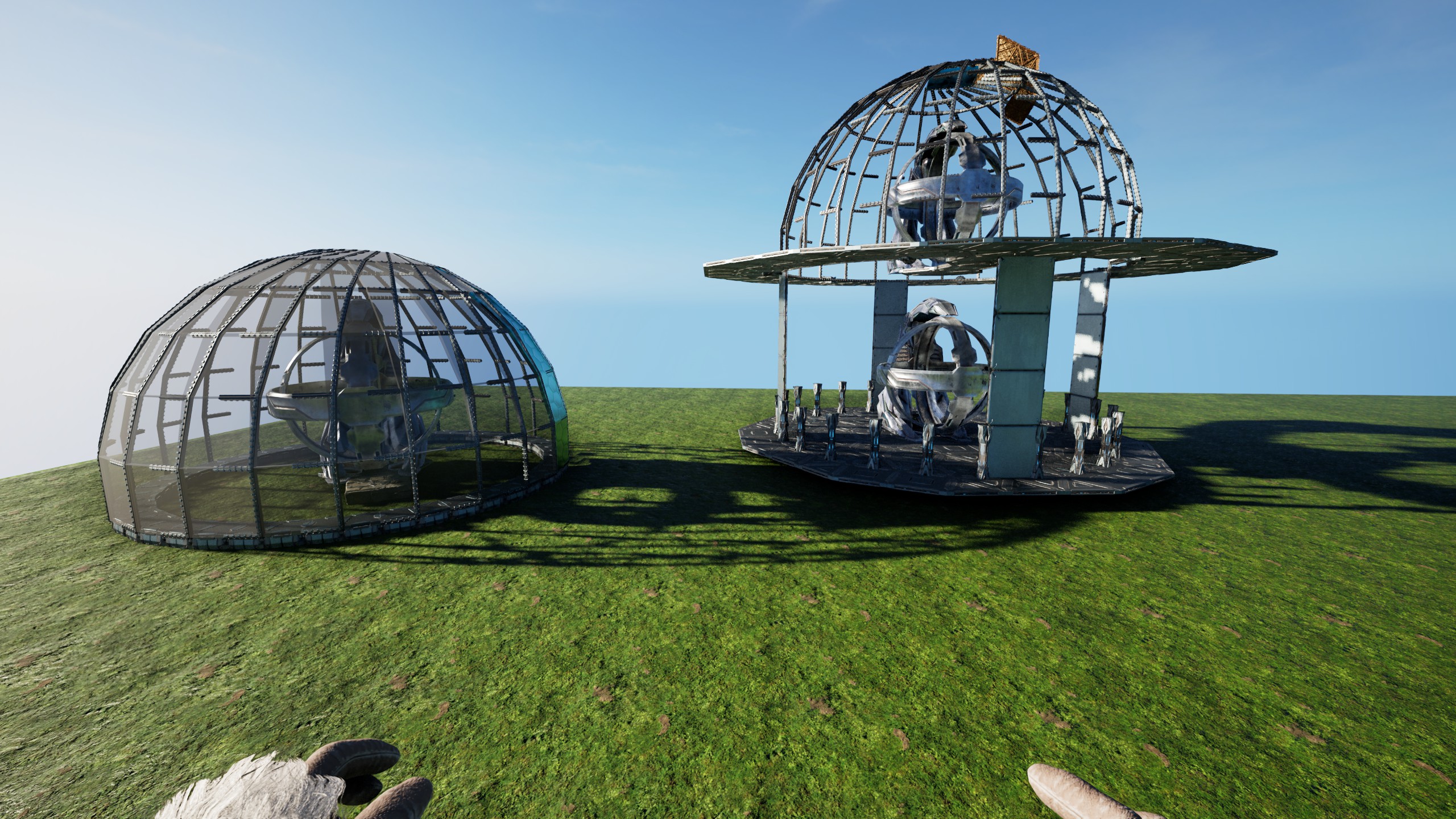
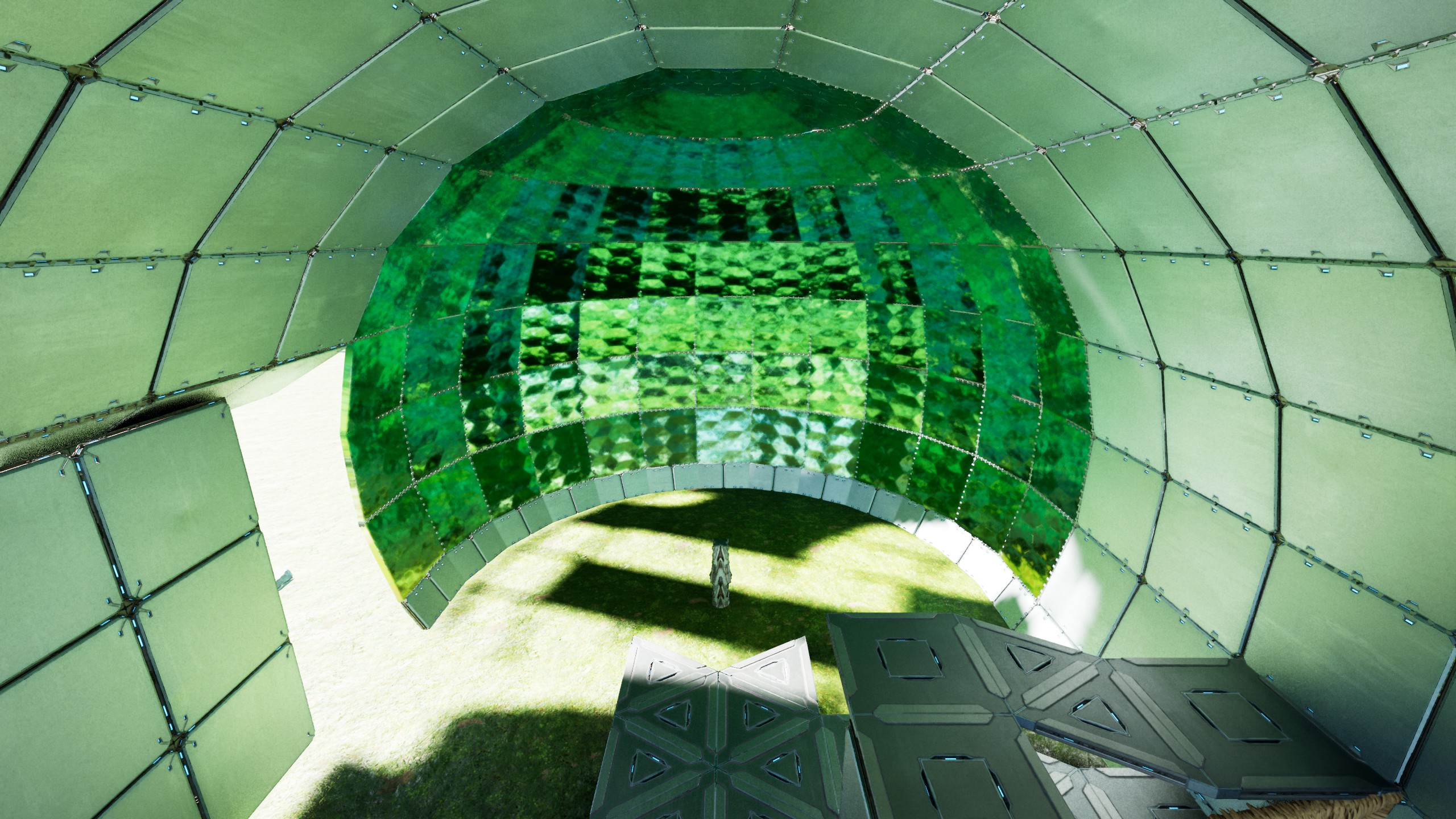
    The 24 Sided Sphere-Dome Quarter @ 4 High

    This builds a Quarter of a 24 sided Sphere/Dome, placed at 4 walls high, so it can be used as standalone Sphere or as Dome in Buildings - Place/snap this like any Foundation (at Double-Clicked Height) .... there is some whiggle-room but its made for that height! - use the extra Stone Foundation (on the "right") to snap the 2. Quarter & do that for all 4 sides - remove all Thatch (remove all quarterCeilings touching the TekPillars and the Thatch Pillars(they like to stay connected at Distance) ! make sure you "catch" the Sphere/Dome while removing the Scaffolding ! [as example: the screen on how to fill the 24Circle & add "quarterRamp offsets" uses Thatch to mark where Ceilings should be & also how to interconnect the central Pillars with the FoundationRing] Thats basically IT! ----- If you want the Sphere , just either use normal Foundations on the central Pillar, or a Foundation "12er Triangle Circle" inside the Ring to catch it all. The 24 Foundation Ring only exists to snap this all together, but isnt really needed for the Sphere! also the Central Pillar & the outer Ring have a QuarterRamp height difference! so it COULD be connected, just needs some "work" If you want the Dome, build 4(or 5) walls up & build Ceilings in the 12er-triangle-Circle rhythm around the Dome. On the 6 sides where the 2 FullCeilings touch the Dome, replace the one 90° Pillar with 2 small ones & add a Beam between the Ceilings. Now the Dome is connected to the Ceilings & can be held up by whatever Foundation-Grid YOU choose! (see Screens, i just used "thick"ThatchPillars for Visibility) After you made sure you have Foundations & the Connections done , just remove the entire lower half of the Sphere & you got a Dome glued to the Ceiling! - to close the Sphere you can either use TekCeilingDoors all around (snapped to the Beams) or normalCeilings on the outer rim & SecretDoorWalls on like 2-3 layers & the rest HAS TO be TekCeilingDoors! you can place the "next door" by holding existing ones open & then "overlap" em! I also added the "Blade" that made all this.... its just that one Template, snapped 24 times & has every 2."inner Foundation" moved so it all fits inside the Circle but if you should crash a side, just use the Blade to replace it - place a Ceiling outside the 24 sided Ring & snap this Blade to it, so it overwrites the smallFoundations aaand you are DONE! Enjoy your Sphere/Dome

    • 647 yapılar
    • 2 Yapılar
    • 1 Beğenmeler
    • Vanilla
    Üsler25

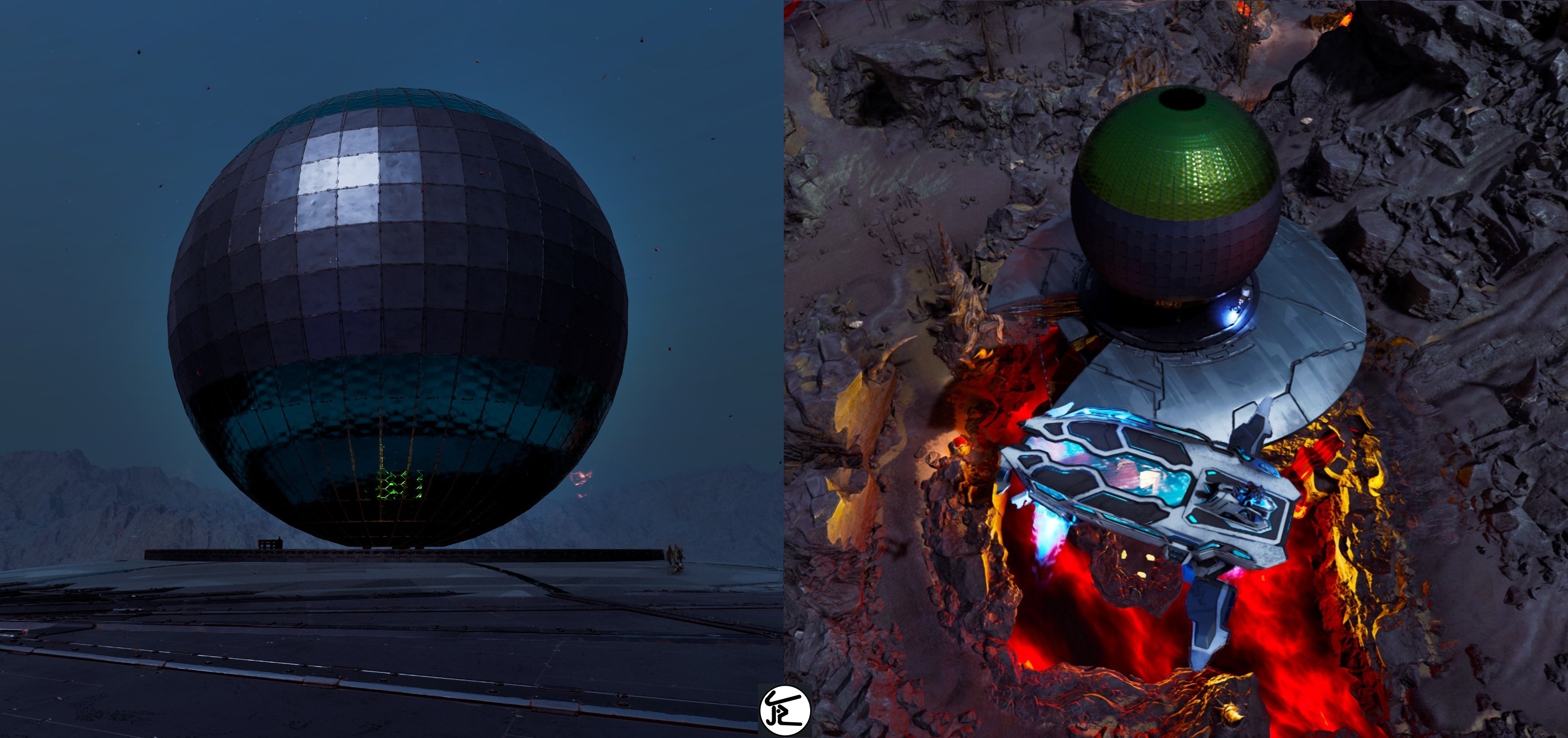
    The 48 Sided Sphere

    The 48 sided Sphere These two Templates are all you need to build a 48 sided sphere! (based on Four 12er Triangle Circles) Long Story Short: - place the Foundation Template (doubleclick-Foundation Height) - snap the "Scaffolding Arch" 24times [Counter-Clockwise!] with its Stone snap-Foundation outside of the 48 sided Ring! (the Prototype was clock-wise but that made it...complicated) - if it snaps stupid, just add a Ceiling outside the 48'er & look at the smallFoundations to snap the StoneFoundation "below" that Ceiling [This also makes it easier to see "where you are at"] - remove all Thatch & fill in the "missing" TekCellarDoors by opening their [overlapping]Neighbours & snap them to the Pillar-Beams Thats basically it! [only takes two people like 5-15 Hours on official, depending on how good you are & if nothing goes wrong ;) ] Kudos to my Generous Allies from #Reiz, who enabled me to actually fully test & build this on Official (in record time i might add) Without Them, it would have been impossible for me to give these refined Templates to all of YOU now! ------ This is build on a "double-clicked" Foundation height. There is some Whiggle-Room, but the cleanest Result you will get when snapped-to/placed-at that Height! The central Pillar that will hold it all, is connected to the outer most Part of the Sphere & basically holds that 48 sided Circle on 2 Sides [just with 90° turned Walls instead of normal ones] and can be interconnected on 6 Sides naturally, with small Ceilings & Pillars/Beams(mimicking 1 Ceiling on the outer Wall) You can Place "90° Hidden Door Walls" all around as "Floor" inside to cleanly close the Ceiling with the Walls in the End(Shout-Out to Lia for coming up with the idea & for all the help in building the Sphere) The Arches just "hang" Up&Down from that "horizontal Ring"! When placing the Scaffolding-Arches, its a Dance between having Support for the already existing Sphere & enough Space for the eight 90° TriangleFoundations, that build the Arches. !!! Use 'DebugStructures' and make sure ALL Triangles ALWAYS have all Connections around them(and are not just parked next another, without ALL connections), or you will have Gaps in Support and/or Connection, which might make Things crash...always ONLY snap Triangles in-Line with other Triangles, dont switch Directions by starting again from a Ceiling somewhere !!! - after each Placement, remove all Thatch I'd recommend starting from the Top by disconnecting the "Arch" & also removing all Pillars [they like to stay connected at Distance] and while you are "up there" your Body can also hold open the CellarDoors to allow you to place the ones on the new Arch! If you ever pick up a Metal-Piece with the Scaffolding, dont Panic, just rebuild that one "arm" from Scaffolding(see last screen) If you already destroyed the Scaffolding, you can either get the "Side" back from any of the 4 related "12er Plates", or just "overwrite" that one Scaffolding again, the Hammer will fill in all missing Pieces! Each "Piece" is just either a Wall- or a PillarBeam with 2 smallPillars on its Up&Down Sides, that glue each Arch together the Horizontal "48-Ring" also has a snallPillar on the "Left&Right". Either keep or remove the 48 sided Foundation Circle, its of no Consequence for the Sphere! if you want to, you could fully fill the Top&Bottom, by using the full Scaffolding & by overlapping HARD i think thats all enjoy your Sphere! PS: on a personal Note, i sincerely hope Wildcard will not take this from us by "patching", but lets us enjoy these Gems, Their Game allows us to Create!

    • 1,2k yapılar
    • 2 Yapılar
    • 0 Beğenmeler
    • Vanilla
    Üsler6

    24 Half Dome 1 Wall High

    This builds half a 24sided Dome, one Wall high above Foundations & is also able to stand alone I chose this height, because it offers useful Ground inside the "Sphere" and can be integrated into any Building really Its also fully created from Foundations! Long Story short: - Place this maximal as high as a "Double-Clicked"Foundation & remove all Thatch! - If you want a full Dome, add a Ceiling to the left "South-Facing" Foundation and build it again - If you want it on a House-Wall, just have a 7-Gap in your Wall & add a small Foundation extra Distance to a "north"-outward-facing Foundation (finish the Dome & add in normal Walls last) Thats all really! Some small TekPillars [that touched a Foundation] might not become "Foundations" , check all & replace those who arent (it sometime happens, idk why!, i build this a bunch of Times & sometimes some Pillars just dont become Foundations...#arklife ) should you place it too high, the 90° Pillars will not become Foundations & you have to either build it high enough, so you can place new Pillars on the lowest (small) Ceilings Or catch the Dome on its side with normal Foundations to remove all Thatch remove all smallCeilings that Touch the TekPillars (& the ThatchPillars, they like to stay connected at Distance) - add a rim of small walls on the lowest beams - Fill all Beams with CeilingDoors (or partially with SecretWallDoors) they have to be open, to place "the Next" and overlap PS: i added the "logic" how this works to the Screens, but its just the 2x12 sided Circles(15° offset) this means, you can use & extend any of these "Blades" inner or outer "12er Circle"...if you want the HalfSphere to continue as a tube for example or fill the Top Enjoy!

    • 618 yapılar
    • 0 Beğenmeler
    • Vanilla
    Üsler17

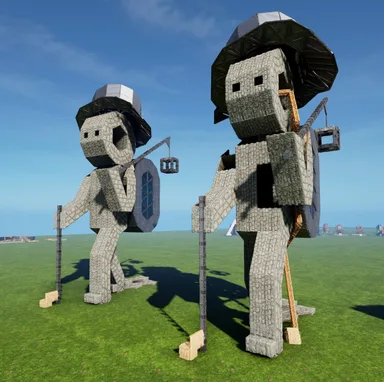
    mho's Hobo Statue

    This builds my Hobo-Statue, with Tophat, Backpack, Walking- & Lamp-Stick Im using an earlier Version of this in my own Base,with tek-Generator in the Cube. I just replaced the Backpack with a Cape, to roof-over my Crafting Area Since i see no reason to just "sit on these Statues" any longer, i decided to clean them up and offer refined Versions to YOU all! - Long Story short: place this either with the Feet touching the Ground, or with "floating Toes", - remove all Thatch - fill in the missing Ceilings & Walls (in that order) and a Rim of Pillars between the Backpack & Back to round things up - choose one of the two Foundation Heights in the Back >>> Thats it! only the Backpack & Stick need extended support, the Statue itself is build by & stands on the 2 small Foundation in the Toes The normal Foundation in the left Heel holds the Tophat & the Floors in the Backpack & Body The two small Foundations in the right Heel provide you with two height options (1/4 Ramp Difference) - Either place it low and just use Foundations in the Back for the Backpack & Stick - or have floating Toes & the "deep" Foundations can be used to fundamentalize the whole Ground beneath the Feet (both Heels are just 2 Triangles & a normal Ceiling apart!) I always wanted to give him a better Backpack & maybe a "fancy Lamp", but could never find decent ones, that wouldnt add exorbitant Numbers to the Build... soo i just left it at these simpler ones, but made sure it atleast all works without a Hassle! PS: the smallPillar Beam on the Hexagon inside the Body prevents you from falling into the right Leg, which has no way out, other then flying or destroying Pieces! (alternatively you could ofc just add a wall inside to close the leg) enjoy

    • 592 yapılar
    • 2 Beğenmeler
    mhoStone Age9 Eki 2026

    Benzer şablonlarBu kategorideki diğer yapılar

    Tümünü Görüntüle
    Dekoratif1,1k

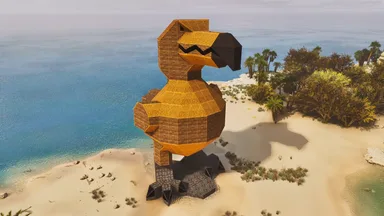
    Big Dodo

    This time I'm sharing "Big Dodo"! If you like it, please feel free to use it! It's an exterior-only building, so there's nothing inside, but you can live in it by placing your favorite facilities and furniture. (*^▽^*) 今回は「Big Dodo」を共有するぞ! 気に入ってくださった方はぜひ使ってみてくだされ! 外装のみの建築なので内部には何もないが、お好みの施設や家具を置いて住むこともできるぞ(*^▽^*)

    • 1,3k yapılar
    • 28 Beğenmeler
    • Vanilla
    Dekoratif820

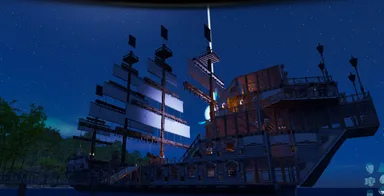
    Ilha pirata

    Ovo de Daeodon

    • 961 yapılar
    • 29 Beğenmeler
    • Vanilla
    Dekoratif836

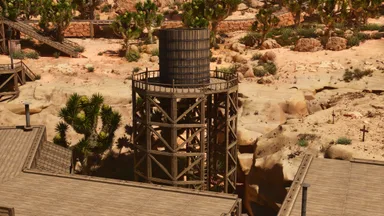
    Etholdir Simple Big Frontier Water Tower

    Simple water tower to add to your western or frontier base to provide you with some nice decoration as well as plenty of water storage.

    • 177 yapılar
    • 34 Beğenmeler
    • Vanilla
    EtholdirÖne çıkan yaratıcıTribe Chief26 Haz 2025
    Dekoratif743

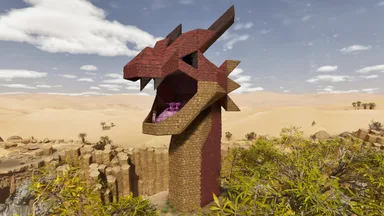
    Red Dragon head turret

    A turret base in the shape of a red dragon's head. Placing it around your base will also function as decoration. The turret can be replaced with other objects, such as a heavy turret. By placing a Tesla coil, you can perform electric attacks like a lightning wyvern. The interior contains generators and lights, and much of it is made from stone structures. No skins are used. The number of parts used is 396. 赤いドラゴンの頭の形をしたタレット台座です。 拠点のまわりに配置すれば装飾としても機能します。 タレットはヘビータレットなどの他の物と置き換えて使うこともできます。 テスラコイルを置けばライトニングワイバーンかのような電撃攻撃をすることもできます。 内部には発電機やライトがあり、多くを石材の建築物で作っています。 スキンの使用はありません。 使っている部品の数は396個です。

    • 396 yapılar
    • 15 Beğenmeler
    • Vanilla
    Tartışma yükleniyor...
    İçerik üreticisi topluluğuna katılARK: Survival Ascended wikisini geliştiren kişiler Discord'umuzda. Soru sor ya da sayfa öner.Discord'a katıl (Discord'u yeni sekmede açar)