본문으로 건너뛰기
WikilyWIKILY
모든 게임위키 42개 · 게임을 선택하세요
위키건축 템플릿

게임 전환

위키 42개 · 게임을 선택하세요
Wikily 앱으로 보는 ARK무료 · 4.4★4.6★ · 전체 화면앱 받기앱 받기
템플릿 둘러보기

Bases

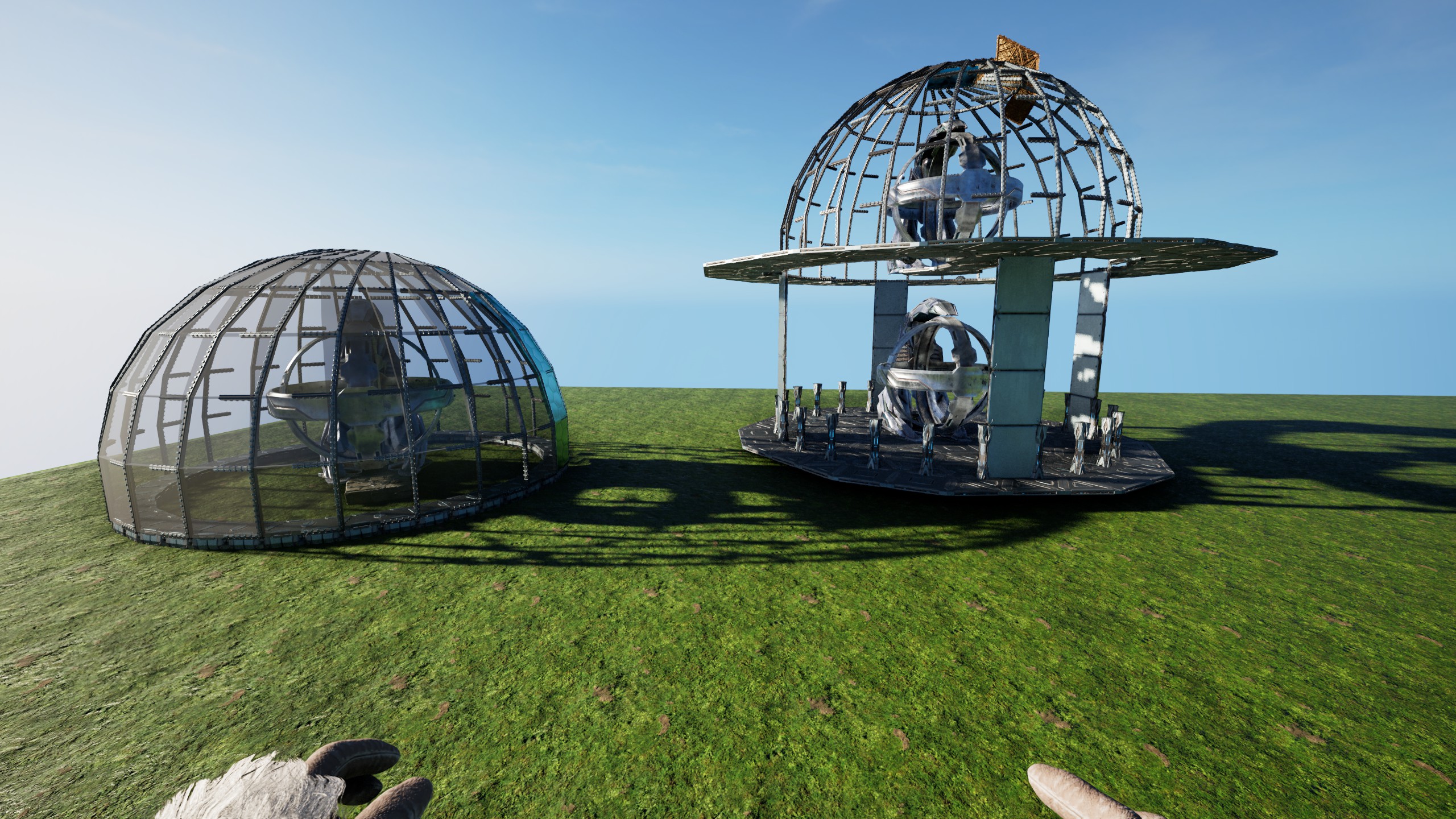
The 24 Sided Sphere-Dome Quarter @ 4 High

Mmho2026년 11월 17일 업로드
  • 647구조물들
  • 2건물
  • 4다운로드
  • 0좋아요
Template ID100168콘솔 가이드
좋아요: 0

설명

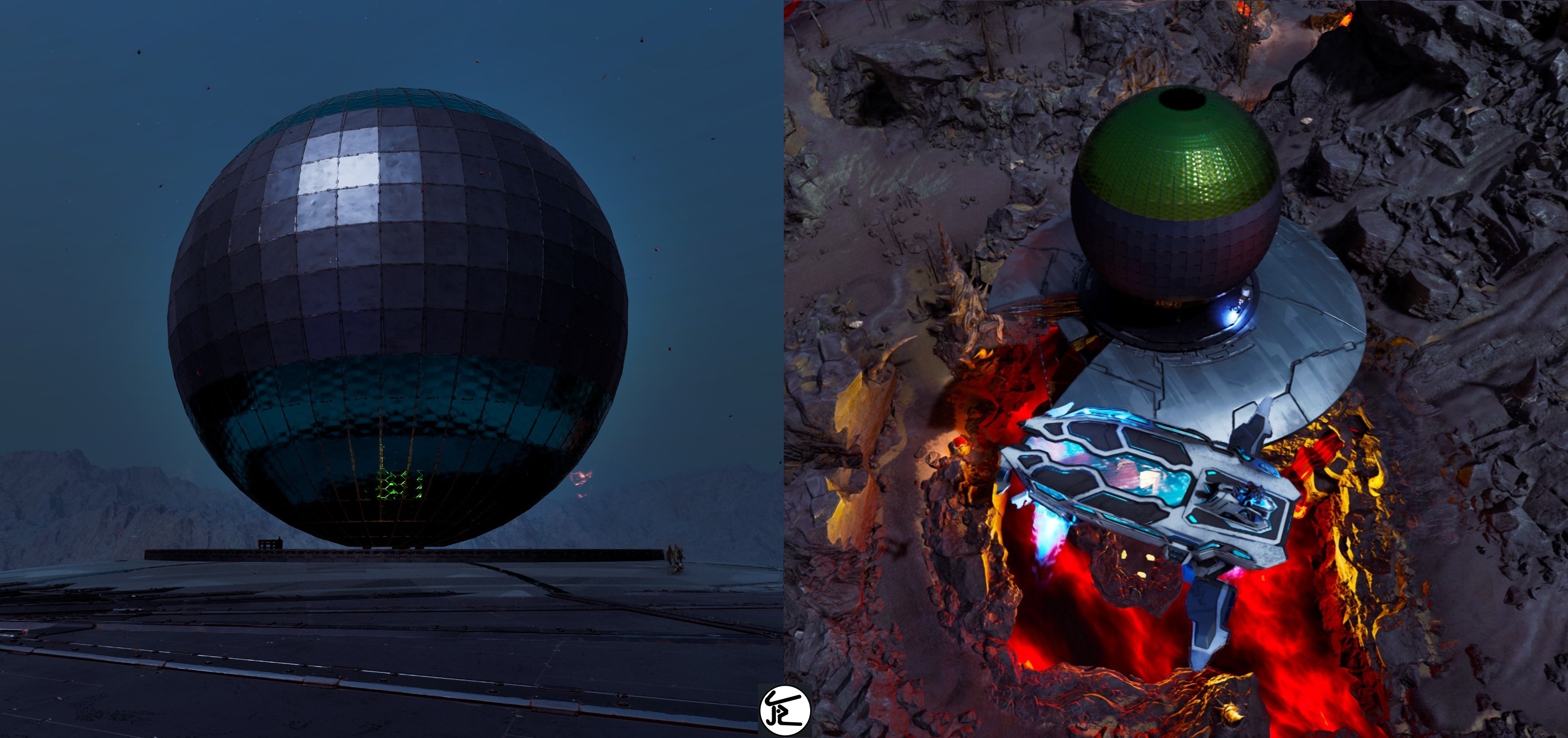
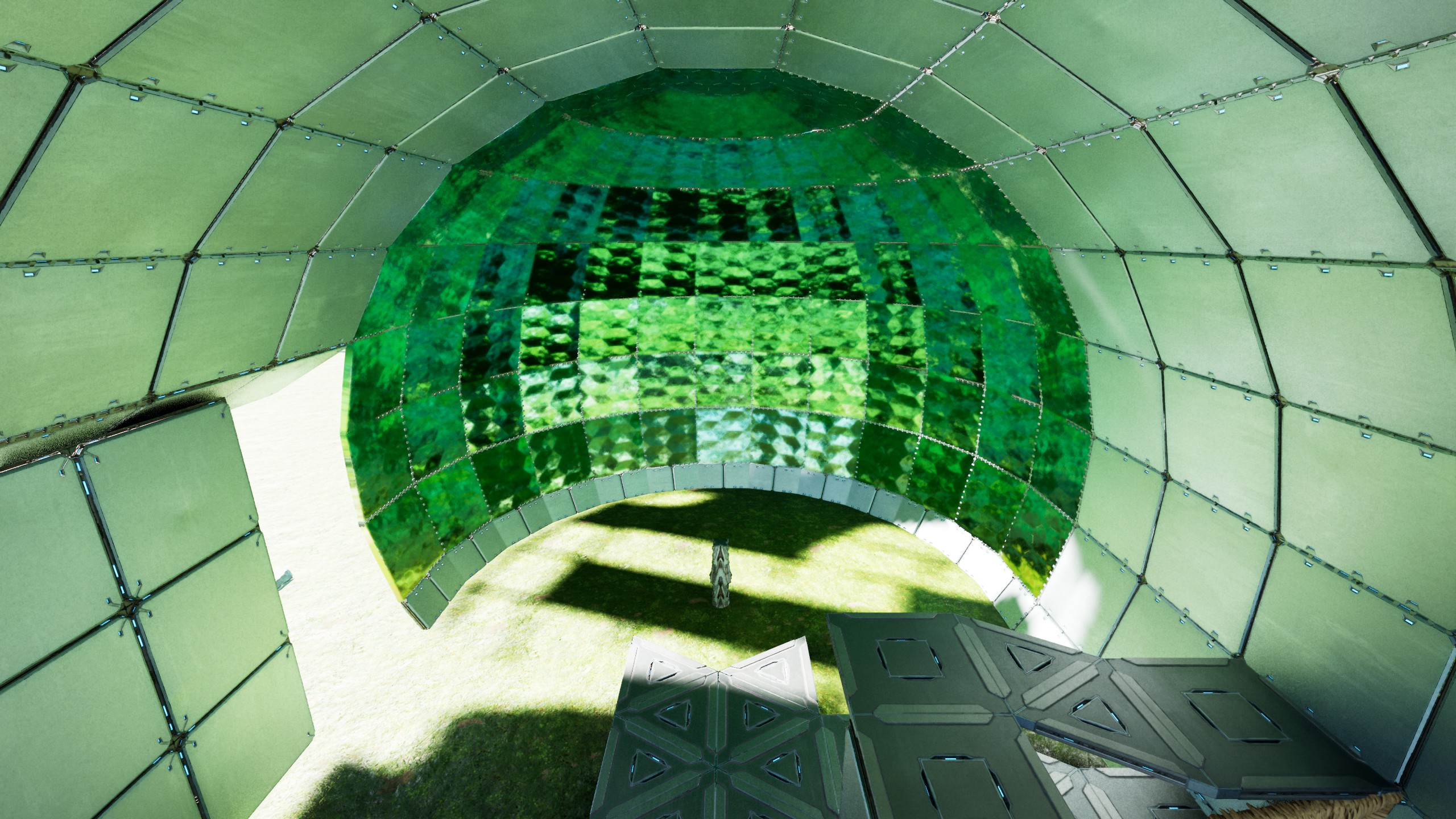
This builds a Quarter of a 24 sided Sphere/Dome, placed at 4 walls high, so it can be used as standalone Sphere or as Dome in Buildings - Place/snap this like any Foundation (at Double-Clicked Height) .... there is some whiggle-room but its made for that height! - use the extra Stone Foundation (on the "right") to snap the 2. Quarter & do that for all 4 sides - remove all Thatch (remove all quarterCeilings touching the TekPillars and the Thatch Pillars(they like to stay connected at Distance) ! make sure you "catch" the Sphere/Dome while removing the Scaffolding ! [as example: the screen on how to fill the 24Circle & add "quarterRamp offsets" uses Thatch to mark where Ceilings should be & also how to interconnect the central Pillars with the FoundationRing] Thats basically IT! ----- If you want the Sphere , just either use normal Foundations on the central Pillar, or a Foundation "12er Triangle Circle" inside the Ring to catch it all. The 24 Foundation Ring only exists to snap this all together, but isnt really needed for the Sphere! also the Central Pillar & the outer Ring have a QuarterRamp height difference! so it COULD be connected, just needs some "work" If you want the Dome, build 4(or 5) walls up & build Ceilings in the 12er-triangle-Circle rhythm around the Dome. On the 6 sides where the 2 FullCeilings touch the Dome, replace the one 90° Pillar with 2 small ones & add a Beam between the Ceilings. Now the Dome is connected to the Ceilings & can be held up by whatever Foundation-Grid YOU choose! (see Screens, i just used "thick"ThatchPillars for Visibility) After you made sure you have Foundations & the Connections done , just remove the entire lower half of the Sphere & you got a Dome glued to the Ceiling! - to close the Sphere you can either use TekCeilingDoors all around (snapped to the Beams) or normalCeilings on the outer rim & SecretDoorWalls on like 2-3 layers & the rest HAS TO be TekCeilingDoors! you can place the "next door" by holding existing ones open & then "overlap" em! I also added the "Blade" that made all this.... its just that one Template, snapped 24 times & has every 2."inner Foundation" moved so it all fits inside the Circle but if you should crash a side, just use the Blade to replace it - place a Ceiling outside the 24 sided Ring & snap this Blade to it, so it overwrites the smallFoundations aaand you are DONE! Enjoy your Sphere/Dome

콘솔에서 받는 방법

콘솔 전체 가이드

콘솔 플레이어 (PlayStation, Xbox)는 Template Hammer Importer 모드를 사용해 게임 안에서 이 템플릿을 바로 다운로드하고 설치할 수 있습니다.

  1. 1모드 설치Open the in-game mod browser and search "Wikily" or "Template Hammer Importer".
  2. 2임포터 제작싱글플레이어 + 크리에이티브 모드에 들어가 Wikily 템플릿 임포터를 제작하세요 (섬유 1개).
  3. 3템플릿 ID 입력아이템을 사용하고 템플릿 ID(100168)와 건축 색인을 입력한 다음 설치하세요.

건물2 files

  • 1

    24 Sphere-Dome Quarter 4 High

    566개 구조물

    제작자: mho

    템플릿 ID: 100168 · 건물: 0

  • 2

    24 Sphere-Dome Blade 4 High

    81개 구조물

    제작자: mho

    템플릿 ID: 100168 · 건물: 1

    mho의 다른 템플릿

    모두 보기
    Bases21

    The 48 Sided Sphere

    The 48 sided Sphere These two Templates are all you need to build a 48 sided sphere! (based on Four 12er Triangle Circles) Long Story Short: - place the Foundation Template (doubleclick-Foundation Height) - snap the "Scaffolding Arch" 24times [Counter-Clockwise!] with its Stone snap-Foundation outside of the 48 sided Ring! (the Prototype was clock-wise but that made it...complicated) - if it snaps stupid, just add a Ceiling outside the 48'er & look at the smallFoundations to snap the StoneFoundation "below" that Ceiling [This also makes it easier to see "where you are at"] - remove all Thatch & fill in the "missing" TekCellarDoors by opening their [overlapping]Neighbours & snap them to the Pillar-Beams Thats basically it! [only takes two people like 5-15 Hours on official, depending on how good you are & if nothing goes wrong ;) ] Kudos to my Generous Allies from #Reiz, who enabled me to actually fully test & build this on Official (in record time i might add) Without Them, it would have been impossible for me to give these refined Templates to all of YOU now! ------ This is build on a "double-clicked" Foundation height. There is some Whiggle-Room, but the cleanest Result you will get when snapped-to/placed-at that Height! The central Pillar that will hold it all, is connected to the outer most Part of the Sphere & basically holds that 48 sided Circle on 2 Sides [just with 90° turned Walls instead of normal ones] and can be interconnected on 6 Sides naturally, with small Ceilings & Pillars/Beams(mimicking 1 Ceiling on the outer Wall) You can Place "90° Hidden Door Walls" all around as "Floor" inside to cleanly close the Ceiling with the Walls in the End(Shout-Out to Lia for coming up with the idea & for all the help in building the Sphere) The Arches just "hang" Up&Down from that "horizontal Ring"! When placing the Scaffolding-Arches, its a Dance between having Support for the already existing Sphere & enough Space for the eight 90° TriangleFoundations, that build the Arches. !!! Use 'DebugStructures' and make sure ALL Triangles ALWAYS have all Connections around them(and are not just parked next another, without ALL connections), or you will have Gaps in Support and/or Connection, which might make Things crash...always ONLY snap Triangles in-Line with other Triangles, dont switch Directions by starting again from a Ceiling somewhere !!! - after each Placement, remove all Thatch I'd recommend starting from the Top by disconnecting the "Arch" & also removing all Pillars [they like to stay connected at Distance] and while you are "up there" your Body can also hold open the CellarDoors to allow you to place the ones on the new Arch! If you ever pick up a Metal-Piece with the Scaffolding, dont Panic, just rebuild that one "arm" from Scaffolding(see last screen) If you already destroyed the Scaffolding, you can either get the "Side" back from any of the 4 related "12er Plates", or just "overwrite" that one Scaffolding again, the Hammer will fill in all missing Pieces! Each "Piece" is just either a Wall- or a PillarBeam with 2 smallPillars on its Up&Down Sides, that glue each Arch together the Horizontal "48-Ring" also has a snallPillar on the "Left&Right". Either keep or remove the 48 sided Foundation Circle, its of no Consequence for the Sphere! if you want to, you could fully fill the Top&Bottom, by using the full Scaffolding & by overlapping HARD i think thats all enjoy your Sphere! PS: on a personal Note, i sincerely hope Wildcard will not take this from us by "patching", but lets us enjoy these Gems, Their Game allows us to Create!

    • 1.2k 구조물들
    • 2 건물
    • 0 좋아요
    • 바닐라
    Mmho2026년 11월 12일
    Bases3

    24 Half Dome 1 Wall High

    This builds half a 24sided Dome, one Wall high above Foundations & is also able to stand alone I chose this height, because it offers useful Ground inside the "Sphere" and can be integrated into any Building really Its also fully created from Foundations! Long Story short: - Place this maximal as high as a "Double-Clicked"Foundation & remove all Thatch! - If you want a full Dome, add a Ceiling to the left "South-Facing" Foundation and build it again - If you want it on a House-Wall, just have a 7-Gap in your Wall & add a small Foundation extra Distance to a "north"-outward-facing Foundation (finish the Dome & add in normal Walls last) Thats all really! Some small TekPillars [that touched a Foundation] might not become "Foundations" , check all & replace those who arent (it sometime happens, idk why!, i build this a bunch of Times & sometimes some Pillars just dont become Foundations...#arklife ) should you place it too high, the 90° Pillars will not become Foundations & you have to either build it high enough, so you can place new Pillars on the lowest (small) Ceilings Or catch the Dome on its side with normal Foundations to remove all Thatch remove all smallCeilings that Touch the TekPillars (& the ThatchPillars, they like to stay connected at Distance) - add a rim of small walls on the lowest beams - Fill all Beams with CeilingDoors (or partially with SecretWallDoors) they have to be open, to place "the Next" and overlap PS: i added the "logic" how this works to the Screens, but its just the 2x12 sided Circles(15° offset) this means, you can use & extend any of these "Blades" inner or outer "12er Circle"...if you want the HalfSphere to continue as a tube for example or fill the Top Enjoy!

    • 618 구조물들
    • 0 좋아요
    • 바닐라
    Mmho2026년 11월 12일
    Bases17

    mho's Hobo Statue

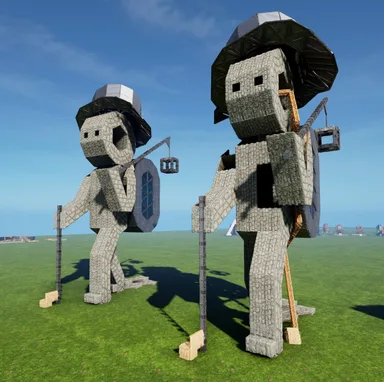
    This builds my Hobo-Statue, with Tophat, Backpack, Walking- & Lamp-Stick Im using an earlier Version of this in my own Base,with tek-Generator in the Cube. I just replaced the Backpack with a Cape, to roof-over my Crafting Area Since i see no reason to just "sit on these Statues" any longer, i decided to clean them up and offer refined Versions to YOU all! - Long Story short: place this either with the Feet touching the Ground, or with "floating Toes", - remove all Thatch - fill in the missing Ceilings & Walls (in that order) and a Rim of Pillars between the Backpack & Back to round things up - choose one of the two Foundation Heights in the Back >>> Thats it! only the Backpack & Stick need extended support, the Statue itself is build by & stands on the 2 small Foundation in the Toes The normal Foundation in the left Heel holds the Tophat & the Floors in the Backpack & Body The two small Foundations in the right Heel provide you with two height options (1/4 Ramp Difference) - Either place it low and just use Foundations in the Back for the Backpack & Stick - or have floating Toes & the "deep" Foundations can be used to fundamentalize the whole Ground beneath the Feet (both Heels are just 2 Triangles & a normal Ceiling apart!) I always wanted to give him a better Backpack & maybe a "fancy Lamp", but could never find decent ones, that wouldnt add exorbitant Numbers to the Build... soo i just left it at these simpler ones, but made sure it atleast all works without a Hassle! PS: the smallPillar Beam on the Hexagon inside the Body prevents you from falling into the right Leg, which has no way out, other then flying or destroying Pieces! (alternatively you could ofc just add a wall inside to close the leg) enjoy

    • 592 구조물들
    • 2 좋아요
    mhoStone Age2026년 10월 9일
    유틸리티25

    Thick Teleporter Stargate

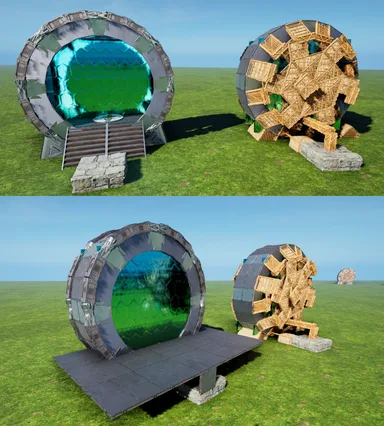
    This places a full-Wall-thick Stargate, able to have a small Teleporter inside. I only build this because i thought it would be pretty cool to literally step into & out-of a Stargate for Teleportation! Its functionally the same as the "new Stargate"[wikily 3049], just 1 Wall thick, instead of a Half. This also creates Everything from Foundations, instead of Pillars, to make Placment easier. - I would say, place this just low enough, that the Ring stands fully on the Ground(might be sunken in tho) - The CellarDoors stand on Pillars and cant touch the Ground, so atleast those must be "high enough for their Pillars" [All Pillars are forced into existence by Foundations on this Build(to avoid the annoying "cant place Pillar at this Height" Sweetspots) feel free to experiment, but a floating Gate seems weird tbh...yet it should be able to be snapped/build pretty high, if you want it in/on a Ceiling!... and ofc a floating Ring needs some Ground-contact, like adding an extra smallFoundation or something] - remove all Thatch Foundations & Ramps and the Scaffolding will just peel-off - Fill in the missing lowest Walls & Ceilings[use the right Flip on the TekCeilings, or the "Chevron" outside will be darker then the rest] - To fill the Gate's Floor, Add 4 quarterCeilings & 2 Ceilings onto the central Pillar - Add 4 Stairs (on the quarterCeilings) and a Teleporter - Fill the outer Rim with Pillar-Beams to your liking and to cover-up most of the Gate's "Ears" - use whatever cover-up you like to hide the Gate's lower end (i prefer TriangleCeilings+Wall, but up to YOU) ...AND YOU ARE DONE! PS: Like the newStargate, the "Floor" is just half a wall higher then the CellarDoor/StoneFoundation & could also be used to make the Gate "Part of a Ceiling" Enjoy & expand the Gate Network ;)

    • 235 구조물들
    • 3 좋아요
    mhoStone Age2026년 10월 7일

    비슷한 템플릿이 카테고리의 다른 건축물

    모두 보기
    Bases13.5k

    Tony's Workshop

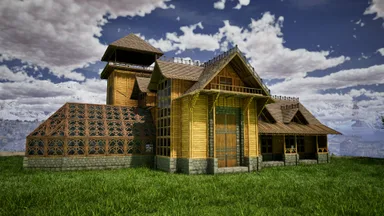
    All-in-one base with greenhouse. Skins used: - Frontiers -Steampunk - Klinger Additional Skin Cosmetics Rustic GreenHouse

    • 1.5k 구조물들
    • 271 좋아요
    • 바닐라
    Bases8.9k

    Aono All in One Base [ARGEN and ANKY]

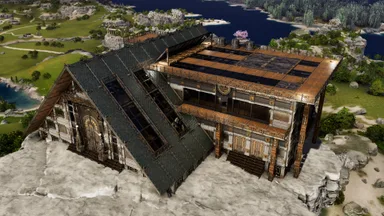
    This is an official PVE compatible base that allows you to bring in resources using the Argento Anky using a cellar door. It is equipped with a full range of facilities, including an industrial forge and industrial grinder. The layout has been carefully designed to make it easy to bring in resources and craft, making it extremely user-friendly. The skin used is the Steampunk skin from the paid DLC, Bob's Tall Tales. こちらは公式PVE対応のセラードア使ってアルゲンアンキーで資源の搬入が可能な基地です。 インダストリアルフォージやインダストリアルグラインダーなどの設備は一通りそろっています。 資源搬入やクラフトなどがしやすいように配置を工夫して非常に使いやすい設計にしております。 スキンは有料DLC、ボブズトールテイルズのスチームパンクスキンを使用しています。

    • 852 구조물들
    • 222 좋아요
    • 바닐라
    Bases7.8k

    Epic Steampunk Starter House (LolsAtLance)

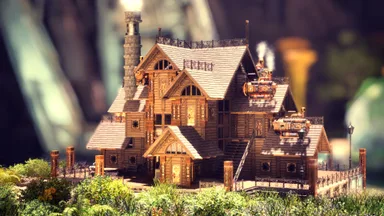
    Welcome to my Steampunk Starter House build in ARK: Aberration Ascended made completely from thatch! This build utilizes Bob’s Tall Tales Structure Skins, with a special focus on the Steampunk Skin to transform a simple thatch house into a unique, immersive base. PLEASE WATCH VIDEO TO SEE WHERE TO APPLY SKINS. Whether you’re new to ARK: Survival Ascended or just looking for some inspiration, this steampunk starter house is the perfect blend of style and practicality.

    • 615 구조물들
    • 171 좋아요
    • 바닐라
    LolsAtLance추천 제작자Tribe Chief2025년 6월 26일
    Bases7.4k

    Basic Bunkhouse with Greenhouse

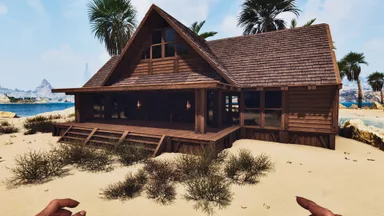
    All wood bunkhouse with loft and green house. Room for plenty of tribemates and equipment. Skinned in Frontier skins and lit with Frontier oil lamps and chandeliers.

    • 272 구조물들
    • 201 좋아요
    • 바닐라
    MinenaTek Engineer2025년 7월 9일
    토론을 불러오는 중...
    크리에이터 커뮤니티에 참여하세요ARK: Survival Ascended 위키를 만드는 사람들이 저희 Discord에 있어요. 질문하거나 페이지를 제안해 보세요.Discord 참여 (새 탭에서 Discord가 열립니다)