Bases
Bases
설명
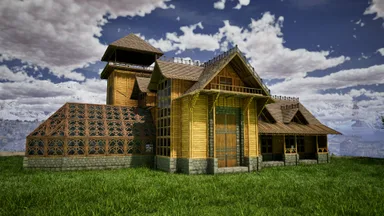
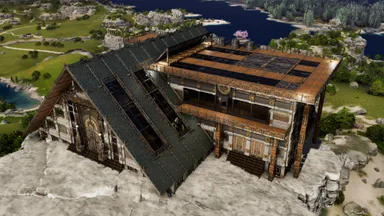
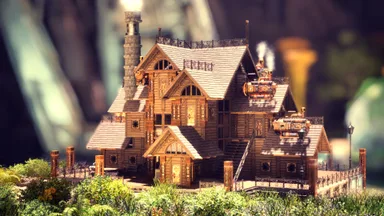
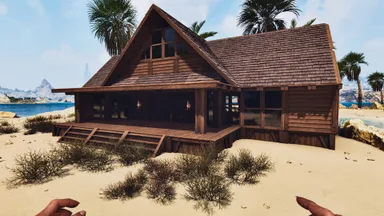
A visually appealing (hopefully!) mid to end game base with an empty inside layout to allow for customisable interiors. This is my first go at a larger base than I am experienced with building, enjoy! In the future, I will update this template to add the same templates but fully furnished indoors with everything a survivor needs! Keep an eye out. Recommended to use the centre template first to allow ease of snapping, otherwise you're going to have a nightmare trying to do so! To easily snap the side wing and the forge pieces to the centre, follow these steps: - For the side wings, place the snapping foundations (triangle) in accordance with the side wing connecting to the centre, then the next stone foundation on the middle triangle foundation. Remove the triangle pieces and snap the side wing between the centre piece and the stone foundation. - For the forge piece, place the snapping foundations (square) in accordance with the forge connecting to the centre, then another row of 3 foundations, resulting in 3x2 stone foundations. Remove the snapping foundations and connect the forge piece (the other 3 foundations are temporary to help snapping). - If any addtional support is required please do leave a comment and I will do my best to help! Suited for flat ground, however if that isn't possible, create a 29x16 foundation base, the whole base should fit on top of it. (no mods required) (BTT required for frontier skins)
콘솔에서 받는 방법
콘솔 전체 가이드콘솔 플레이어 (PlayStation, Xbox)는 Template Hammer Importer 모드를 사용해 게임 안에서 이 템플릿을 바로 다운로드하고 설치할 수 있습니다.
- 1모드 설치Open the in-game mod browser and search "Wikily" or "Template Hammer Importer".
- 2임포터 제작싱글플레이어 + 크리에이티브 모드에 들어가 Wikily 템플릿 임포터를 제작하세요 (섬유 1개).
- 3템플릿 ID 입력아이템을 사용하고 템플릿 ID(
177)와 건축 색인을 입력한 다음 설치하세요.