

Wikily appFree for Windows PC
Loftia Companion App: use the wiki while you play
Wikily is a free companion app that opens the wiki in its own window, so you can keep it next to the game or on a second monitor. Ctrl+Shift+S opens and closes it.
- No account needed
- Works with every Wikily wiki
Screen 1


How it works
- WikilyIncludes Overwolf
Install itTakes about a minute.
- LoftiaCtrl+GPick your game once
Open WikilyStart it from the Overwolf dock.
- Ctrl+Shift+S
Press Ctrl + Shift + SThe wiki opens in its own window. Press again to hide it.
Everything from the wiki is in the app
1352Todos los objetos







59Misiones








40Inspirar






When it comes in handy
Where's that spot on the map?
The Loftia map. Turn on only what you need.
Need to check Items?
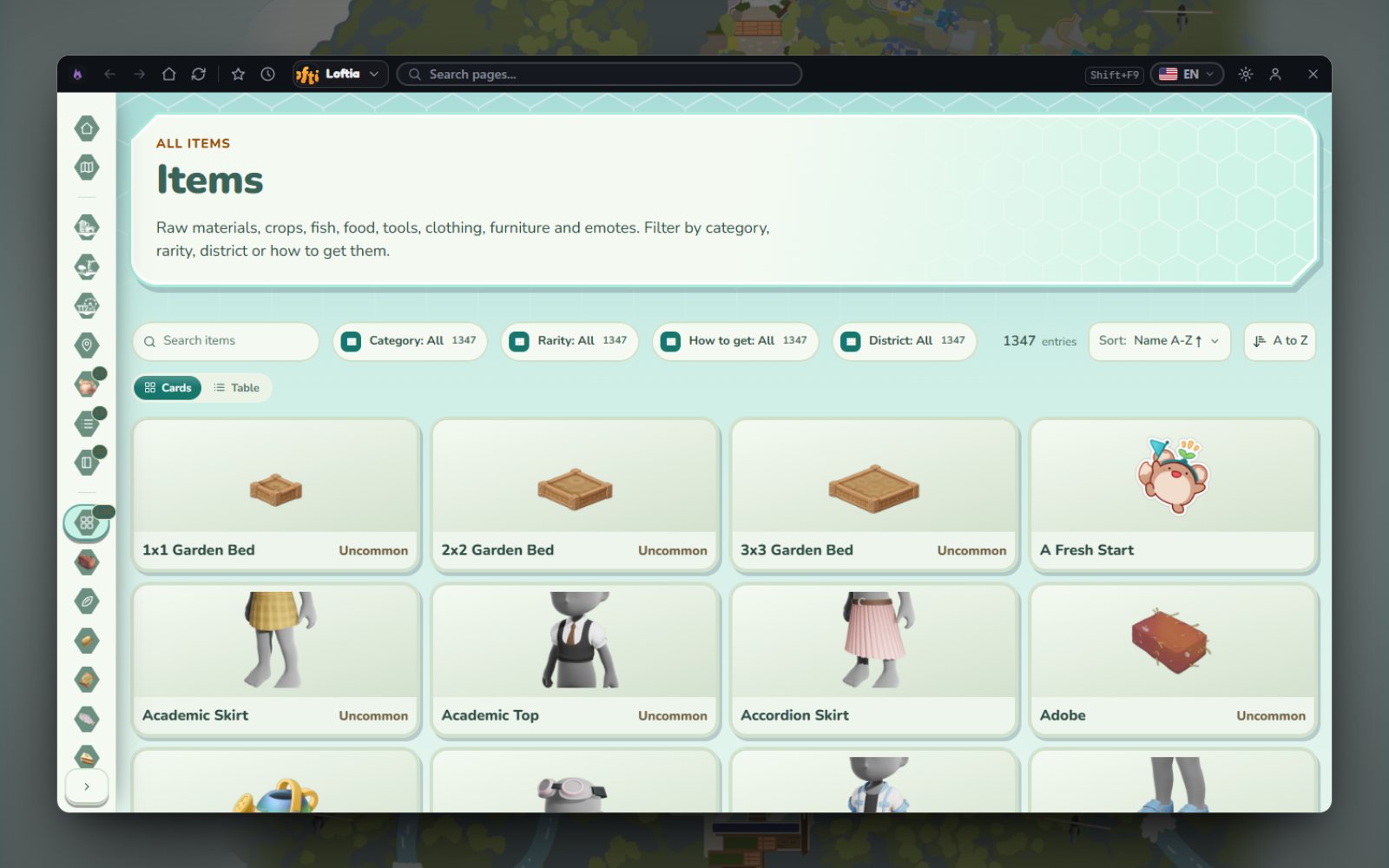
All 1347 entries. You can search and filter them.
Need to check Resources?
All 72 entries. You can search and filter them.
Why not just alt-tab?
- Alt + Tab
- Find the browser
- Search
- Close the cookie popup
- Scroll to the answer
- Alt + Tab back
It's already open next to the game.
Search the whole wiki from the app
Press Ctrl+K and start typing.
Keyboard shortcuts
Works with every Wikily wiki
Press Ctrl+G to switch wikis. If you start another supported game, its wiki opens automatically.



















Questions
Is it free?
Yes, and you don't need an account. Overwolf shows a few ads in the corner of the app.
What do I need?
A Windows PC. The installer also installs Overwolf, which the app runs on.
Does it touch Loftia?
No. It doesn't read or change your game files. For Loftia it's just a separate window.
Which games open it in game?
AION 2, ARK: Survival Ascended, ARK: Survival Evolved, Aniimo, Enshrouded, Far Far West, Graveyard Keeper 2, Kingdom Rush, Minecraft Dungeons II, Minecraft Java Edition, Once Human, Paralives, Solarpunk, Subnautica, Subnautica 2. Every other Wikily wiki opens in the app's window.