Trade
/trade
Steam Market
Trade
The trade ship moves items from the game to your Steam Inventory, where you can sell them on the Steam Community Market, and brings items you bought there back into the game. Only Legendary and higher gear and socket items, and the boss maps, can go on it.
What can be traded

Legendary, Immortal, Ascendant, Primordial and Mythic. Lower rarities cannot be traded. Each gear page shows the lowest rarity of that piece that can be traded.
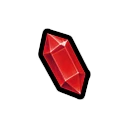
Decorations, Gems and Sigils at Legendary, Immortal and Ascendant.
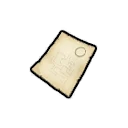
All four: Scout's Map, Commander's Map, High Commander's Map and Charred Map.
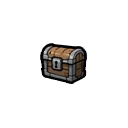
Crafting materials and chests, and every piece of gear or socket item below Legendary.
Loading the trade ship
Trade is locked for 3 days after account creation. The game shows how long is left.

Gear with a Decoration, Gem or Sigil in it cannot be loaded. Remove them in the Workshop first; removed socket items are lost.
Gear a hero is wearing and items you have locked cannot be loaded.
Recently obtained items cannot be loaded yet.
Each item needs a free trade slot. The Trade Pack DLC adds more slots; it is not listed on the Steam store as of 12 November 2026.
Export and import
Exporting sends the item to your Steam Inventory. The trade slot it used is then locked for 8 hours.
Items you bought on the Steam Community Market show up after you press Refresh in the trade window. Imported items arrive in your Mail, where you claim them.